
Edit link certificate easily



How to Edit link certificate with DocHub
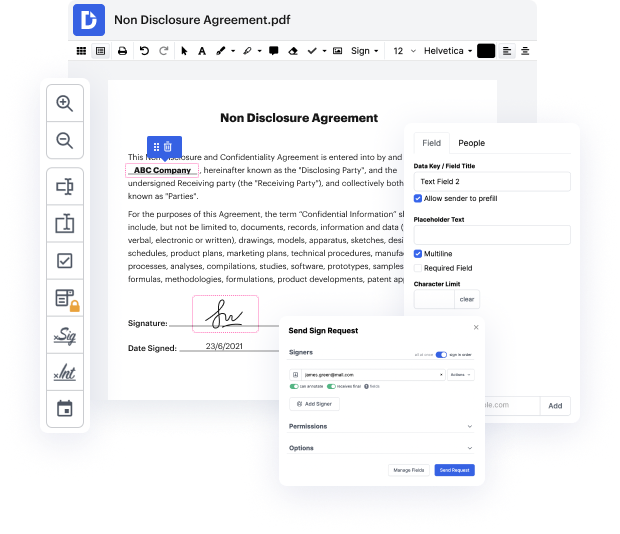
When you want to apply a minor tweak to the document, it must not take long to Edit link certificate. This sort of simple activity does not have to demand extra training or running through guides to learn it. Using the right document editing tool, you will not take more time than is necessary for such a quick change. Use DocHub to simplify your editing process regardless if you are a skilled user or if it is the first time using a web-based editor service. This instrument will require minutes or so to figure out how to Edit link certificate. The sole thing needed to get more effective with editing is actually a DocHub account.
Complete your edits in several easy steps.
- Go to the DocHub site and click on the Sign up button.
- Key in your email, make up a password, or utilize your email account to sign up.
- Go to the Dashboard when the signup is done and click New Document to Edit link certificate.
- Upload the file from your documents or via a hyperlink from the selected cloud storage space.
- Select the file to open it in editing mode and make use of the available instruments to make all necessary alterations.
- After editing, download the document on your device or keep it in your documents together with the newest modifications.
A plain document editor like DocHub can help you optimize the amount of time you need to dedicate to document editing regardless of your prior knowledge about this kind of resources. Make an account now and boost your efficiency immediately with DocHub!
PDF editing simplified with DocHub






Drive efficiency with the DocHub add-on for Google Workspace
How to edit certificate online
hi everyone uh today we will be learning how to do edit link from a different workbook so edit link is uh used if you want to update links in your file from a different file for example uh lets take lets see these three columns here column b c and d column b has a department which is uh basis the employee code which is appearing in column a so this is a formula which derives the department from another file similarly this is the job role of that person which is also uh derived from that similar file this file is for october 20 and the third is the salary which is derived from another file which is the hr file of october 20. so uh all these files are from october 20. we need to update the files for the month of november so how can we do that without applying these formulas again is i will uh tell you in this video so first i would like to inform you two important things uh the old file and the new file which we are using should be identical and there should be similar columns in both

Got questions about edit certificate online free?
How do I edit a certificate and document?
How do I edit an existing SSL certificate?
How do I edit a Windows certificate?
How do I edit a PDF certificate?
How do I edit a certificate file?
How do I edit a PDF certificate?
How can I edit my certificate?
Can I edit a PDF certificate?
How do I edit a certificate in Word?
How do I edit a document and certificate?
See why our customers choose DocHub


Security and compliance
At DocHub, your data security is our priority. We follow HIPAA, SOC2, GDPR, and other standards, so you can work on your documents with confidence.
Learn more


