
Cut image certificate easily



How to Cut image certificate and save your time
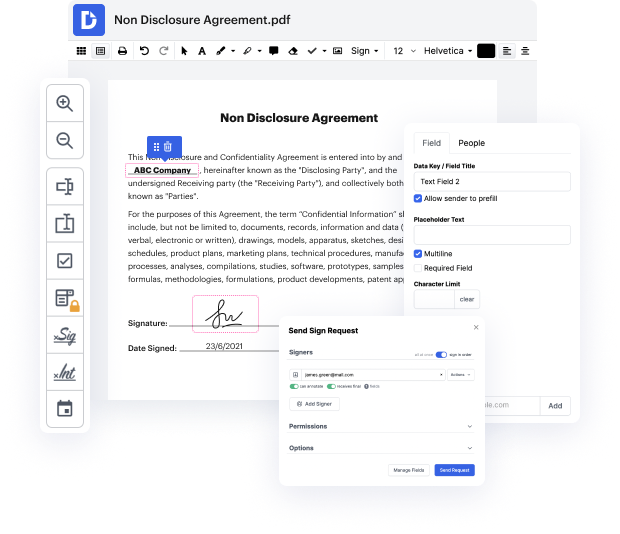
You know you are using the right document editor when such a simple task as Cut image certificate does not take more time than it should. Editing papers is now an integral part of a lot of working operations in various professional areas, which is why convenience and straightforwardness are crucial for editing tools. If you find yourself researching guides or looking for tips about how to Cut image certificate, you may want to get a more intuitive solution to save your time on theoretical learning. And here is where DocHub shines. No training is needed. Simply open the editor, which will guide you through its main functions and features.
Kickstart your editing flows in several easy steps.
- Go to the DocHub site and hit the Sign up button.
- Provide your account details for the signup or select the fast signup using your current email profile.
- Once you see the Dashboard, you are all set. Click the New Document button to add the file in which you need to Cut image certificate.
- Add it from your device as a drag and drop or use a link to the cloud where it is stored.
- Open the document in the editing mode and make use of the user-friendly toolbar to apply the adjustments needed.
- Save the document in your account or download it on your device instantly.
A workflow gets smoother with DocHub. Use this instrument to complete the files you need in short time and get your efficiency to a higher level!
PDF editing simplified with DocHub






Drive efficiency with the DocHub add-on for Google Workspace
How to edit certificate online
Heres how to cut out an image in Photoshop CC. Go to File, Open, and open your image. Right-click on the object selection tool from the toolbar on the left. Select Quick Selection Tool. Click the box for Sample All Layers if youre working with a composite image. You can also click Enhance Edge for a more precise edge selection. Click Select Subject in the upper toolbar. For less up-to-date docHub Photoshop versions, youll have to manually outline the subject in the foreground. Photoshop has multiple tools, such as the lasso tool, marquee tool, and the magic wand tool, for outlining your subject. If you would like to smooth the edge of the area you are cutting, click Select and Mask in the toolbar above your picture while your chosen area is selected but not yet cut out. Your selection will open in the new dialogue box with options to refine, affect the edge detection, and multiple other options for tailoring your selection to your specific needs. Now that you have your

Got questions about how to edit marksheet?
How do I edit a certificate in PDF?
Which app can I use to edit certificate?
How do I edit an already made certificate?
How do I cut an image out of a picture on my phone?
How do I edit a scan certificate?
How do I cut out a specific picture?
How do I edit an image certificate?
Can I edit a PDF certificate?
Can I edit a Cricut image?
How do I edit an already uploaded image on Cricut?
See why our customers choose DocHub


Security and compliance
At DocHub, your data security is our priority. We follow HIPAA, SOC2, GDPR, and other standards, so you can work on your documents with confidence.
Learn more


