
Batch remove metadata PDF



Let’s quickly get to the point and see how you can Batch remove metadata PDF using our solution.
- Register for DocHub: you can use your email or the register with Google choice.
- Once you’re in, it will take you to your Dashboard, where you will find a neat-looking layout of your files.
- Click the New Document button in the upper-left corner to upload or import a new file utilizing another service of your choosing.
- You may also check out the option to create your own from scratch and use our document creation features.
- On the top toolbar, find the option to Batch remove metadata PDF, apply it to your document, and save changes.
- Select how you’d want to save, download, or share your executed copy with others.
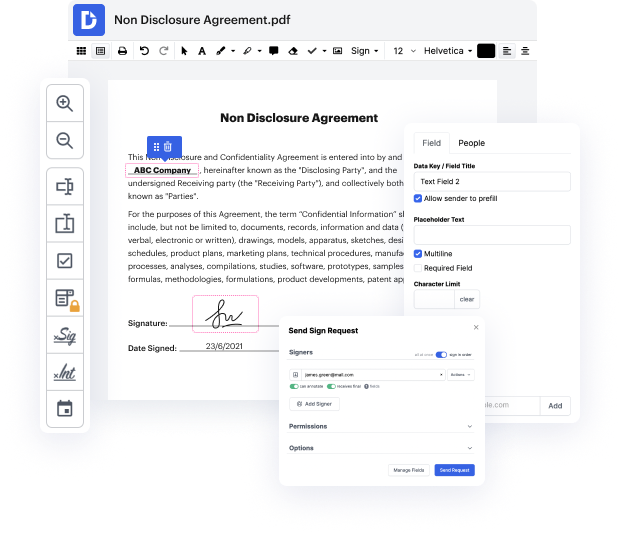
The DocHub editor lets you easily Batch remove metadata PDF. It’s easy to grasp and requires no previous experience with similar editing tools. Simply upload your file, and DocHub will take care of everything else, providing you with things like:
- Intuitive document editing and creation,
- Safe and regulation-compliant signing,
- Smooth document management and delivery.
Try DocHub now!
PDF editing simplified with DocHub






Drive efficiency with the DocHub add-on for Google Workspace
How to metadata remove pdf free
[Music] pdfs contain all sorts of metadata that makes it easy to find out who created it file names modification history and so much more while you can easily modify your metadata in apps like docHub pro theres also a free way to change your data without paying heres what you need to do if youre just performing a single task sedja has a pretty straightforward dedicated pdf editor just click on the link in the description below to head to the site then click on upload pdf files to get started once your file has been uploaded youll be shown what fields you can edit or fill out any information that was present and readable from your document like its creation date and time will be already filled in you can add a new field by clicking on the add button at the bottom of the form under name type in what you want to label the text box then type in what you want in the box under value to add in an artist field for example type in artist under name then the name of the artist under v

Got questions about metadata remove pdf?
Can you open multiple PDFs in one document?
How to remove metadata from PDF command line?
How do I bulk remove metadata from a PDF?
How do I edit all pages in a PDF?
How do I edit multiple PDF names at once?
How do I edit multiple PDF files at once?
What software removes metadata from PDF?
See why our customers choose DocHub


Security and compliance
At DocHub, your data security is our priority. We follow HIPAA, SOC2, GDPR, and other standards, so you can work on your documents with confidence.
Learn more


