Get and manage Basic accounting blank form Balance Sheet Templates online

Accelerate your form administration with our Basic accounting blank form Balance Sheet Templates collection with ready-made document templates that suit your requirements. Get your document, alter it, complete it, and share it with your contributors without breaking a sweat. Begin working more efficiently together with your documents.

How to use our Basic accounting blank form Balance Sheet Templates:

  1. Open our Basic accounting blank form Balance Sheet Templates and find the form you need.
  2. Preview your document to ensure it’s what you want, and click on Get Form to start working on it.
  3. Alter, include new text, or highlight important information with DocHub features.
  4. Complete your form and preserve the adjustments.
  5. Download or share your form with other people.

Examine all of the possibilities for your online file administration with our Basic accounting blank form Balance Sheet Templates. Get a free free DocHub account today!


Video Guide on Basic accounting blank form Balance Sheet Templates management

video background

Commonly Asked Questions about Basic accounting blank form Balance Sheet Templates

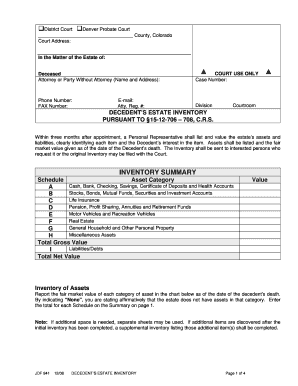
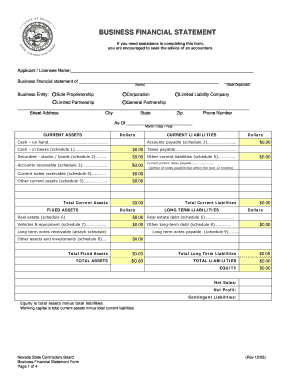
The Balance Sheet Template for Excel is a pre-designed spreadsheet that allows users to enter their companys financial information, including assets, liabilities, and equity. This template is useful for businesses of all sizes, as it can be customized to fit each companys specific needs.
The balance sheet is based on the fundamental equation: Assets = Liabilities + Equity.
A: Yes. Excel has a range of financial templates, including income statements, cash flow statements, and balance sheets.
What is the basic format of a balance sheet? The basic format of a balance sheet includes three main sections: assets, liabilities, and equity. Assets list resources owned, liabilities outline obligations, and equity shows net worth or ownership.
How to make a balance sheet Invest in accounting software. Create a heading. Use the basic accounting equation to separate each section. Include all of your assets. Create a section for liabilities. Create a section for owners equity. Add total liabilities to total owners equity.
Creating a budgeting plan for your household can feel overwhelming and hard, but Excel can help you get organized and on track with a variety of free and premium budgeting templates.
Those who havent used Excel before or arent familiar with its features can download Excel bookkeeping templates online. Once you create or download templates, you can use them as a basis for more advanced account-related tasks like basic financial statements, forms, receipts, reports, etc.
Preparing a balance sheet involves several steps: Gather Financial Information: Gather all your financial data, including assets, liabilities, and equity. Organize Assets: Here is the list of all assets, including current assets (cash, inventory) and non-current assets (property, equipment).