Insights on the DocHub vs. Dragger Annual price comparison
Choose the best editing solution for your business once and for all. Check out the detailed comparison of DocHub and Dragger Annual price
Create free account
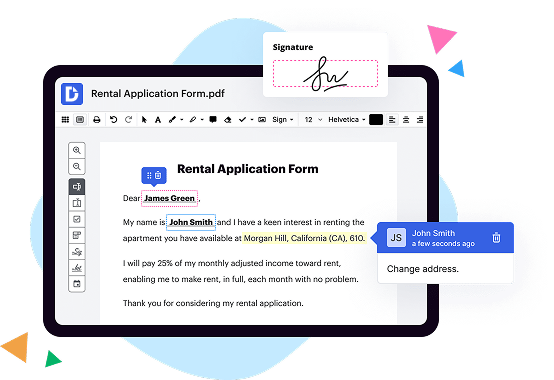
Dragger vs. DocHub Annual price comparison in a nutshell

|
Dragger | |
|---|---|---|
| Create Documents pre-filled with Salesforce data | ||
| Add Smart Fillable Fields | ||
| Type in PDF | ||
| Erase in PDF | ||
| Black out & Redact in PDF | ||
| Add Images & Tables in PDF | ||
| Draw Arrows & Lines in PDF | ||
| Add Watermarks, Videos & Company Logos | ||
| Paginate PDFs | ||
| Add Sticky Notes & Text Boxes | ||
| Search and Replace Text in PDF | ||
| Spellcheck in PDF | ||
| Sign Online | ||
| Embedded Signing | ||
| Add a Signature on Mobile | ||
| Signature Workflows | ||
| Request Additional Documents | ||
| Signature Notifications | ||
| Track Sent Document | ||
| Unique Document ID | ||
| Host Fillable Forms | ||
| Extract Collected Data | ||
| Two-Factor Authentication | ||
| Four-digit PIN | ||
| Get DocHub for free |
Here are the main differences between DocHub and Dragger Annual price
The shareholders approved the joint proposal of the Supervisory Board and the Executive Board to distribute a dividend of EUR 0.13 per common share and EUR 0.19 per preferred share for fiscal year 2022, unchanged from fiscal year 2021.
Move from Dragger PDF to DocHub in a few steps
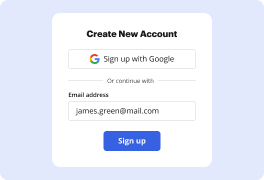
01. Register with DocHub using your email address or Google account. It's fast and easy. No credit card required.
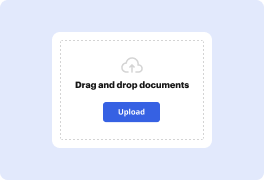
02. Upload the document you need or create it from scratch. Then, customize it by adding images, drawings, and different types of fillable fields.
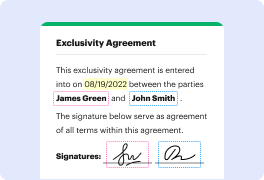
03. Customize your PDF in minutes. Type, highlight, underline, whiteout text, add comments, and sign your document.
04. Share your PDF with others to collaborate in real-time. Export your document, download or print it out.
Switch to DocHub to enjoy premium PDF customization

Online PDF creator and editor
Explore DocHub vs. Dragger comparison data and choose the best platform for getting your perfect document without hassle. Start with a blank document or modify an existing one. Type text, add shapes, drawings, images, and highlight or whiteout information. Whatever you do with a PDF, the result is always high quality, without rasterized text or removed fields.

Diverse PDF management tools
Manage your PDF to perfection. Add, delete, and rearrange document pages or merge them to create a new document. DocHub supports a variety of file types including PDF, DOC, PPT, XLS, TXT, DOCX, and PPTX, which you can easily convert to a PDF.

Powerful PDF tools on your mobile device
Keep your work flowing from any location. Get DocHub, the most powerful Dragger competitor. With DocHub's capabilities on your mobile device, you can edit, annotate, manage, sign, and share PDFs just as easily as you would on a desktop. No need to install the app.

Google integrations
Boost your productivity and deliver an amazing customer experience by managing your PDFs from your favorite Google apps. Import, edit, and sign your documents directly from your Gmail, Google Drive, and Dropbox.

Interactive PDF forms and templates
Get an intuitive and interactive experience when creating PDF forms and reusable document templates. Modify existing fields or create new ones for checkboxes, signatures, initials, and more. Publish forms on your website, social media, or share them via URL to collect data.

Real-time collaboration
Migrate from Dragger to DocHub to collaborate effectively and securely on documents in real-time. Set document permissions to let others view, comment on, edit, and sign your documents. Stay in the loop with instant email notifications or track the status of your documents with court-admissible audit trails.
Industry-leading security and compliance
DocHub implements reasonable measures to comply with industry-leading standards, regulations, and certifications so you can securely edit, fill out, sign, and send documents and forms.

GDPR compliance
Regulates the collection, use, and holding of personal data for EU residents.

PCI DSS certification
Ensures the security of credit and debit card transactions made by a customer.

CPRA compliance
Enhances the privacy rights of California residents while protecting their personal data.

SOC 2 certification
Ensures the security of your data and the privacy of your clients.

HIPAA compliance
Protects privacy, security, and integrity of sensitive healthcare information.
Check out what our customers are saying about their DocHub experience
Great solution for PDF docs with very little pre-knowledge required.

A Valuable Document Signer for Small Businesses.

I can create refillable copies for the templates that I select and then I can publish those.

DocHub and Dragger Annual price comparison FAQ
What is the Gold Dagger category?
This award is for the best crime novel by an author of any nationality, originally written in English and first published in the UK during the judging period. The broadest definition of the crime novel applies.
What is the gold dagger award given for?
The Gold Dagger is awarded to the best crime novel of the year. It was originally created in 1955, under the name of the Crossed Red Herrings Award. It was renamed the Gold Dagger in 1960 and has been awarded ever since with variations in its name depending on sponsorship.
Who owns Draeger?
Drger (company) TypeKommanditgesellschaft auf Aktien with Aktiengesellschaft as partner with unlimited liabilityNet income33.79 million (2019)Total assets2.57 billion (2019)Total equity1.08 billion (2019)Number of employees14,845 (2019)10 more rows
What is the dividend of Draeger?
Drger has more than 16,000 employees worldwide and is present in over 190 countries around the globe.
Is the Gold Dagger an annual award?
The Gold Dagger is an award given annually by the Crime Writers Association of the United Kingdom since 1960 for the best crime novel of the year. From 1955 to 1959, the organization named their top honor as the Crossed Red Herring Award.
Is Draeger a publicly traded company?
The family-run company was founded in Lbeck, Germany, in 1889. Over the past five generations, Drger has evolved into a global, publicly traded group.