




Here's how it works

01. Edit your form online
Type text, add images, blackout confidential details, add comments, highlights and more.

02. Sign it in a few clicks
Draw your signature, type it, upload its image, or use your mobile device as a signature pad.

03. Share your form with others
Send it via email, link, or fax. You can also download it, export it or print it out.
How to use or fill out HIPAA Authorization with our platform

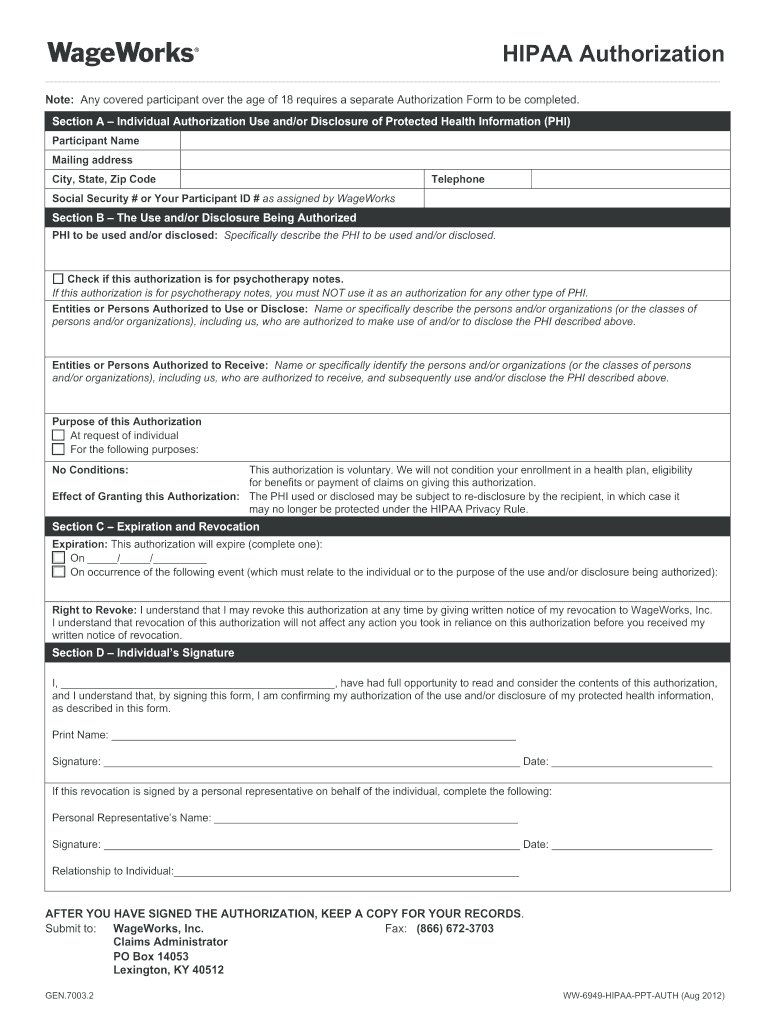
- Click ‘Get Form’ to open the HIPAA Authorization in the editor.
- In Section A, enter your name, mailing address, city, state, zip code, telephone number, and either your Social Security number or Participant ID number as assigned by WageWorks.
- Move to Section B. Specify the Protected Health Information (PHI) you are authorizing for use or disclosure. If applicable, check the box indicating this authorization is for psychotherapy notes.
- List the entities or persons authorized to use or disclose your PHI. Be specific about who can access this information.
- Identify the persons or organizations authorized to receive your PHI. Clearly specify their names or classes.
- State the purpose of this authorization in the designated area. You may select 'At request of individual' or specify another purpose.
- Complete Section C by indicating when this authorization will expire and acknowledge your right to revoke it at any time.
- In Section D, sign and date the form. If a personal representative is signing on your behalf, provide their details as well.
- After signing, keep a copy for your records and submit it to WageWorks via fax or mail as indicated at the bottom of the form.
Start using our platform today for free to streamline your document editing and signing process!
Fill out authorization described online
It's free
It's free
See more authorization described versions
We've got more versions of the authorization described form. Select the right authorization described version from the list and start editing it straight away!
Security and compliance
At DocHub, your data security is our priority. We follow HIPAA, SOC2, GDPR, and other standards, so you can work on your documents with confidence.
Learn more


