




Here's how it works



How to use or fill out ciee job offer form summer 2020 with our platform

- Click ‘Get Form’ to open the ciee job offer form summer 2020 in the editor.
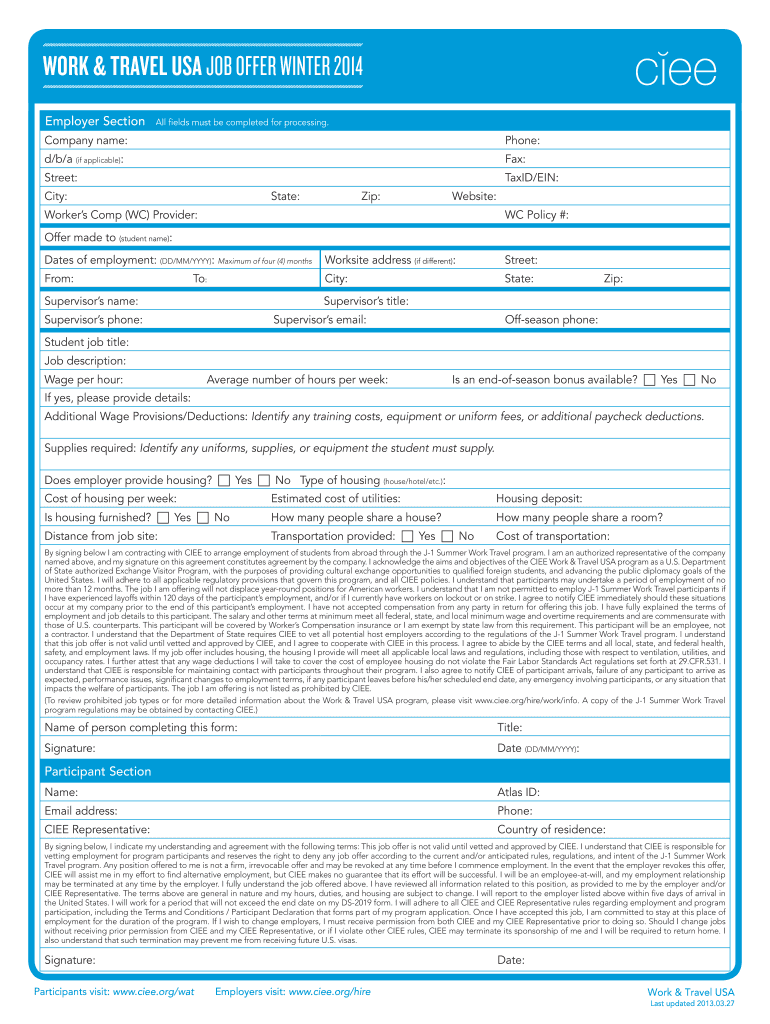
- Begin by filling out the Employer Section. Enter the company name, phone number, and address details including street, city, state, and zip code. Ensure all fields are completed for processing.
- Provide information about the job offer such as the student’s name, dates of employment (maximum of four months), worksite address if different, and supervisor details including name, title, phone number, and email.
- Detail the job specifics: student job title, job description, wage per hour, average hours per week, and any end-of-season bonus availability. Include additional wage provisions or deductions if applicable.
- Complete housing information if provided: type of housing, cost per week, utilities estimate, and whether it is furnished. Also indicate transportation provisions.
- Finally, sign and date the form in both Employer and Participant sections to confirm agreement with CIEE terms.
Start using our platform today to easily complete your ciee job offer form for free!
It's free
See more ciee job offer form summer 2020 versions
Got questions?
Can I draw my eSignature to sign my ciee job offer form summer 2020?
Yes, electronically drawing your signature is appropriate, but only if you utilize a tool that complies with industry regulations and policies. Try DocHub, which ensures eSignature validity under ESIGN and UETA requirements. All you need to approve your ciee job offer form summer 2020 electronically is an account with DocHub and an internet connection. Once you open your document in our editor, click Sign and choose the Draw tool.
How to manage my ciee job offer form summer 2020 from Gmail?
In case your go-to email service is Gmail, it is simple to incorporate your DocHub editor in your work. Modify your ciee job offer form summer 2020 with DocHub instruments and attach it to your drafts in Gmail. See how effortless it is to exchange files and work together with a swift PDF editing solution at hand.
Security and compliance
At DocHub, your data security is our priority. We follow HIPAA, SOC2, GDPR, and other standards, so you can work on your documents with confidence.
Learn more


