




Here's how it works

01. Edit your form online
Type text, add images, blackout confidential details, add comments, highlights and more.

02. Sign it in a few clicks
Draw your signature, type it, upload its image, or use your mobile device as a signature pad.

03. Share your form with others
Send it via email, link, or fax. You can also download it, export it or print it out.
How to use or fill out writ corpus 2010 form with our platform

- Click ‘Get Form’ to open the writ corpus 2010 form in the editor.
- Begin by entering your name and address in the designated fields at the top of the form. Ensure that all information is accurate.
- Fill in your CDC or ID number, followed by the court details where you are filing this petition.
- In section 1, specify why you are in custody and provide details regarding your conviction or commitment. Be thorough but concise.
- Proceed to section 6, where you will outline your grounds for relief. Clearly state your claims and supporting facts, ensuring clarity and precision.
- If applicable, continue detailing any additional grounds for relief on separate pages as instructed.
- Review all entries for accuracy before submitting. If changes are needed, utilize our platform's editing features to make adjustments easily.
Start filling out your writ corpus 2010 form today for free using our platform!
Fill out writ corpus 2010 form online
It's free
It's free
See more writ corpus 2010 form versions
We've got more versions of the writ corpus 2010 form form. Select the right writ corpus 2010 form version from the list and start editing it straight away!
Security and compliance
At DocHub, your data security is our priority. We follow HIPAA, SOC2, GDPR, and other standards, so you can work on your documents with confidence.
Learn more


Related forms
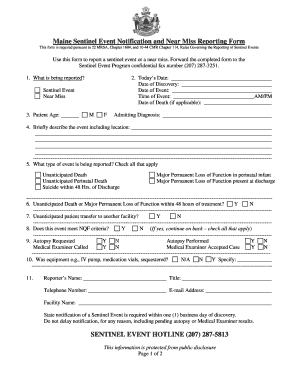
Sentinel event form
The Maine Sentinel Event Notification and Near Miss Reporting Form is a required document for reporting sentinel events ...

Find Your Court Forms
The document JV-435 outlines the findings and orders from a 12-month permanency hearing for a child under the jurisdicti ...

EA-200 Proof of Personal Service Judicial Council form
The document EA-200 is a legal form used in California to provide proof of personal service for elder or dependent adult ...

Judicial Council Form JV-200 - courtinfo ca
The document is a Juvenile Custody Order (JV-200) issued by the Superior Court of California, detailing the final judgme ...

Use this schedule if:
The document is a Schedule of Business Locations for a Consolidated Filer issued by the New York State Department of Tax ...

Axiom cancellation form
The document is an Axiom Cancellation Request Form used to process cancellation requests for various products such as ve ...

Fenway Health Authorization for Disclosure of Protected
The document is a consent form from Fenway Health that authorizes the disclosure of a patient's protected health informa ...

Patient Consent for IPL Photofacial
The document is a patient consent form for IPL/Photofacial treatment at Lexington Family Medicine. It outlines the proce ...