Type text, add images, blackout confidential details, add comments, highlights and more.
02. Sign it in a few clicks
Draw your signature, type it, upload its image, or use your mobile device as a signature pad.
03. Share your form with others
Send pw 4 via email, link, or fax. You can also download it, export it or print it out.
How to use or fill out PW4 - Equipment Use Application/Permit - NYC.gov - nyc with DocHub
Ease of Setup
DocHub User Ratings on G2
Ease of Use
DocHub User Ratings on G2
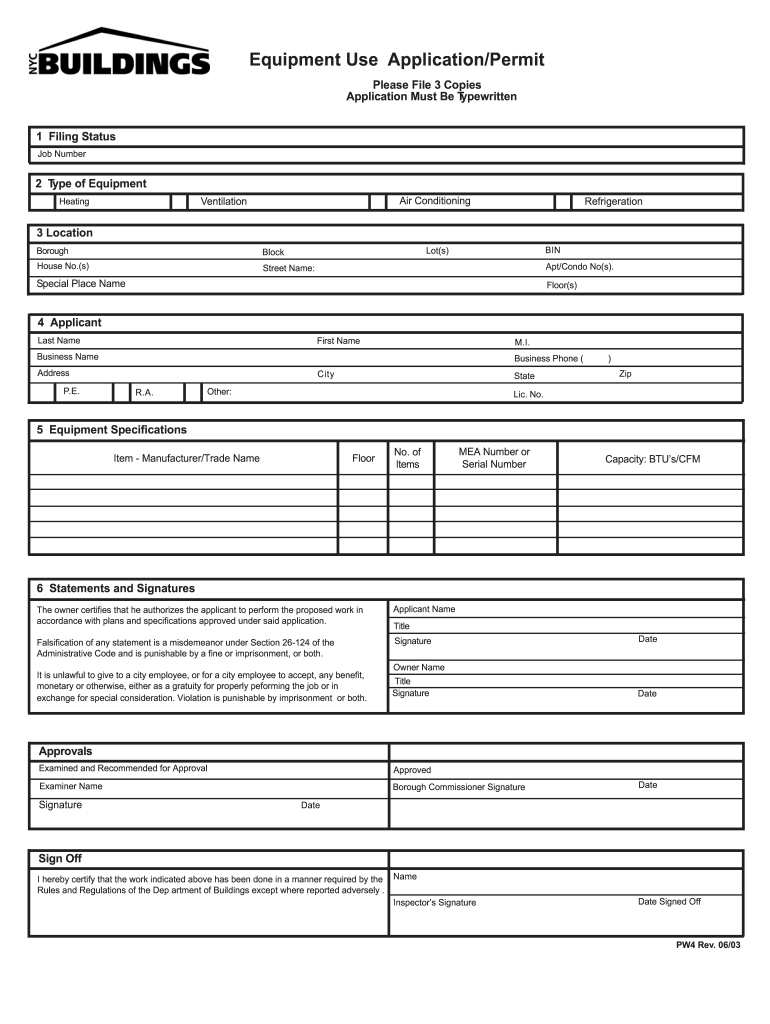
Click ‘Get Form’ to open the PW4 - Equipment Use Application/Permit in our editor.
Begin by filling out the 'Filing Status' and 'Job Number' at the top of the form. Ensure these fields are completed accurately as they are essential for processing your application.
In the 'Type of Equipment' section, select the appropriate equipment type such as Air Conditioning, Ventilation, Heating, or Refrigeration. This helps categorize your application correctly.
Provide detailed location information including BIN, Lot(s), Borough, Block, House No.(s), Street Name, Apt/Condo No(s), Special Place Name, and Floor(s) to ensure precise identification of the work site.
Complete the 'Applicant' section with your last name, first name, middle initial, business name, phone number, address, city, state, zip code, and license number. This identifies you as the applicant.
Fill in 'Equipment Specifications' with details like floor location, item manufacturer/trade name, number of items, MEA number or serial number, and capacity in BTU’s/CFM for clarity on what is being applied for.
Review and sign the 'Statements and Signatures' section. Ensure that all required signatures from both applicant and owner are included along with their titles and dates to validate your application.
Start using our platform today to fill out your PW4 form online for free!
Fill out PW4 - Equipment Use Application/Permit - NYC.gov - nyc online It's free
See more PW4 - Equipment Use Application/Permit - NYC.gov - nyc versions
We've got more versions of the PW4 - Equipment Use Application/Permit - NYC.gov - nyc form. Select the right PW4 - Equipment Use Application/Permit - NYC.gov - nyc version from the list and start editing it straight away!
Pw4 equipment use application permit nyc gov nyc onlinePw4 equipment use application permit nyc gov nyc formPw4 equipment use application permit nyc gov nyc appointmentPw4 equipment use application permit nyc gov nyc 2022Equipment Use Permit NYCWhen are Equipment Use Permits required in NYCFDNY equipment Use permitCertificate of Compliance NYC DOB
Security and compliance
At DocHub, your data security is our priority. We follow HIPAA, SOC2, GDPR, and other standards, so you can work on your documents with confidence.
PW4: Equipment Use Application/Permit Instructions
This form shall be filed for all equipment specified in 27-185 of the Building Code of the City of New York. Equipment Use Permits shall be issued only afterRead more
Cookie consent notice
This site uses cookies to enhance site navigation and personalize your experience.
By using this site you agree to our use of cookies as described in our Privacy Notice.
You can modify your selections by visiting our Cookie and Advertising Notice.