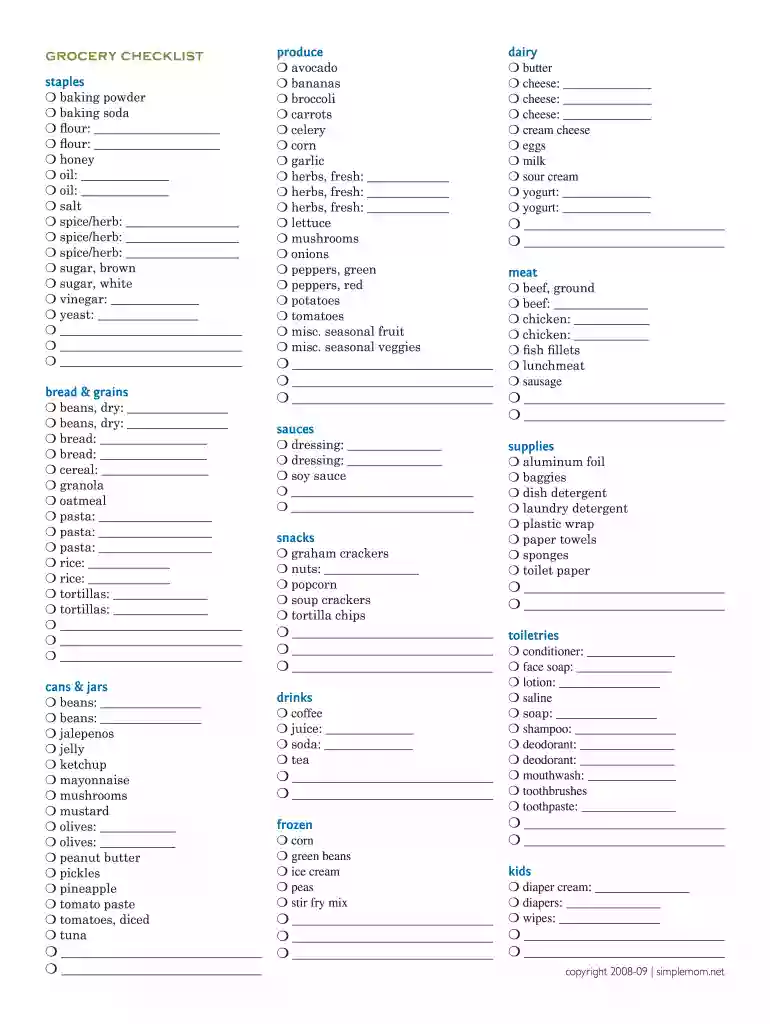
Grocery list template editable 2026

Get Form
grocery list template free editable Preview on Page 1

Here's how it works

01. Edit your grocery list template free editable online
Type text, add images, blackout confidential details, add comments, highlights and more.

02. Sign it in a few clicks
Draw your signature, type it, upload its image, or use your mobile device as a signature pad.

03. Share your form with others
Send free editable grocery list via email, link, or fax. You can also download it, export it or print it out.

How to use or fill out grocery list template editable

Form edit decoration
9.5
Ease of Setup
DocHub User Ratings on G2
9.0
Ease of Use
DocHub User Ratings on G2
  1. Click ‘Get Form’ to open the grocery list template in our editor.
  2. Begin by reviewing the categories such as 'staples', 'bread & grains', and 'produce'. Each section is designed to help you organize your shopping efficiently.
  3. In each category, fill in the blank spaces with the specific items you need. For example, under 'staples', you can write down quantities for flour or oil.
  4. Utilize checkboxes next to each item to mark them off as you shop, ensuring nothing is forgotten.
  5. Once completed, save your grocery list directly from our platform for easy access on your next shopping trip.

Start using our editor today to create your personalized grocery list for free!

be ready to get more

Complete this form in 5 minutes or less

Get form

Got questions?

We have answers to the most popular questions from our customers. If you can't find an answer to your question, please contact us.
Contact us

Many software applications are available on the market for document modifying and signing. DocHub is one of the most popular online solutions that comply with all data protection and compliance requirements and guarantees your eSigned documentation is legally enforceable. All you need to give it a try is to create an account, upload your online grocery list maker, provide the required information, and click Sign. Generate your electronic signature by typing, drawing it, uploading its picture to your template, or scanning a unique QR code.

If you edit your google sheets grocery list template with DocHub, you merely need a stable web connection and virtually any browser installed on your device. No need to install any third-party applications or research tutorials. Simply open a tab with DocHub, drag and drop your file, and modify it on the spot.

With an app like Adobe Scan, all you need to do is take a photo of your recipe and the app will scan it into a PDF right from your phone. Convert your handwriting. You can convert any handwritten scans into more legible documents through the scanning app, too.
My shopping list is an application that helps you to create a coloured and organized list of shops, Indeed you can split your shops in 8 sections during your shopping, feel free to add, remove items until your shop is done!
Recipe Keeper is the easy to use, all-in-one recipe organizer, shopping list and meal planner available across all of your devices. Enter your recipes with as much or as little information as you like.

Security and compliance

At DocHub, your data security is our priority. We follow HIPAA, SOC2, GDPR, and other standards, so you can work on your documents with confidence.

Learn more
ccpa2
pci-dss
gdpr-compliance
hipaa
soc-compliance

People also ask

AnyList is the best way to create grocery shopping lists and collect and organize your recipes. Easily share a list with your spouse or roommates, for free.
Mealime lets you combine your recipe app with a shopping list. You can get personalized recipe suggestions and directly add the required ingredients to your shopping list. How convenient is that? Plus, the app is free to use for both Android and iOS, so anyone can use it with little to no restrictions.
0:00 1:16 As you write out your list. Group similar items into categories such as produce dairy. AndMoreAs you write out your list. Group similar items into categories such as produce dairy. And toiletries. It's efficient to group similar items together on your list.
Unlike other meal planning apps, Whisk Meal Planner is entirely free. ... And best of all: with the push of a button turn all recipes into a shareable shopping list to use to buy food in-store & online.
AnyList is the best way to create grocery shopping lists and collect and organize your recipes. Easily share a list with your spouse or roommates, for free.

grocery lists