




Here's how it works



How to use or fill out quantico trs with our platform

- Click ‘Get Form’ to open the quantico trs in the editor.
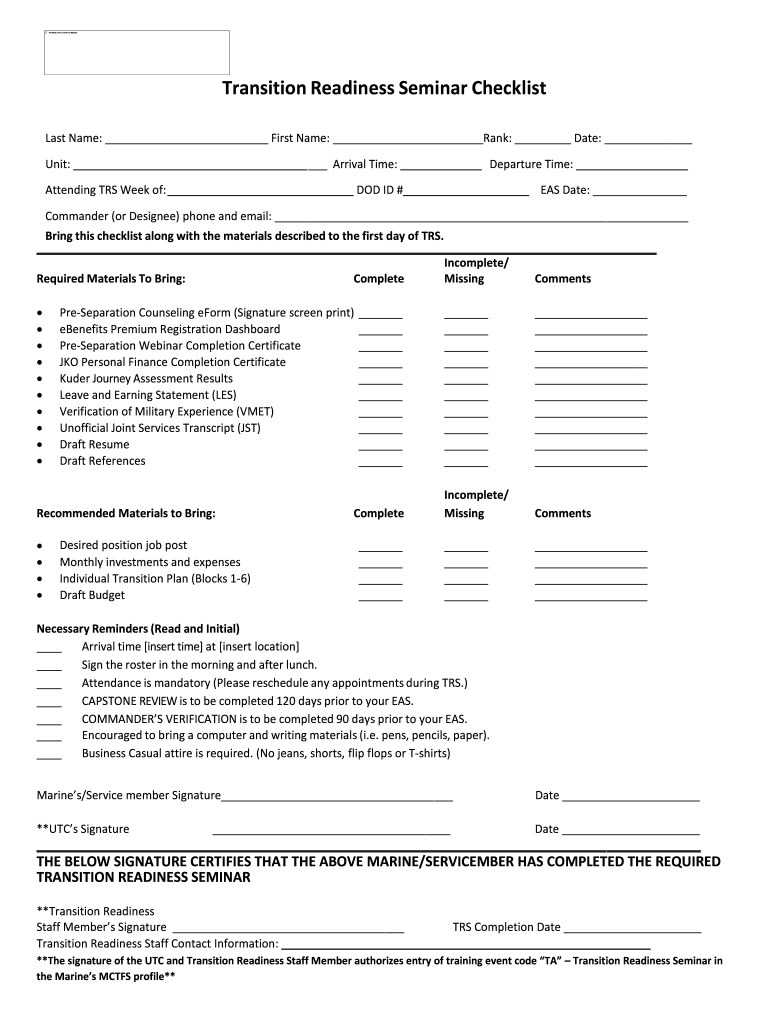
- Begin by entering your Last Name, First Name, Rank, and Date in the designated fields. This information is crucial for identification.
- Fill in your Unit, Arrival Time, Departure Time, and DOD ID #. Ensure accuracy as this will be used for attendance tracking.
- In the 'Required Materials To Bring' section, check off each item you have completed or are missing. This helps ensure you bring all necessary documents.
- For the 'Recommended Materials to Bring', list any additional items that may assist you during the seminar.
- Review the 'Necessary Reminders' section and initial next to each reminder after reading it carefully.
- Finally, sign and date where indicated at the bottom of the form to certify your attendance and understanding of requirements.
Start using our platform today for free to streamline your quantico trs completion!
It's free
Got questions?
Can I sign my trs usmc electronically?
Based on eSignature laws, documents signed digitally have the same validity as traditionally approved ones. You can eSign almost any business and personal documentation. Four types of documents still call for wet signatures only - wills and testamentary trusts, court orders and other court papers, state statutes governing divorce, adoption, or other family law, and notice of cancellation of utility services. If you follow the guidelines and utilize a secure and compliant software solution, like DocHub, you can eSign your trs usmc without printing it.
Can I print my trs quantico and finish it by myself?
If you go for analog methods of completing your trs quantico, it is simple to download your file for printing. Search DocHub’s Forms & Templates catalog to locate the exact file template you need and open it for editing or download it on your gadget in the format of your choice. It is possible to complete your form electronically and place your handwritten signature on it after printing or eSign your file with DocHub.
What is the dress code for the marines?
What is a 5 day letter USMC?
What is Quantico known for?
Security and compliance
At DocHub, your data security is our priority. We follow HIPAA, SOC2, GDPR, and other standards, so you can work on your documents with confidence.
Learn more


