




01. Edit your dl 31 online
Type text, add images, blackout confidential details, add comments, highlights and more.

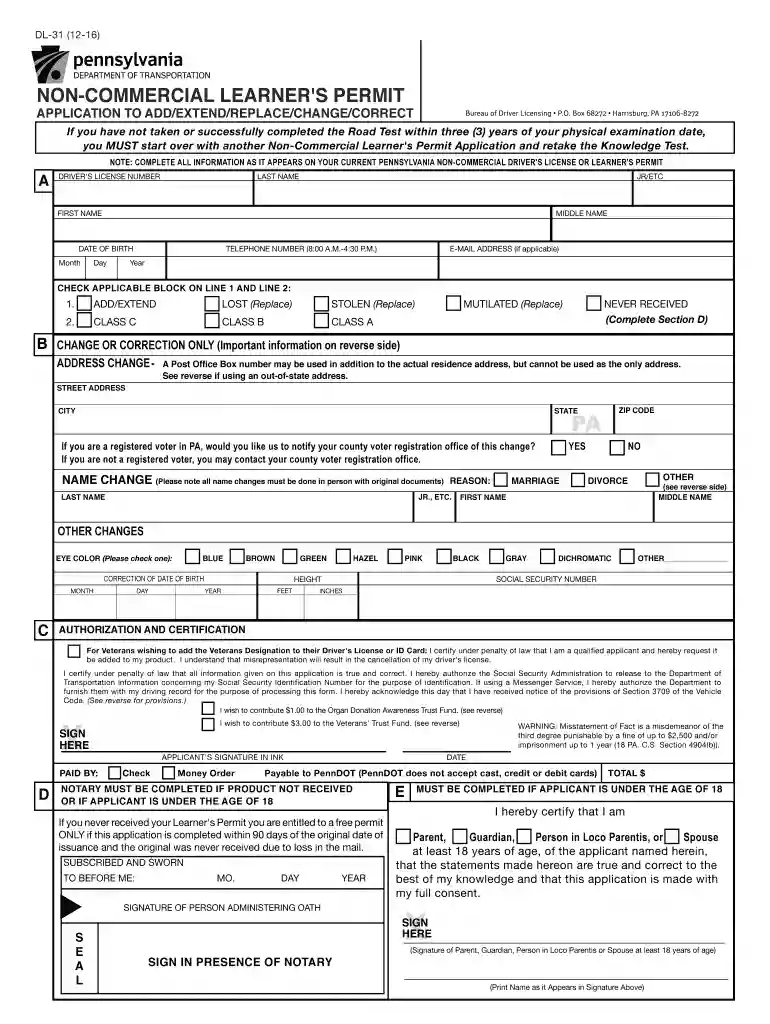
Type text, add images, blackout confidential details, add comments, highlights and more.

Draw your signature, type it, upload its image, or use your mobile device as a signature pad.

Send dl 31 form via email, link, or fax. You can also download it, export it or print it out.

Start using our platform today to easily complete your PennDOT application online for free!
We've got more versions of the dl 31 form. Select the right dl 31 version from the list and start editing it straight away!
Yes, electronically drawing your signature is acceptable, but only if you utilize a tool that complies with industry laws and regulations. Consider DocHub, which guarantees eSignature validity under ESIGN and UETA requirements. All you need to approve your dl 31 non commercial learner's permit application to add extend replace change correct electronically is an account with DocHub and an internet connection. When you open your file in our editor, click Sign and select the Draw option.
You can find and modify your dl31 form online by using DocHub. Its straightforward yet feature-rich design allows you to start effective work right after you sign up your account. Create your account and add your document, and then our user interface will guide you via our stress-free form completion experience.
At DocHub, your data security is our priority. We follow HIPAA, SOC2, GDPR, and other standards, so you can work on your documents with confidence.
Aug 1, 2025 Form DL-180: Non-Commercial Learners Permit Application. PennDOT Fact Sheet. Page 43. 37 | Page. TAX INFORMATION FOR INTERNATIONAL STUDENTS.Read more
NON-COMMERCIAL LEARNERS PERMIT. APPLICATION TO ADD/EXTEND/REPLACE/CHANGE/CORRECT. DL-31 (7-23). SOCIAL SECURITY NUMBER. Bureau of Driver Licensing P.O. BoxRead more
Non-. Commercial Learners Permit application to add/extend/replace/change/correct (DL-31). It is not necessary to have another physical exam unless 3 yearsRead more


