




Here's how it works



How to use or fill out ac 145 9 with our platform

- Click ‘Get Form’ to open it in the editor.
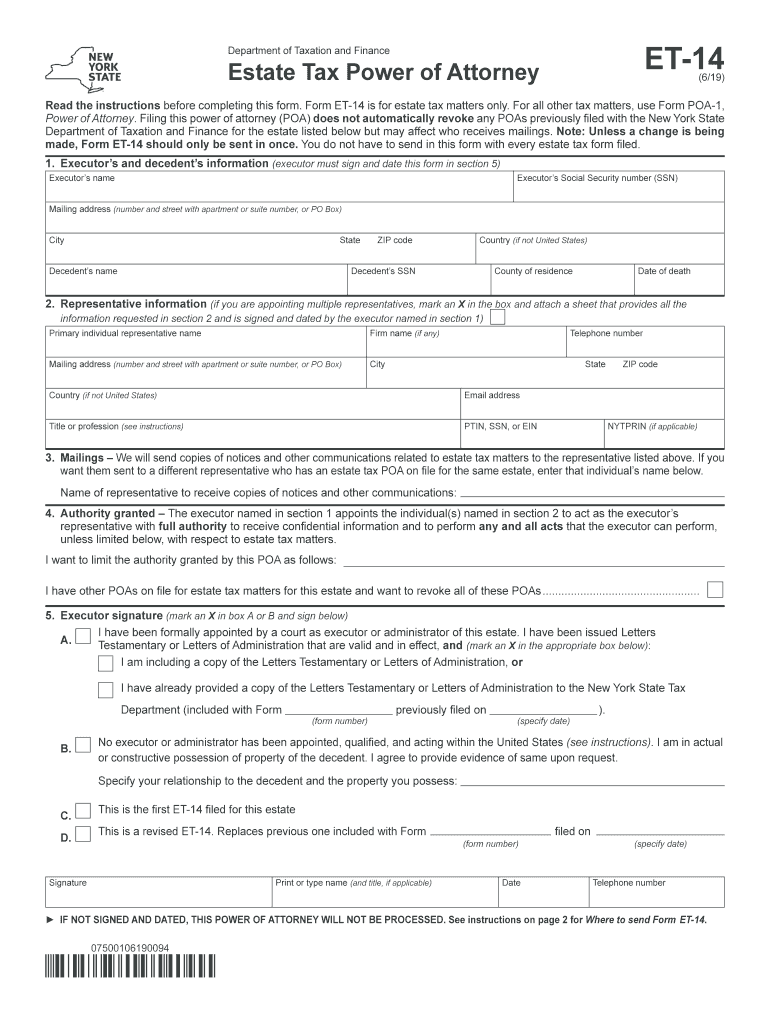
- Begin by entering the executor’s and decedent’s information in Section 1. Fill in the executor's name, Social Security number, mailing address, and details about the decedent including their name and date of death.
- In Section 2, provide representative information. If appointing multiple representatives, mark an X in the box and attach a signed sheet with their details.
- For Section 3, specify if you want notices sent to a different representative by entering their name.
- In Section 4, outline any limitations on authority granted to your representatives. If none, leave it blank.
- Finally, ensure that the executor signs and dates the form in Section 5. This is crucial for processing.
Start using our platform today for free to streamline your document editing and form completion!
It's free
See more ac 145 9 versions
Got questions?
Can I fill out and sign my et14 online?
Sure, and it’s really easy! DocHub is an online PDF editor with advanced document processing functions that allow you promptly modify your paperwork, fill out empty fields and insert new ones for other people to fill out, and create eSignatures in several ways. Add your et14, give information as requested, and decide how you want to eSign your document - by typing your name, drawing your signature, uploading its image, or using a QR code.
How do you create an e-signature for the nys form et 14 on iOS?
In addition to a comprehensive toolset for editing PDFs on mobile devices, DocHub allows you to sign your nys form et 14 along the way. Open our editor in your web browser, make modifications using DocHub’s toolset, and finish your editing by eSigning the finished form.
What is the Part 145?
What GACA 145?
How many Part 145 repair stations are there?
Security and compliance
At DocHub, your data security is our priority. We follow HIPAA, SOC2, GDPR, and other standards, so you can work on your documents with confidence.
Learn more


