Type text, add images, blackout confidential details, add comments, highlights and more.
02. Sign it in a few clicks
Draw your signature, type it, upload its image, or use your mobile device as a signature pad.
03. Share your form with others
Send california complaint form via email, link, or fax. You can also download it, export it or print it out.
How to use or fill out pi personal injury with our platform
Ease of Setup
DocHub User Ratings on G2
Ease of Use
DocHub User Ratings on G2
Click ‘Get Form’ to open the pi personal injury document in the editor.
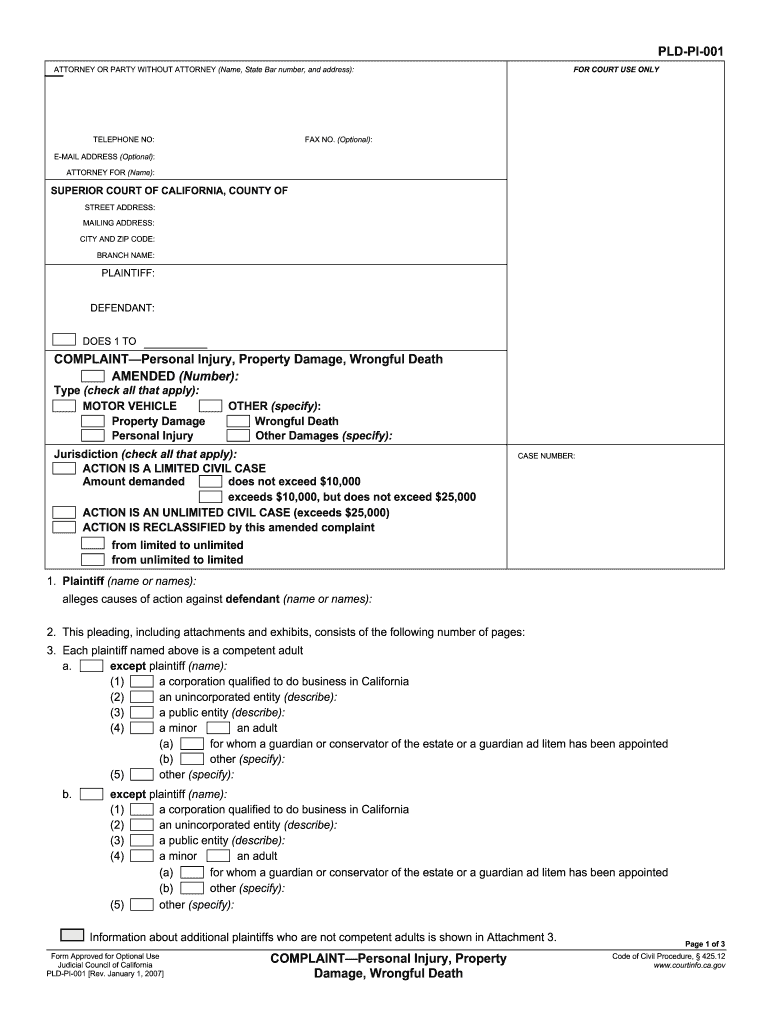
Begin by entering your information in the 'Attorney or Party Without Attorney' section. Fill in your name, state bar number, address, and contact details.
In the 'Plaintiff' and 'Defendant' sections, provide the names of all parties involved. Ensure accuracy as this is crucial for legal proceedings.
Check the appropriate boxes under 'Type' to specify whether your case involves motor vehicle incidents, property damage, personal injury, or wrongful death.
Indicate the jurisdiction by selecting whether your case is a limited or unlimited civil case based on the amount demanded.
Complete each section regarding plaintiffs and defendants, ensuring you specify any corporations or entities involved.
Detail any claims for damages in section 11 and ensure that all necessary attachments are included as indicated throughout the form.
Start using our platform today to easily fill out your pi personal injury form for free!
Mighty Big Fight: Tech company that services PI lawyers sets
Nov 7, 2022 Nationally, most personal injury lawyers dont publicize their contingency fee percentageeven on their websites, Engstrom wrote in an email.Read more
These tubes pose a safety risk due to their potential to shatter and produce glass shards, which have the potential to pierce the skin and cause lacerations.Read more
Cookie consent notice
This site uses cookies to enhance site navigation and personalize your experience.
By using this site you agree to our use of cookies as described in our Privacy Notice.
You can modify your selections by visiting our Cookie and Advertising Notice.