




Here's how it works

01. Edit your uh file drop online
Type text, add images, blackout confidential details, add comments, highlights and more.

02. Sign it in a few clicks
Draw your signature, type it, upload its image, or use your mobile device as a signature pad.

03. Share your form with others
Send uh manoa major change via email, link, or fax. You can also download it, export it or print it out.
How to use or fill out uhm form with our platform

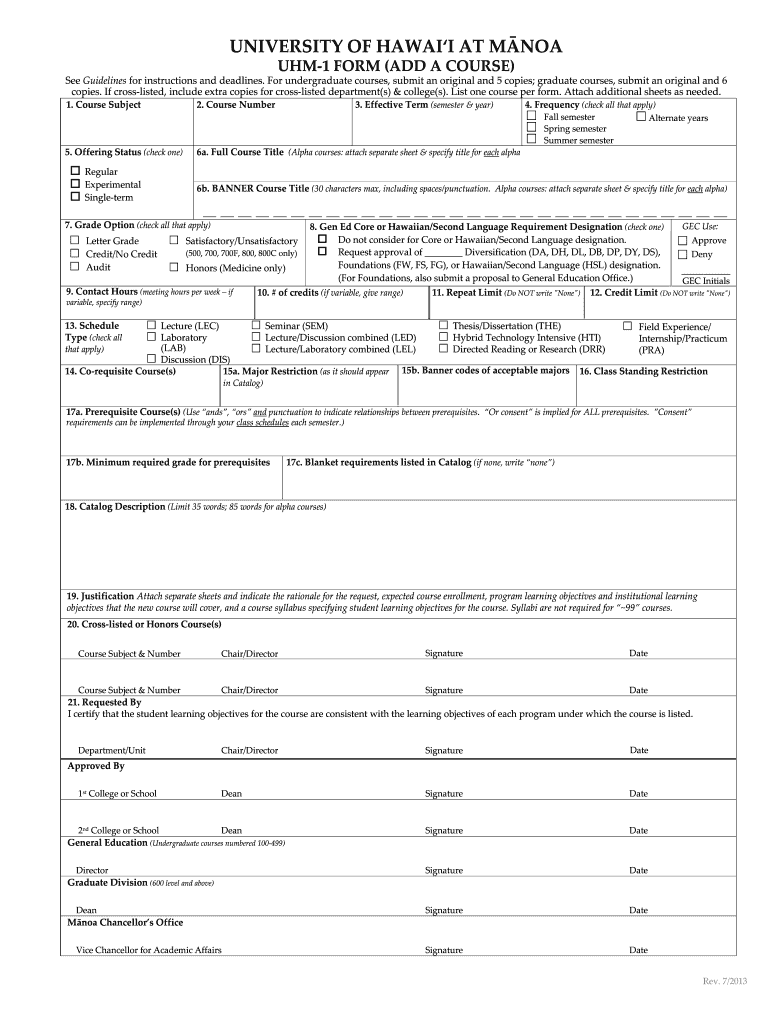
- Click ‘Get Form’ to open the UHM-1 form in the editor.
- Begin by filling in the 'Course Subject' and 'Course Number' fields. Ensure accuracy as these are essential for course identification.
- Select the 'Offering Status' by checking one of the options: Regular, Experimental, or Single-term.
- Indicate the 'Effective Term' by specifying the semester and year when the course will be offered.
- In the 'Frequency' section, check all applicable options such as Fall semester, Spring semester, or Summer semester.
- Complete sections for 'Grade Option', 'Contact Hours', and any prerequisites required for enrollment.
- Finally, provide a brief 'Catalog Description' and attach any necessary justification documents before submitting your form.
Start using our platform today to streamline your form completion process for free!
Fill out uhm form online
It's free
It's free
Security and compliance
At DocHub, your data security is our priority. We follow HIPAA, SOC2, GDPR, and other standards, so you can work on your documents with confidence.
Learn more


