Type text, add images, blackout confidential details, add comments, highlights and more.

02. Sign it in a few clicks
Draw your signature, type it, upload its image, or use your mobile device as a signature pad.

03. Share your form with others
Send it via email, link, or fax. You can also download it, export it or print it out.

How to use or fill out uhm form with our platform
Ease of Setup
DocHub User Ratings on G2
Ease of Use
DocHub User Ratings on G2
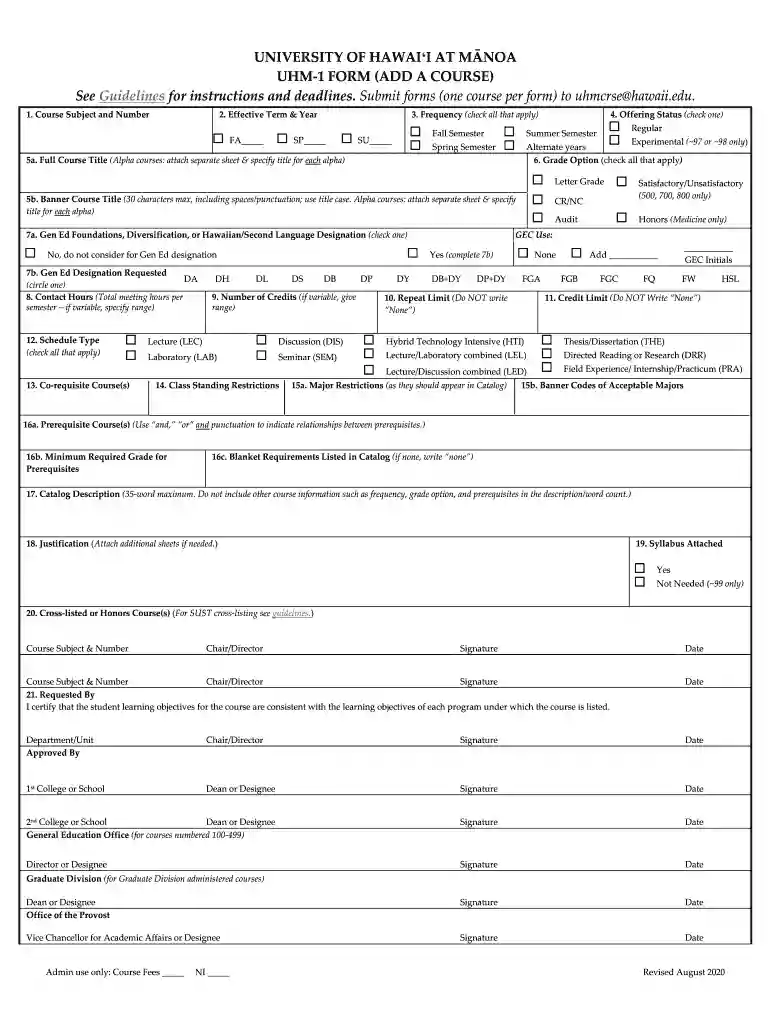
Click ‘Get Form’ to open the UHM-1 form in the editor.
Begin by filling in the 'Course Subject and Number' section. Ensure you enter the correct subject code and course number as per your department's guidelines.
Next, specify the 'Effective Term & Year' by selecting from the options provided for Fall, Spring, or Summer semesters.
In the 'Frequency' section, check all applicable boxes to indicate how often this course will be offered.
Complete the 'Banner Course Title' field, ensuring it does not exceed 30 characters. Use title case for clarity.
Fill out the 'Gen Ed Designation Requested' by circling your choice and provide details on contact hours and schedule type as required.
Continue through each section, including prerequisites, credit limits, and justification. Attach any necessary documents as indicated.
Start using our platform today to streamline your form completion process for free!
We are now accepting Form 1 applications through email. Email a signed, stamped copy of the New Fillable Form 1 application with plans, in pdf form to doh.Read more
Cookie consent notice
This site uses cookies to enhance site navigation and personalize your experience.
By using this site you agree to our use of cookies as described in our Privacy Notice.
You can modify your selections by visiting our Cookie and Advertising Notice.