




Here's how it works

01. Edit your compass group employee handbook 2023 online
Type text, add images, blackout confidential details, add comments, highlights and more.

02. Sign it in a few clicks
Draw your signature, type it, upload its image, or use your mobile device as a signature pad.

03. Share your form with others
Send compass group employee handbook 2023 pdf via email, link, or fax. You can also download it, export it or print it out.
How to use or fill out Subcontractor Daily Work Report - Compass Group with our platform

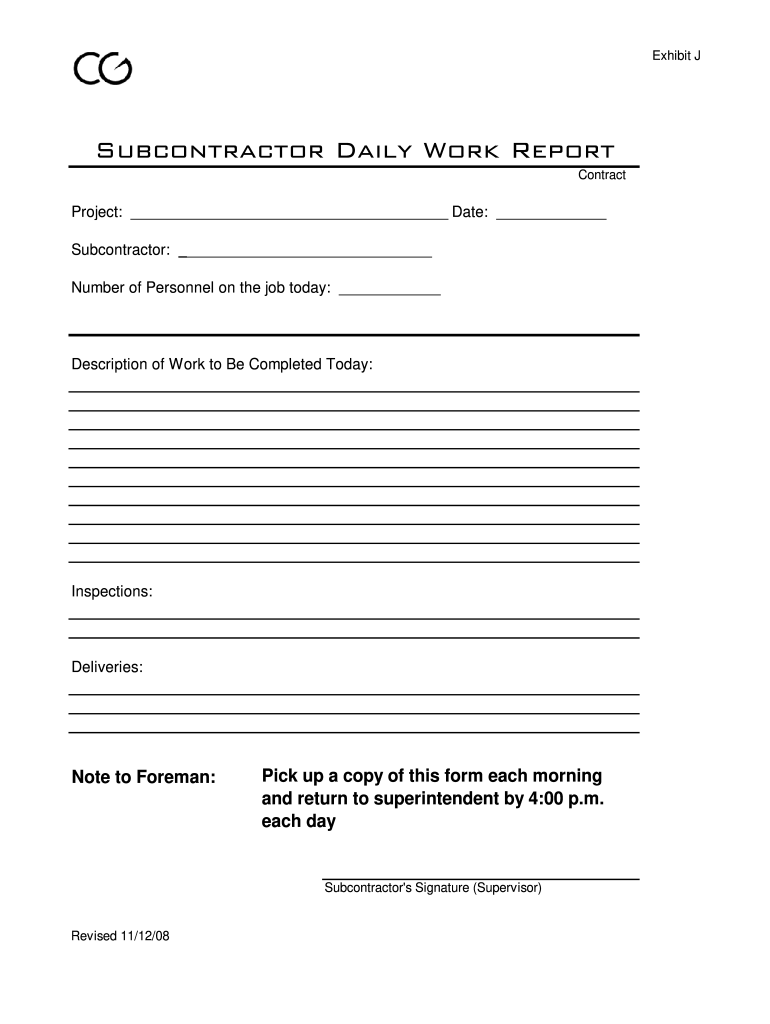
- Click ‘Get Form’ to open the Subcontractor Daily Work Report in the editor.
- Begin by entering the project name and date at the top of the form. This ensures clarity on when and where the work is being reported.
- Fill in your subcontractor name in the designated field, providing identification for accountability.
- Indicate the number of personnel on site today. This helps track workforce availability and resource allocation.
- In the 'Description of Work to Be Completed Today' section, provide a detailed account of tasks planned for the day, ensuring all activities are documented.
- Document any inspections that occurred during the day in their respective section, which is crucial for compliance and quality assurance.
- Record any deliveries made on-site to keep an accurate log of materials received.
- Use the 'Note to Foreman' section for any additional comments or instructions that may be relevant for oversight.
- Finally, ensure that you sign as a supervisor before submitting. Remember to pick up a copy each morning and return it by 4:00 p.m. daily.
Start using our platform today to streamline your document editing and reporting process for free!
Fill out Subcontractor Daily Work Report - Compass Group online
It's free
It's free
See more Subcontractor Daily Work Report - Compass Group versions
We've got more versions of the Subcontractor Daily Work Report - Compass Group form. Select the right Subcontractor Daily Work Report - Compass Group version from the list and start editing it straight away!
Security and compliance
At DocHub, your data security is our priority. We follow HIPAA, SOC2, GDPR, and other standards, so you can work on your documents with confidence.
Learn more


