Standard Form 86 Certification - Federal Government Jobs 2026

Get Form
e qip questions pdf Preview on Page 1

Here's how it works

01. Edit your e qip questions pdf online
Type text, add images, blackout confidential details, add comments, highlights and more.

02. Sign it in a few clicks
Draw your signature, type it, upload its image, or use your mobile device as a signature pad.

03. Share your form with others
Send federalgovernmentjobs us blank forms via email, link, or fax. You can also download it, export it or print it out.

How to use or fill out Standard Form 86 Certification - Federal Government Jobs with our platform

Form edit decoration
9.5
Ease of Setup
DocHub User Ratings on G2
9.0
Ease of Use
DocHub User Ratings on G2
  1. Click ‘Get Form’ to open it in the editor.
  2. Begin by filling out your personal information in Part 1, including your full name, date of birth, and Social Security number. Ensure all entries are legible.
  3. Proceed to list your residences for the past seven years. Be specific about locations and include a contact person for each address.
  4. In the education section, provide details of schools attended beyond junior high, including degrees received and dates.
  5. Document your employment history over the last seven years, detailing job titles, employers, and reasons for leaving any positions.
  6. Complete sections regarding military service, criminal history, drug use, and financial records as applicable. Be thorough and honest.
  7. Review all entries for accuracy before signing the certification statement on Page 9. Use our platform’s tools to ensure clarity and correctness.

Start using our platform today to streamline your form completion process for free!

See more Standard Form 86 Certification - Federal Government Jobs versions

We've got more versions of the Standard Form 86 Certification - Federal Government Jobs form. Select the right Standard Form 86 Certification - Federal Government Jobs version from the list and start editing it straight away!
Versions Form popularity Fillable & printable
2016 4.8 Satisfied (146 Votes)
2010 4.4 Satisfied (555 Votes)
2008 4 Satisfied (49 Votes)
1995 4.3 Satisfied (163 Votes)
1995 4.4 Satisfied (50 Votes)
be ready to get more

Complete this form in 5 minutes or less

Get form

Got questions?

We have answers to the most popular questions from our customers. If you can't find an answer to your question, please contact us.
Contact us

Microsoft Word doesn’t have signing tools to generate legitimate eSignatures and enforceable documents. Fortunately, DocHub is an online eSignature-compliant editor that works with different document formats, including .doc files. Log in to your account and import the Word edition of your sf 86 from your device and cloud, or URL - our editor will automatically turn it into an editable PDF. Make all essential alterations in your document and click Sign to generate your own legally-binding eSignature. There are four signing options from which to choose.

You need only an internet connection and a web browser to complete your sf 86 form on an iOS phone. Open the DocHub website and authenticate. Then, add your file or select it from the list in your dashboard. Then use our editing tools to complete your form and save all your modifications. You may also send it to a specified recipient straight away.

Tier 5 \u2013 Top Secret Security Clearance As the highest level of security clearance, applicants can expect a more rigorous examination. If approved, this clearance gives cleared personnel access to information or material that could cause disastrous damage to national security. Tier 5 is the only tier in this category.
The Standard Form 86, or SF-86, is the questionnaire used to obtain a Secret or Top Secret security clearance. And it's a whopping 127 pages. (We'll let that sink in.) It's packed full of questions that require a very high level of transparency and honesty.
Because of the high demand for the clearance system, the process is taking anywhere from four to five months. Top Secret clearance processing times are sitting around 159 days, on average. To gain Secret clearance, the process is taking around 132 days. These processing times are for industry applicants.

Security and compliance

At DocHub, your data security is our priority. We follow HIPAA, SOC2, GDPR, and other standards, so you can work on your documents with confidence.

Learn more
ccpa2
pci-dss
gdpr-compliance
hipaa
soc-compliance
be ready to get more

Complete this form in 5 minutes or less

Get form

People also ask

Your SF-86 Questionnaire is supposed to proceed through the system as shown below. Ninety percent of all cases are supposed to be completed in approximately 60 days. (40 days allotted for the Investigation Phase and 20 days for the Adjudication Phase.)
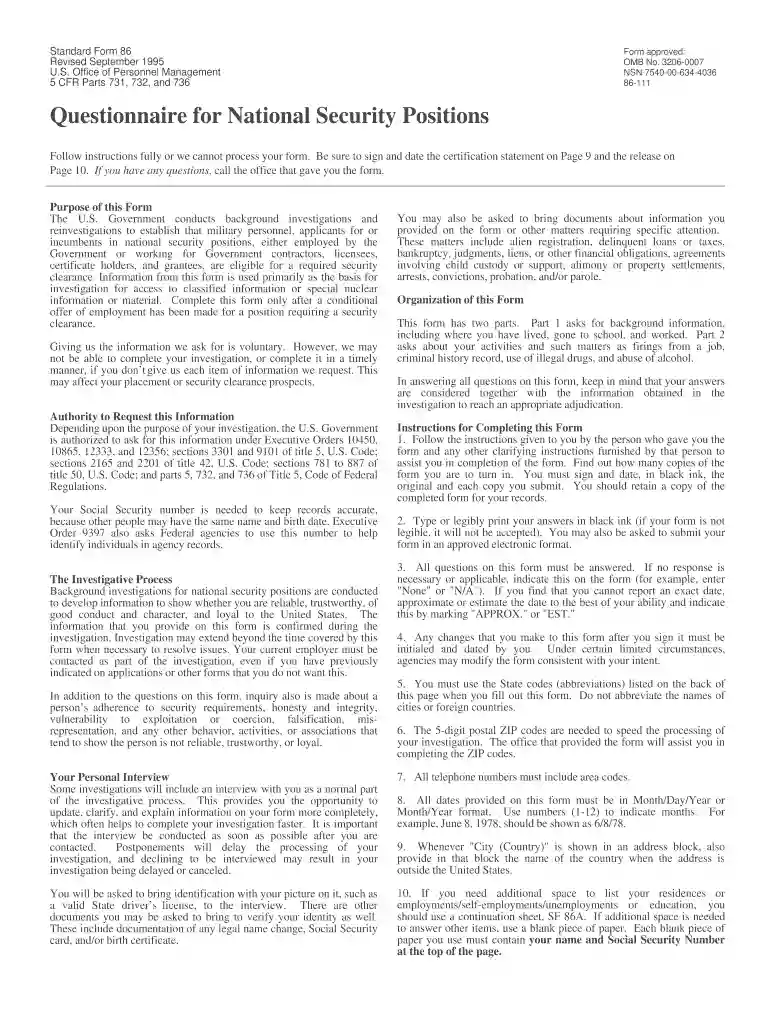
This form will be used by the United States (U.S.) Government in conducting background investigations, reinvestigations, and continuous evaluations of persons under consideration for, or retention of, national security positions as defined in 5 CFR 732, and for individuals requiring eligibility for access to classified ...
After your eQIP account has been initiated, you will receive an email notification from the Office of Personnel Management (OPM) containing your eQIP Registration Code (14 characters). You can then access the eQIP website and register.
There are many jobs in the military that require a security clearance, such as Special Operations, Armor, Air Defense Artillery, Military Police, Intelligence, Chemical, Biological, Radiological, and Nuclear Specialist as well as the Officer Corps.
The Standard Form 86, or SF-86, is the questionnaire used to obtain a Secret or Top Secret security clearance. And it's a whopping 127 pages. (We'll let that sink in.) It's packed full of questions that require a very high level of transparency and honesty.

sf86 employment history