




Here's how it works

01. Edit your form 337 online
Type text, add images, blackout confidential details, add comments, highlights and more.

02. Sign it in a few clicks
Draw your signature, type it, upload its image, or use your mobile device as a signature pad.

03. Share your form with others
Send faa 337 mailing address via email, link, or fax. You can also download it, export it or print it out.
How to use or fill out FAA Form 337 with our platform

- Click ‘Get Form’ to open FAA Form 337 in the editor.
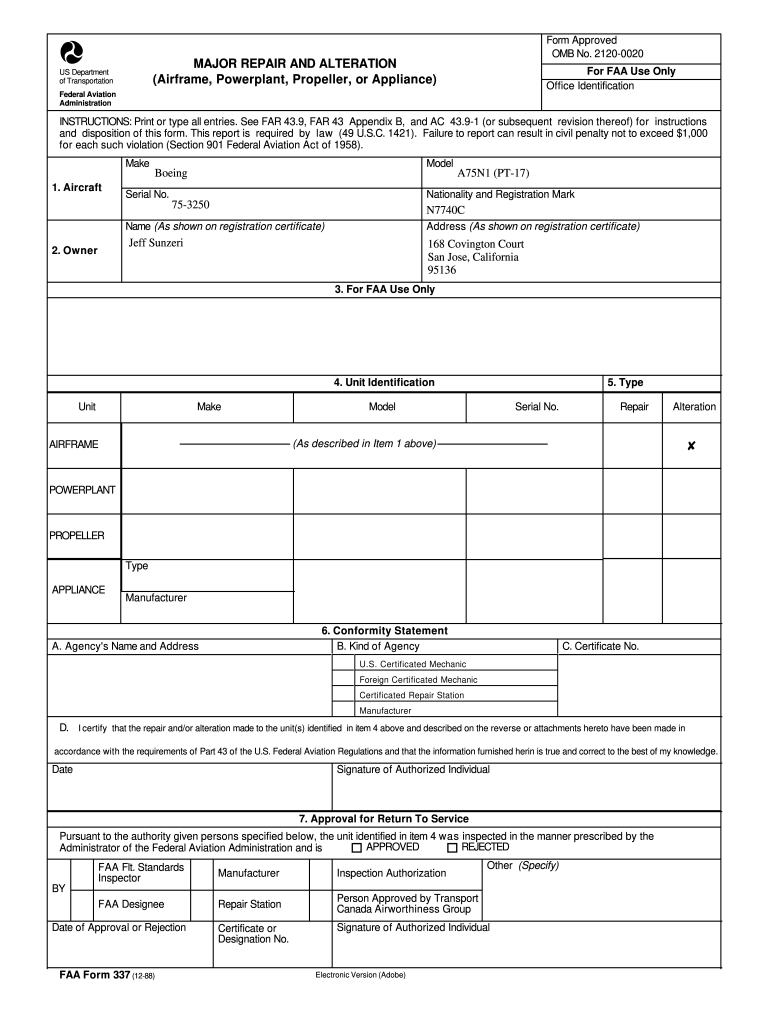
- Begin by filling out the aircraft details in Section 1, including the model, serial number, and registration mark. Ensure all entries are printed or typed clearly.
- In Section 2, provide the owner's name and address as shown on the registration certificate. This information is crucial for identification purposes.
- Proceed to Section 4 to identify the unit being repaired or altered. Specify whether it is an airframe, powerplant, propeller, or appliance by checking the appropriate box.
- Complete Section 6 with a conformity statement. Here, you will certify that the work performed complies with FAA regulations. Include your signature and date.
- In Section 8, describe the work accomplished in detail. If more space is needed, attach additional sheets and reference them accordingly.
Start using our platform today for free to streamline your FAA Form 337 completion!
Fill out faa form 337 online
It's free
It's free
Security and compliance
At DocHub, your data security is our priority. We follow HIPAA, SOC2, GDPR, and other standards, so you can work on your documents with confidence.
Learn more


