1004d 2025

Get Form
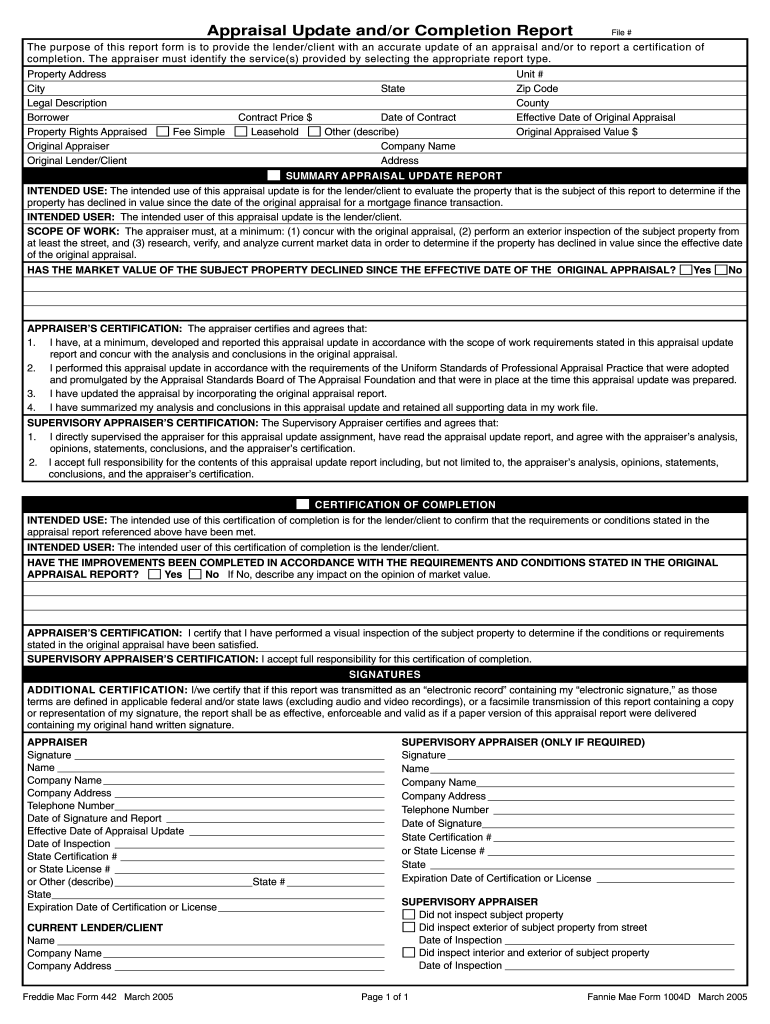
1004d form pdf Preview on Page 1

Here's how it works

01. Edit your 1004d form pdf online
Type text, add images, blackout confidential details, add comments, highlights and more.
02. Sign it in a few clicks
Draw your signature, type it, upload its image, or use your mobile device as a signature pad.
03. Share your form with others
Send 1004d form via email, link, or fax. You can also download it, export it or print it out.

How to use or fill out 1004d with our platform

Form edit decoration
9.5
Ease of Setup
DocHub User Ratings on G2
9.0
Ease of Use
DocHub User Ratings on G2
  1. Click ‘Get Form’ to open the 1004d in the editor.
  2. Begin by filling in the 'File #' and 'Property Address' sections. Ensure that you provide accurate details for the city, state, and zip code.
  3. In the 'Borrower' section, enter the name of the borrower and specify the property rights appraised (e.g., Fee Simple, Leasehold).
  4. Complete the 'Original Appraiser' and 'Original Lender/Client' fields with relevant information. Include the effective date of the original appraisal and its appraised value.
  5. Answer whether the market value has declined since the original appraisal by selecting 'Yes' or 'No'. If applicable, provide a description of any impacts on market value.
  6. Fill out both appraiser's and supervisory appraiser’s certifications by signing and providing necessary details such as names, company information, and certification numbers.

Start using our platform today to easily complete your 1004d form online for free!

See more 1004d versions

We've got more versions of the 1004d form. Select the right 1004d version from the list and start editing it straight away!
Versions Form popularity Fillable & printable
2005 4.9 Satisfied (510 Votes)
be ready to get more

Complete this form in 5 minutes or less

Get form

Got questions?

We have answers to the most popular questions from our customers. If you can't find an answer to your question, please contact us.
Contact us
Property photos are required for desktop appraisals. Desktop appraisals must include pictures of the exterior front, rear and street as well as the interior kitchen, bathrooms, and main living area. They can be collected by a real estate agent, homeowner, or third-party source.
Required exhibits include: Front and street scene photos. Photos of completed improvements. (If the original appraisal was subject to carpet and dishwasher being installed, photos of these items must be furnished.)
A map showing the location of the subject property and the comparables that the appraiser used. Clear, descriptive color photographs showing the front, back, and a street scene of the subject property and the front of each comparable. The subject and all comparables must be appropriately identified.
Fannie Mae Form 1004D/Freddie Mac Form 442, Appraisal Update and/or Completion Report is to be used to extend the validity period. When an appraisal is obtained, the property must be appraised within the 12 months that precede the date of the note and mortgage.
The 1004D Virtual Completion Certificate offers a convenient and swift way to confirm the fulfillment of appraisal report conditions for construction or repairs/alterations. A seamless connection between the appraiser and the property contact is established through a video streaming service.