






Understanding the Security Guard Renewal Form
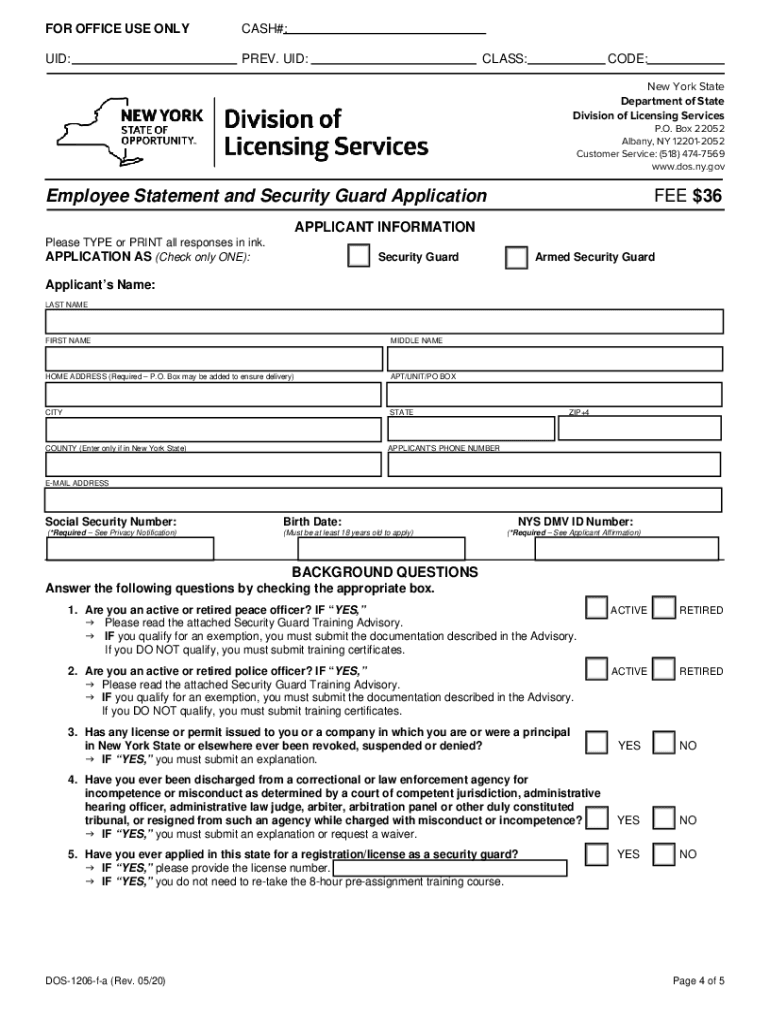
The security guard renewal form, commonly referred to as the security guard renewal form PDF, is essential for individuals seeking to renew their security guard licenses in the United States. This form serves as a formal application required by state authorities to ensure that security personnel maintain their qualifications and comply with legal requirements. The renewal process typically includes verifying background checks, completing necessary training, and paying applicable fees.
Eligibility Requirements for Renewal
To successfully renew a security guard license, applicants must meet specific eligibility criteria:
- Active License Status: The individual must hold a current, valid security guard license that is eligible for renewal.
- Training Completion: Most states require completion of designated training programs within a certain timeframe before renewal. This may involve refresher courses or continued education.
- Background Checks: A background check may be required to ensure the applicant has maintained a suitable record since their last renewal.
- Fees: Renewal applications often come with associated fees that must be paid to process the renewal.
Steps to Complete the Renewal Form
Completing the security guard license renewal form involves several key steps:
- Obtain the Form: Access the security guard renewal form PDF version from official state websites or authorized platforms.
- Personal Information: Fill out the form with accurate personal details, including your full name, address, contact information, and current license number.
- Training Information: Include details about the training programs completed since your last license issue, including dates and certifying organizations.
- Background Disclosure: Disclose any changes in your criminal history or employment status since your last application.
- Sign and Date: After filling out the form, sign and date to certify that all provided information is accurate.
- Submit the Form: Send the completed renewal form along with any required documentation and fees to the designated state authority, either online, via mail, or in-person, as specified by state guidelines.
Important Documents Required
When submitting the renewal application, the following documents are typically required:
- Proof of Training: Certificates or transcripts from completed training courses.
- Payment Receipt: Documentation proving that the renewal fee has been paid.
- Identification: A copy of a government-issued ID such as a driver's license or passport to verify identity.
Legal Considerations for Renewal
Filing for a security guard license renewal is not merely procedural; it carries legal implications. The following points should be considered:
- Compliance with State Regulations: Each state has specific requirements and processes for license renewal. Failing to comply can result in penalties or a lapse in eligibility.
- Legal Standing: Maintaining up-to-date licensure is necessary for the legal authority to operate as a security guard. Working without a valid license may expose individuals to legal liabilities.
- Audit Trails: Maintaining records of training completion and submission will aid in disputes or audits conducted by state regulatory bodies.
Common Issues Affecting the Renewal Process
Renewals may face delays or complications due to a few common issues:
- Incomplete Applications: If any sections of the renewal form are left blank or incorrectly filled out, the application may be rejected.
- Missing Documentation: Failure to provide necessary documents or payment can stall the renewal process.
- Background Concerns: Significant changes in criminal background or failure to meet training requirements can lead to additional scrutiny or denial of the renewal.
Variants of the Renewal Process by State
Different states may have varying processes and forms for security guard license renewals. It is important for applicants to:
- Check State-Specific Guidelines: Each state department of security has unique requirements and forms. For instance, New York may have a specific NYS security guard license renewal form PDF available for download.
- Online vs. Paper Submission: Some states allow for online submissions, while others require paper forms to be mailed. Understanding these nuances ensures compliance and timely processing.
Best Practices for a Smooth Renewal Experience
To ensure a seamless renewal process:
- Start Early: Begin the renewal process several weeks before the license expiration to accommodate any unforeseen delays.
- Keep Records: Maintain copies of all submitted documents and communications with state authorities for future reference.
- Stay Informed: Regularly check for updates from state licensing boards regarding changes in renewal procedures or requirements.
Completing the security guard renewal form correctly is crucial for continuing employment and compliance, allowing individuals to maintain their roles in an important sector that contributes to public safety.