




Here's how it works



How to use or fill out printable health appraisal 2006 form with our platform

- Click ‘Get Form’ to open the printable health appraisal 2006 form in the editor.
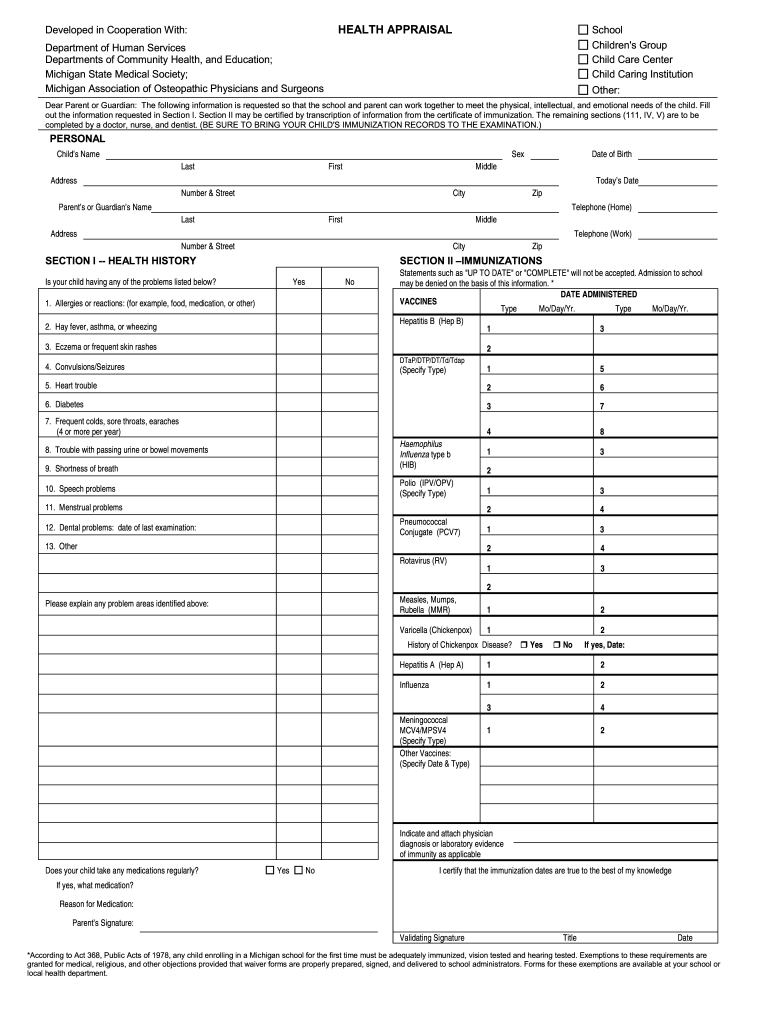
- Begin by filling out Section I, which includes personal information about your child such as their name, date of birth, and address. Ensure all details are accurate.
- In Section II, provide immunization details. You can either enter the dates manually or transcribe them from your child's immunization records. Be specific with vaccine types and dates administered.
- For Sections III and IV, if applicable, have a doctor or nurse complete the physical examination findings and recommendations. Make sure they sign and date these sections.
- If you choose to include dental information in Section V, ensure that a dentist fills this out and provides their signature.
Start using our platform today for free to easily fill out your printable health appraisal 2006 form!
It's free
See more printable health appraisal 2006 form versions
Got questions?
How can I sign my health appraisal online?
Sign in to your DocHub account and import your health appraisal to our editor using one of its upload methods - from your device, cloud storage, secure URL, or your DocHub folders if you have already managed your form before. Open our editor, click the Sign button in the upper toolbar, and decide on your signing method. You can use a picture of your handwritten signature, draw it, enter your name, or use a QR code instead.
How do you edit appraisal form 2000 on iOS?
You can easily edit fill out your appraisal form 2000 on any iOS gadget. Open an internet browser of your choice, visit the DocHub website, authorize or create a new account, add your file for editing, and make your required adjustments. Our service is mobile-friendly, so using its features on your phone will be a no-brainer, even on the first try.
Security and compliance
At DocHub, your data security is our priority. We follow HIPAA, SOC2, GDPR, and other standards, so you can work on your documents with confidence.
Learn more


