




Here's how it works



How to use or fill out GSRP Enrollment Forms - Detroit Edison Public School Academy with our platform

- Click ‘Get Form’ to open the GSRP Enrollment Forms in the editor.
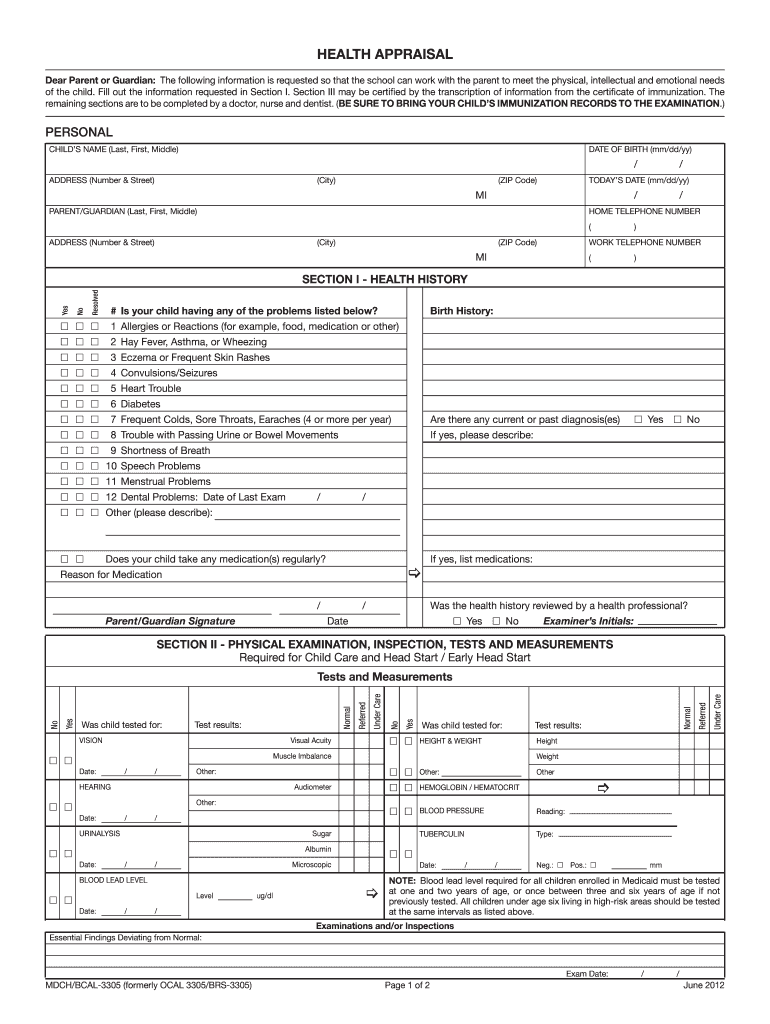
- Begin by filling out Section I, which includes personal information about your child. Enter the child's name, date of birth, and address accurately.
- In Section I, provide health history details. Answer the questions regarding allergies, past diagnoses, and current medications by selecting 'Yes' or 'No' as applicable.
- Proceed to Section II for the physical examination details. Ensure that a healthcare professional completes this section and records necessary measurements like height and weight.
- In Section III, document immunization records. List each vaccine administered along with the corresponding dates. Make sure to avoid vague terms like 'UP-TO-DATE'.
- Complete Sections IV and V if applicable. These sections may require additional recommendations from healthcare providers regarding any restrictions or dental examinations.
Start using our platform today to easily fill out your GSRP Enrollment Forms online for free!
It's free
See more GSRP Enrollment Forms - Detroit Edison Public School Academy versions
Got questions?
How can I eSign my GSRP Enrollment Forms - Detroit Edison Public School Academy in Word?
Microsoft Word doesn’t have signing tools to generate valid electronic signatures and enforceable documents. Luckily, DocHub is an online eSignature-compliant editor that works with various document formats, including .doc files. Log in to your account and upload the Word edition of your GSRP Enrollment Forms - Detroit Edison Public School Academy from your device and cloud, or URL - our editor will automatically convert it into an editable PDF. Make all essential changes in your form and click Sign to generate your own legally-binding eSignature. There are four signing methods from which to choose.
How do you fill out GSRP Enrollment Forms - Detroit Edison Public School Academy on Android?
It is a no-brainer on a computer or via a mobile phone to complete a GSRP Enrollment Forms - Detroit Edison Public School Academy with DocHub. All you need to do is open any installed browser on your smartphone and go to the DocHub site. Once authenticated, add your file and open it in editing mode. Use our toolbar to make your edits and save adjustments. Optionally, keep your document in your files or send it to a recipient immediately.
Security and compliance
At DocHub, your data security is our priority. We follow HIPAA, SOC2, GDPR, and other standards, so you can work on your documents with confidence.
Learn more




