




Here's how it works

01. Edit your certificato di esistenza in vita online
Type text, add images, blackout confidential details, add comments, highlights and more.

02. Sign it in a few clicks
Draw your signature, type it, upload its image, or use your mobile device as a signature pad.

03. Share your form with others
Send it via email, link, or fax. You can also download it, export it or print it out.
The fastest way to redact Certificato di esistenza in vita online

Dochub is the greatest editor for changing your documents online. Adhere to this simple guide to edit Certificato di esistenza in vita in PDF format online free of charge:
- Sign up and log in. Register for a free account, set a secure password, and proceed with email verification to start working on your forms.
- Upload a document. Click on New Document and choose the file importing option: add Certificato di esistenza in vita from your device, the cloud, or a secure link.
- Make adjustments to the sample. Utilize the upper and left panel tools to modify Certificato di esistenza in vita. Add and customize text, images, and fillable fields, whiteout unnecessary details, highlight the significant ones, and comment on your updates.
- Get your documentation done. Send the sample to other individuals via email, create a link for faster file sharing, export the sample to the cloud, or save it on your device in the current version or with Audit Trail added.
Explore all the benefits of our editor right now!
Fill out certificato di esistenza in vita online
It's free
It's free
Security and compliance
At DocHub, your data security is our priority. We follow HIPAA, SOC2, GDPR, and other standards, so you can work on your documents with confidence.
Learn more


Related forms

Technology control plan template
The document outlines the Technology Control Plan (TCP) for the University of New Hampshire, detailing the necessary pro ...

Patient Rounding to Verify 4 Ps Hourly Rounding Charge Nurse or Manager (Asst Mgr)
The document outlines a protocol for patient rounding by charge nurses or managers to verify the '4 Ps' (Pain, Positioni ...
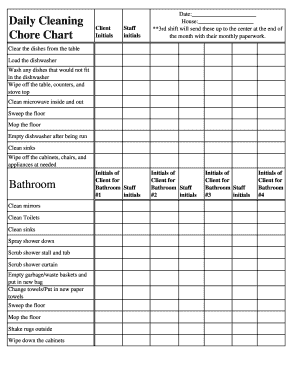
Daily Cleaning House Staff Chore Chart - hhstoday heartlandhs
The document outlines a daily cleaning chore chart for a household, detailing tasks to be completed by staff members, in ...

Nypd transcript request
The document is a request form for obtaining official or student copies of transcripts from the New York City Police Dep ...

2024 Form 8995-A Qualified Business Income Deduction
Form 8995-A is a tax form used by individuals to claim the Qualified Business Income Deduction for the tax year 2024. It ...