






Definition and Meaning of the Black and White Letterhead Template (Word)
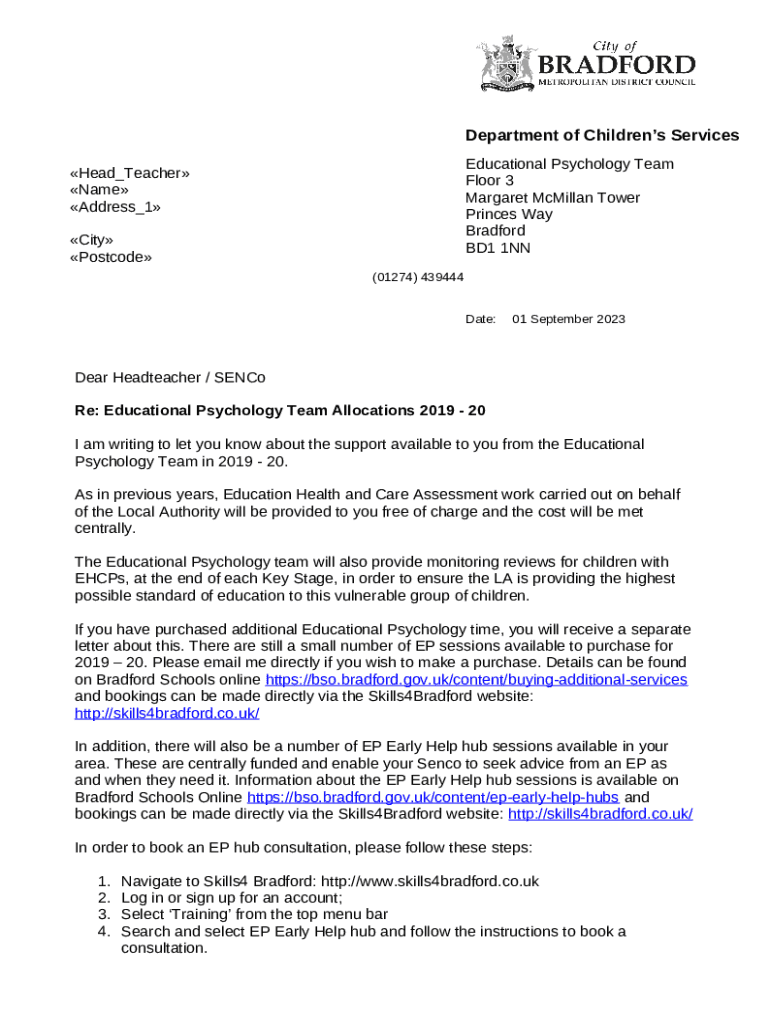
The Black and White Letterhead Template (Word) is a designed document format used primarily for creating formal correspondence with a classic and professional appearance. This template is typically used in Microsoft Word and developed to suit various formal communications, ensuring brand consistency across different documents by incorporating standard elements like company logos and contact details. Its black and white design provides an elegant and clear approach that makes it versatile for many kinds of businesses and professional settings.
How to Use the Black and White Letterhead Template (Word)
Using the Black and White Letterhead Template in Word is a straightforward process that allows for customization while maintaining a professional appearance. Here are the general steps to utilize the template:
-
Open the Template:
- Launch Microsoft Word and open the Black and White Letterhead Template.
- You can usually find this by navigating to the 'Templates' section in Word, or download it from a reputable source if you do not have it pre-installed.
-
Customize Your Header:
- Insert your organization's logo at the predetermined location in the header.
- Update the address and contact information to reflect your business details.
-
Edit the Footer:
- Include additional information such as social media handles or legal disclaimers.
- Ensure consistency by using the same font style as the rest of the document.
-
Save Your Document:
- Save a copy of the customized template for future use to maintain uniformity across all documentation.
By following these steps, users can efficiently use the template to create consistent and formal business correspondence.
Key Elements of the Black and White Letterhead Template (Word)
The Black and White Letterhead Template contains several essential elements designed to create a cohesive and professional look.
-
Corporate Logo:
- Provides instant brand recognition and enhances trust.
- Usually placed at the top of the page.
-
Contact Information:
- Typically includes the phone number, email, and website address.
- Located near the logo or at the bottom section of the template.
-
Company Address:
- Ensures that recipients have the correct location information.
- Often displayed near the bottom of the template.
These elements together ensure that all communications are branded effectively and contain necessary information for the receiver.
Steps to Complete the Black and White Letterhead Template (Word)
Completing the Black and White Letterhead Template involves several crucial steps:
-
Insert Your Logo:
- Make sure the logo is clear and in high resolution to maintain professionalism.
-
Customize Header Details:
- Include your company’s address and contact information in the designated fields.
-
Write the Main Content:
- Begin your letter below the header, adhering to a business-like structure and tone.
- Use the defined margins and format to keep the text uniform.
-
Adjust the Footer:
- Add any necessary legal information or company slogans, if applicable.
-
Proofread and Save:
- Review for any errors or inconsistencies in the text or formatting.
- Save and export the document as a PDF for distribution while retaining the .doc version for future edits.
Following these steps will ensure that your letterhead maintains a professional appearance and is ready for official use.
Important Terms Related to Black and White Letterhead Template (Word)
Understanding some key terminology can enhance the use of the Black and White Letterhead Template.
-
Header and Footer:
- Refers to the sections at the top and bottom of each page where details like contact information and legal disclaimers are placed.
-
Logo:
- A graphic mark or emblem representing an organization, central to brand identity.
-
Template:
- A pre-designed document format that simplifies the process of content creation by providing a ready-made structure.
These terms facilitate a better understanding of how to utilize the template effectively for professional communications.
Examples of Using the Black and White Letterhead Template (Word)
The Black and White Letterhead Template can be used across various scenarios, including:
-
Business Communications:
- Sending formal letters, memos, or notices to clients and partners.
-
Internal Documentation:
- Creating official announcements or internal memos that follow a uniform layout.
-
Legal Correspondence:
- Drafting letters that require a formal, professional appearance to maintain legal integrity.
These practical examples highlight the versatility of the template in supporting different types of documentation needs.
Why Use the Black and White Letterhead Template (Word)
There are several reasons to choose a Black and White Letterhead Template:
-
Brand Consistency:
- Ensures all business communications are uniform, reinforcing brand identity.
-
Professional Appearance:
- Presents all documents with a polished look that enhances recipient perception.
-
Simplicity and Clarity:
- The black and white design maintains readability and focus, avoiding unnecessary distractions.
These benefits underscore the template’s utility in maintaining high standards of professionalism in document design.
Who Typically Uses the Black and White Letterhead Template (Word)
The template is typically utilized by various types of entities such as:
-
Corporations:
- Utilize templates for consistent branding across all communications.
-
Small Businesses:
- Leverage the template to project a professional image in external correspondence.
-
Non-Profit Organizations:
- Use templates to ensure clarity and professionalism in communications with stakeholders and donors.
These broad usage scenarios demonstrate the adaptability of the Black and White Letterhead Template in various professional settings.