



Here's how it works



How to use or fill out 821 SSA form with our platform

- Click ‘Get Form’ to open the SSA-821 form in the editor.
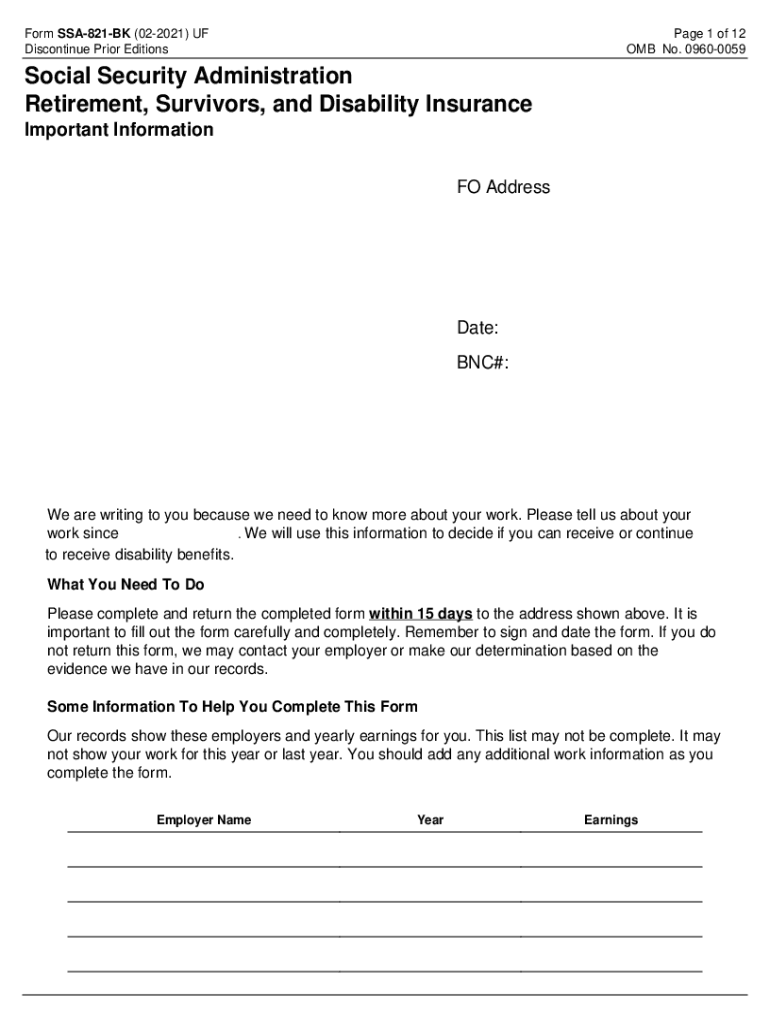
- Begin by filling out your personal information in the Identification section, including your name and BNC number.
- In the Work Activity Report section, answer whether you have had any employment income since the specified date. If yes, proceed to provide details about your employers and earnings.
- For each employer listed, include their name, address, job title, rate of pay, and hours worked per week. Attach any necessary pay stubs or wage print-outs as indicated.
- Complete additional sections regarding any special conditions related to your work and any expenses incurred due to your physical or mental condition.
- Finally, review all entries for accuracy before signing and dating the form at the bottom. Ensure that all required fields are filled out completely.
Start using our platform today to fill out your SSA-821 form easily and for free!
It's free
See more 821 ssa form versions
Got questions?
How do I sign my ssa 821 bk 02 2021 for free?
Most eSignature services require users to have a paid subscription. With DocHub, there are two ways for you to create an electronic signature to your ssa 821 bk 02 2021 without being charged:
- You can do it during a 7-day trial period;
- You can subscribe to a free plan.
The second option, however, has limitations on the number of signatures, sign requests, emails, and forms for adjusting available per month. You can check for full information here.
How do you fill out why did i get ssa 821 bk on iOS?
You need only an internet connection and a browser to fill out your why did i get ssa 821 bk by using an iOS phone. Open the DocHub website and authenticate. Then, add your document or choose it from the list in your dashboard. Then use our editing tools to fill out your form and preserve all your changes. You can also send it to a dedicated recipient immediately.
What is a work activity report from SSA?
What is form SSA 820 BK?
Why did I get a SSA 821 BK?
Security and compliance
At DocHub, your data security is our priority. We follow HIPAA, SOC2, GDPR, and other standards, so you can work on your documents with confidence.
Learn more


Related forms