






Definition & Meaning
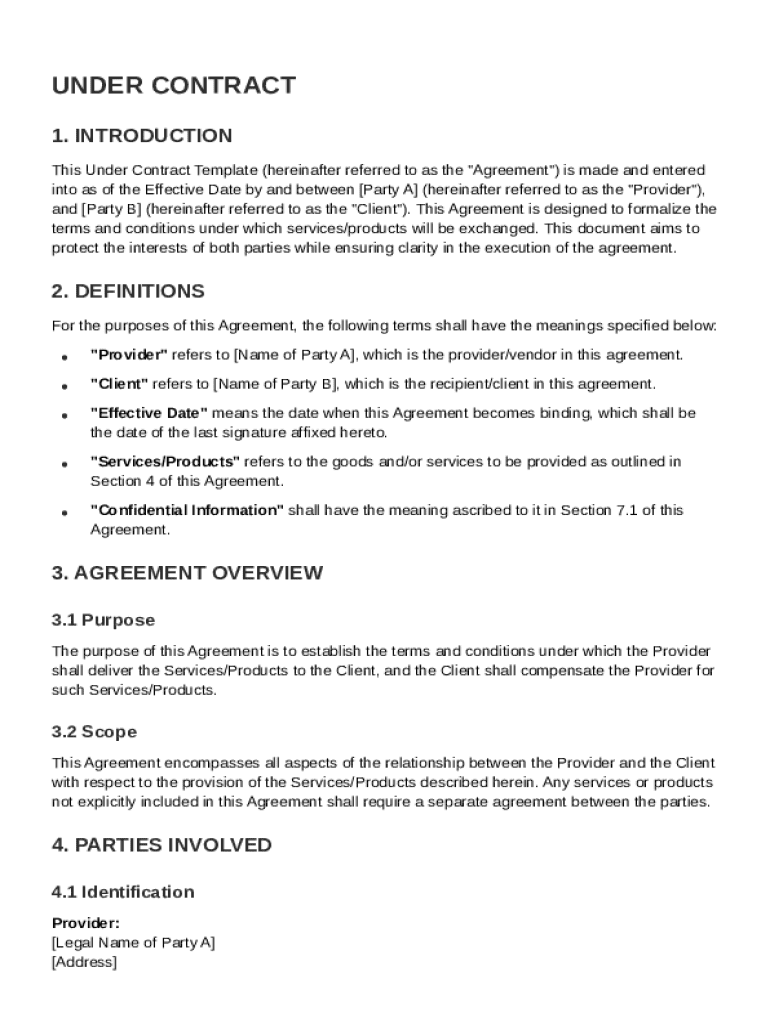
An Under Contract Template is a formal document utilized to establish an agreement between a service provider and a client. This template serves as a clear framework for defining specific terms and conditions under which services or products will be exchanged. Its primary purpose is to protect the interests of both parties by clearly outlining the responsibilities, payment terms, confidentiality obligations, and termination conditions. By having these details explicitly stated, the template aims to prevent misunderstandings and disputes, ensuring a transparent business relationship.
Key Elements of the Under Contract Template
The Under Contract Template includes several critical components essential for a comprehensive and enforceable agreement:
- Parties Involved: Clearly identifies the service provider and the client by their legal names and contact information, establishing their roles and responsibilities.
- Scope of Work: Describes the services or products to be delivered in detail, ensuring both parties have a mutual understanding of expectations.
- Payment Terms: Specifies the agreed compensation, payment schedule, and methods, which might include milestones, retainers, or upon completion arrangements.
- Confidentiality Obligations: Includes clauses that protect sensitive information shared between parties, often involving non-disclosure agreements (NDAs).
- Termination Conditions: Outlines how and under what circumstances the agreement can be terminated, such as for breach of contract or completion of services.
- Dispute Resolution: Details methods for resolving conflicts, often encouraging mediation or arbitration before legal action.
Steps to Complete the Under Contract Template
To effectively complete an Under Contract Template, follow these essential steps:
- Gather Necessary Information: Collect details about both parties, the nature of the services, and any critical terms necessary for the agreement.
- Customizable Fields: Utilize fillable fields in the template to input specific information, ensuring accuracy and completeness.
- Review Legal Clauses: Examine standard legal clauses, adjusting as needed to fit the specific agreement while ensuring compliance with applicable laws.
- Verify Payment Details: Double-check the payment terms to ensure they accurately reflect the agreed-upon conditions.
- Final Review: Have all involved parties review the document for accuracy and clarity. Consider seeking legal advice for complex arrangements.
- Sign and Execute: Once verified, both parties should provide legally binding electronic signatures to formalize the agreement.
Who Typically Uses the Under Contract Template
The Under Contract Template is commonly used by various professionals and businesses, including:
- Freelancers and Contractors: Individuals providing services like graphic design, writing, consulting, or IT support often rely on these templates to formalize agreements with clients.
- Small to Medium Enterprises (SMEs): Businesses engaging in partnerships, collaborations, or vendor relationships use this template to ensure clarity on deliverables and responsibilities.
- Corporate Entities: Large companies utilize these agreements for outsourcing projects, hiring external consultants, or forming strategic alliances.
- Nonprofits and Educational Institutions: Often use contract templates to manage agreements with service providers or collaborative research partners.


Legal Use of the Under Contract Template
The Under Contract Template complies with U.S. legal standards, ensuring that all agreements made using it are legally enforceable:
- ESIGN Act Compliance: Electronic signatures on the document are legally binding, ensuring the contract's validity.
- State-Specific Adaptability: While the template provides a universal framework, it may be adapted to incorporate state-specific legal requirements, enhancing its applicability across different jurisdictions.
- Amendments and Entire Agreement: The template typically includes a provision that written amendments are necessary for any changes to ensure that the agreement remains the comprehensive embodiment of the parties' intentions.
Important Terms Related to Under Contract Template
Understanding key terms related to the Under Contract Template is vital for effectively crafting and executing the agreement:
- Consideration: The value exchanged between parties, forming the basis for a binding contract.
- Force Majeure: A clause that frees both parties from liability or obligation when an extraordinary event or circumstance prevents fulfillment of the contract.
- Non-Compete Clause: A provision preventing one party from competing against the other for a specified period.
- Indemnity: A clause designed to transfer risk from one party to another, often involving compensation for damages or losses.
- Governing Law: Specifies which jurisdiction's laws will apply in interpreting the contract.
State-Specific Rules for the Under Contract Template
While the Under Contract Template offers a general format applicable across the United States, it is crucial to consider state-specific rules that may influence its content:
- Statute of Limitations: Different states have varying time limits for lawsuits related to contract disputes.
- Usury Laws: States impose limits on interest rates, which can impact agreements involving financing or credit terms.
- Employment Contracts: States such as California may have specific restrictions on non-compete clauses affecting contract enforceability.
- Real Estate Agreements: Certain states require additional disclosures or conditions for real estate-related contracts.
Software Compatibility for Digital Contracts
In the digital era, the Under Contract Template's compatibility with various software enhances its utility:
- DocHub: Supports a wide range of document formats, including PDFs, ensuring seamless editing and signing.
- Google Workspace Integration: Users can import and export documents directly with Google Drive and Gmail.
- Cloud Storage Services: Compatibility with services like Dropbox and OneDrive allows for easy file management and storage.
- Mobile and Desktop Availability: Accessibility on different devices ensures that contracts can be managed from anywhere without specialized applications.