Terms and Service Agreement Template 2026

Get Form
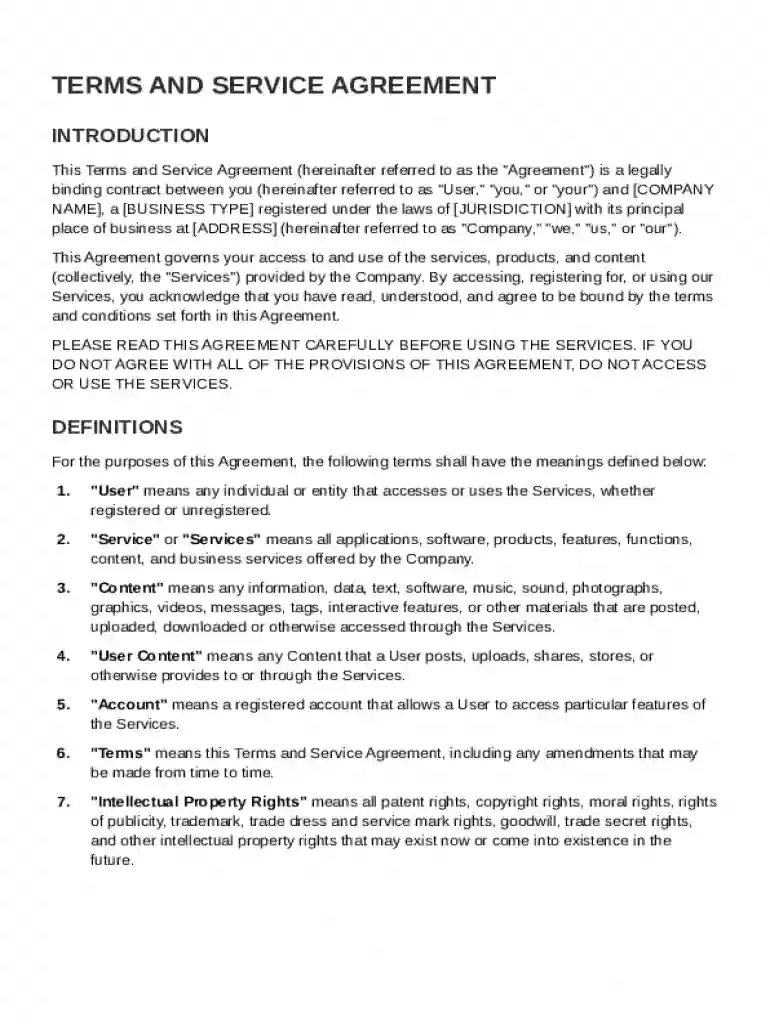
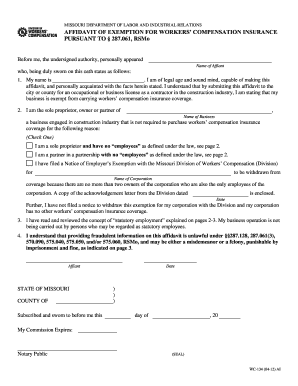
Terms and Service Agreement Template Preview on Page 1

Here's how it works

01. Edit your form online
Type text, add images, blackout confidential details, add comments, highlights and more.

02. Sign it in a few clicks
Draw your signature, type it, upload its image, or use your mobile device as a signature pad.

03. Share your form with others
Send it via email, link, or fax. You can also download it, export it or print it out.

Definition & Meaning

A Terms and Service Agreement Template is a pre-formatted document designed to outline the terms and conditions under which a user can access and utilize a company's services. This binding contract is crucial for defining legal responsibilities and securing the interests of both the company and its users. Amongst its provisions, the template typically includes definitions of critical terms, user responsibilities, intellectual property rights, limitations of liability, governing laws, and conditions for termination.

Important Elements

  • Definitions and Key Terms: Clearly define all technical and significant terms used throughout the agreement. This ensures that both parties have a mutual understanding of the conditions they are bound by.
  • Responsibilities and Obligations: Outline the specific obligations of both the user and the company to eliminate ambiguity around service expectations.
  • Legal Provisions: Cover intellectual property rights, limitations of liability, and other legal stipulations to protect company assets and mitigate risks.

Steps to Complete the Terms and Service Agreement Template

Completing a Terms and Service Agreement Template involves a systematic process to ensure all necessary details are included and the document is legally enforceable.

  1. Identify the Parties Involved: Clearly state the names and roles of the parties entering into the agreement.
  2. Detail the Services Provided: Describe the services or products being offered, along with any specific conditions tied to their use.
  3. Define Legal Obligations: Specify each party's legal obligations, including compliance with applicable laws and regulations.
  4. State Governing Laws: Select the jurisdiction that governs the agreement to streamline legal processes should disputes arise.
  5. Incorporate User Agreement Sections: Include sections that outline user permissions, prohibited activities, and data protection measures.
  6. Review and Sign the Document: After reviewing the completed document for accuracy and completeness, both parties should provide their signatures, making the agreement legally binding.

Practical Tips

  • Customization: Tailor the template to fit specific business requirements and legal standards.
  • Legal Consultation: Engage a legal professional to review the completed template to ensure it aligns with current laws and best practices.

Key Elements of the Terms and Service Agreement Template

The Terms and Service Agreement Template encompasses several key elements that establish the framework for its legal and operational function.

Core Components

  • Service Description: Provides a detailed account of the services that will be made available to the user.
  • Payment Terms: Outlines all fees, billing cycles, and payment procedures, if applicable.
  • User Conduct Guidelines: Sets forth the expected behavior and restrictions for users accessing the services.
  • Termination Clauses: Explains the conditions under which either party can terminate the agreement and the consequences thereof.

Examples

Consider an online document editing service that stipulates:

  • User Restrictions: Users must comply with content guidelines prohibiting illegal or harmful activities.
  • Data Usage: Specifies how user data will be stored, used, and shared, ensuring transparency and compliance with privacy laws.

Who Typically Uses the Terms and Service Agreement Template

Terms and Service Agreement Templates are employed across various industries and by entities of different sizes to establish a formal understanding of service use and operational boundaries.


decoration image ratings of Dochub

Examples of Common Users

  • Technology Companies: SaaS providers implementing user terms to regulate software access and usage.
  • Online Retailers: E-commerce platforms outlining terms of purchase, returns, and refunds.
  • Service Providers: Freelancers and agencies specifying scope of work and client responsibilities.
decoration image

Business Entity Types

  • Limited Liability Companies (LLCs): Establish contractual obligations and protect the company's assets.
  • Corporations: Use the template to outline terms for users and regulatory bodies alike.
  • Partnerships: Deploy comprehensive agreements to set terms among partners and clients.

Legal Use of the Terms and Service Agreement Template

The legal utility of a Terms and Service Agreement Template lies in its ability to safeguard a company’s interests while maintaining compliance with applicable regulations.

Compliance and Protection

  • Contractual Security: The template transforms into a binding contractual agreement once signed, offering protection against legal disputes.
  • Legal Compliance: Helps businesses adhere to relevant state and federal laws, such as the ESIGN Act, enhancing the legitimacy of electronic transactions.

Real-World Scenario

A digital marketing agency may employ the template to legally bind clients to specific campaign deliverables and payment schedules, thereby reducing the potential for misunderstandings and unpaid invoices.

State-Specific Rules for the Terms and Service Agreement Template

State laws in the United States can influence how a Terms and Service Agreement is drafted and enforced, necessitating customization according to jurisdiction-specific requirements.

Considerations by State

  • California: Requires adherence to robust data privacy laws like the CCPA, demanding explicit privacy policies for Califonian users.
  • New York: Businesses may need to include clauses for sales tax collection depending on operations within the state.

Crafting State-Appropriate Content

  • Research Legal Requirements: Stay informed about the legal nuances in each intended state of operation.
  • Update Agreements Regularly: Revisit and update agreements to reflect changes in state laws, preventing legal discrepancies.

Examples of Using the Terms and Service Agreement Template

Utilizing the Terms and Service Agreement Template effectively can transform it into a powerful tool for managing relationships with clients and customers.

Practical Applications

  • Service Upgrades: Companies may use the template to introduce customers to service changes, ensuring that users agree to new terms before accessing enhanced offerings.
  • Membership Models: A fitness center might deploy the template to outline membership obligations, promotional rules, and payment terms.

Case Studies

  • A Streaming Platform: Updated its terms and services following the introduction of a new subscription tier, explicitly stating access limitations for different user plans.
  • E-learning Providers: Use templates to set expectations for course access, intellectual content use, and user conduct.

Digital vs. Paper Version

In today's digital era, the choice between digital and paper versions of a Terms and Service Agreement can impact user experience and company resource allocation.

Digital Version

  • Advantages: Offers speed, reduced costs, and convenience with user agreements accessible instantly online.
  • Digital Signature Compliance: The integration of electronic signatures allows users to agree effortlessly, adhering to the ESIGN Act.

Paper Version

  • Traditional Preference: Some businesses may opt for paper versions to cater to clients who prefer physical copies.
  • Archived Records: Physical documents provide tangible proof of agreement, useful in environments where digital may not be feasible.

By adopting a balanced approach between digital and paper formats, companies can cater to diverse client preferences while optimizing operational efficiency.

be ready to get more

Complete this form in 5 minutes or less

Get form

Got questions?

We have answers to the most popular questions from our customers. If you can't find an answer to your question, please contact us.
Contact us
The seven essential elements of a contract are: Offer. Acceptance. Consideration. Legally competent parties. Meeting of the minds. Terms of the contract. Legality of purpose.
An effective ToS can help mitigate against potential disputes, reduce liability, protect intellectual property, and promote transparency. Generally, a ToS is a legal agreement that establishes the rules and guidelines for using a digital platform while protecting both the business and its users from legal issues.
How to write a Service Agreement Information about the service. First, specify how long services are needed (e.g., for a single job, a fixed term, or indefinitely) and where the work will be done (as this affects the laws that apply to your contract). Party details. Payment. Terms and conditions. Final details.
Legally, you can absolutely write your own service agreement. Contracts dont require special formatting, magic phrases, or a law degree to be valid. If both parties agree to the terms, something of value is exchanged, and the agreement is clearyouve got a contract. But clarity doesnt always equal protection.
How to write an SLA Evaluate your current service levels. Identify your objectives. Choose a contract format. Determine the level of service. Articulate the terms of the agreement. Clarify performance expectations. Outline payment expectations. Include appendices if necessary.

Security and compliance

At DocHub, your data security is our priority. We follow HIPAA, SOC2, GDPR, and other standards, so you can work on your documents with confidence.

Learn more
ccpa2
pci-dss
gdpr-compliance
hipaa
soc-compliance

People also ask

A terms of service agreement ensures that partners are aware of their rights and responsibilities when using your services or website. It sets clear expectations and guidelines, reducing the risk of misunderstandings or disputes.
Yes, you can create your own Terms Conditions agreement. However, its best to consult legal experts or use trusted services like TermsFeed to ensure it fits your business needs.
In short, your Terms of Service should cover: An introduction and how the terms may change. A link to your Privacy Policy. Rules for user behavior. Copyright rules. Limitations on your liability and disclaimers. Payment and refund details. How to settle disagreements. Your contact information.

Related links