
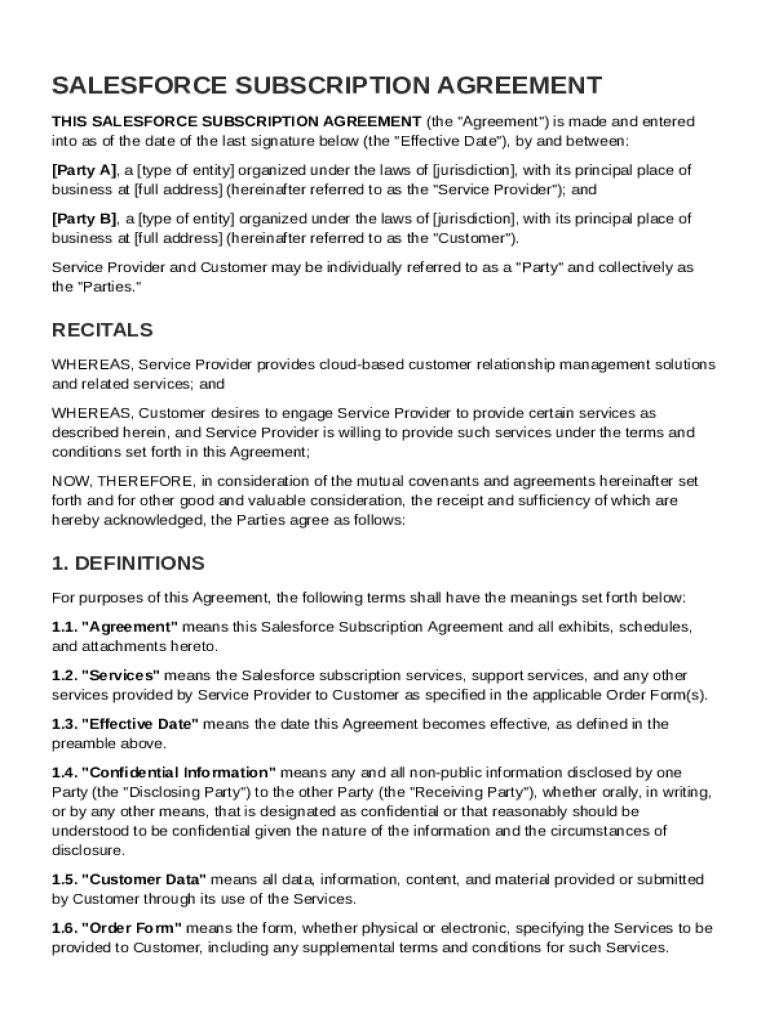







Definition & Meaning
The Salesforce Contract Template is a standardized document used to formalize agreements between a service provider and a customer regarding the use of Salesforce’s cloud-based customer relationship management services. This document delineates key components such as definitions, the scope of services, payment terms, confidentiality obligations, and liability limitations. It establishes the legal framework of the relationship, detailing the rights and responsibilities of both parties. Utilizing this template helps clarify expectations and minimize disputes by providing clear and consistent contractual guidelines.
How to Use the Salesforce Contract Template
Using the Salesforce Contract Template involves customizing the document to reflect the specific terms agreed upon by both parties. Users should:
- Review the template thoroughly to understand all included clauses.
- Modify sections as necessary to better fit the unique needs of the parties, such as specific service deliverables or pricing models.
- Verify all contact and account information is correct and updated.
- Ensure all modifications comply with relevant laws and regulations.
After finalizing these details, both parties should review and sign the document digitally or on paper, confirming their agreement to the terms.
Steps to Complete the Salesforce Contract Template
Completing the Salesforce Contract Template is a multi-step process that requires attention to detail:
- Initial Review: Familiarize yourself with the template's structure and content. Understand each section's purpose within the contract.
- Customization: Tailor specific sections to reflect the agreed terms of service, including payment schedules and confidentiality clauses.
- Information Verification: Double-check the accuracy of the named parties and any associated details, ensuring the document reflects current data.
- Legal Compliance: Consult with legal counsel to confirm the document's compliance with applicable laws, reducing the risk of unenforceable clauses.
- Final Review and Acceptance: Conduct a final review session with all involved parties, addressing any last-minute concerns or changes.
- Execution: Collect the necessary signatures digitally or physically to formalize the agreement.
Key Elements of the Salesforce Contract Template
The Salesforce Contract Template includes several critical elements that define the transaction's scope:
- Service Definition: Clearly outlines what services Salesforce will provide, including specific software features and support levels.
- Payment Terms: Specifies payment schedules, methods, and any penalties for late payments.
- Confidentiality Obligations: Details how both parties must handle sensitive information shared in the course of the relationship.
- Liability Limitations: Establishes the extent of responsibility each party holds in various scenarios, protecting against undue risk.
- Governing Law: Identifies the jurisdiction that will oversee any legal disputes or contract enforcement issues.
These elements are essential for establishing clarity and preventing future disputes.
Legal Use of the Salesforce Contract Template
Ensuring the legal use of the Salesforce Contract Template involves being aware of and adhering to associated legal requirements. This includes:
- Compliance with the ESIGN Act for electronic signatures, ensuring all digitally signed documents are legally binding.
- Adherence to State and Federal Laws, which may necessitate additional disclosures or modifications based on jurisdiction.
- Inclusion of Ethical Clauses like anti-discrimination and anti-corruption statements, aligning with societal and legal expectations.
Following these guidelines ensures that agreements made using this template are legally enforceable.
Examples of Using the Salesforce Contract Template
The Salesforce Contract Template is versatile and can be used in various business scenarios:
- SMEs Implementing CRM Solutions: Small to medium enterprises can customize the template to integrate Salesforce tools, enhancing their customer relationship management.
- Partnerships with Professional Services Firms: Consulting firms might use the template to outline the delivery of Salesforce CRM solutions to their clients.
- Large Enterprises with Diverse Needs: Multi-departmental organizations can utilize the template to maintain consistency across their organization's different branches while accommodating detailed customizations.
These instances illustrate the adaptability of the template across different scales and industries.
Software Compatibility
The Salesforce Contract Template is compatible with various document management and editing platforms, such as:
- DocHub: Edit and manage the template directly through DocHub, taking advantage of tools for annotation and e-signature integration.
- Google Workspace: Convenient for integration within Google’s ecosystem, enabling easy modifications and sharing.
- Microsoft Office: Use with Word and Excel for users preferring Microsoft’s tools, allowing comprehensive editing and collaboration.
Compatibility ensures that users can leverage their preferred software to effectively manage the Salesforce Contract Template.
Business Types that Benefit Most from the Salesforce Contract Template
Numerous business types find the Salesforce Contract Template beneficial:
- Technology Firms: Especially beneficial for firms offering integrated digital solutions alongside Salesforce products.
- Consulting Agencies: These agencies can utilize the template to formalize service agreements with clients employing Salesforce tools.
- Retail and E-commerce Enterprises: These businesses often require robust CRM solutions, making the template essential for defining service terms and features of Salesforce integrations.
Each of these business types capitalizes on the efficiency and standardization that the Salesforce Contract Template provides.




