
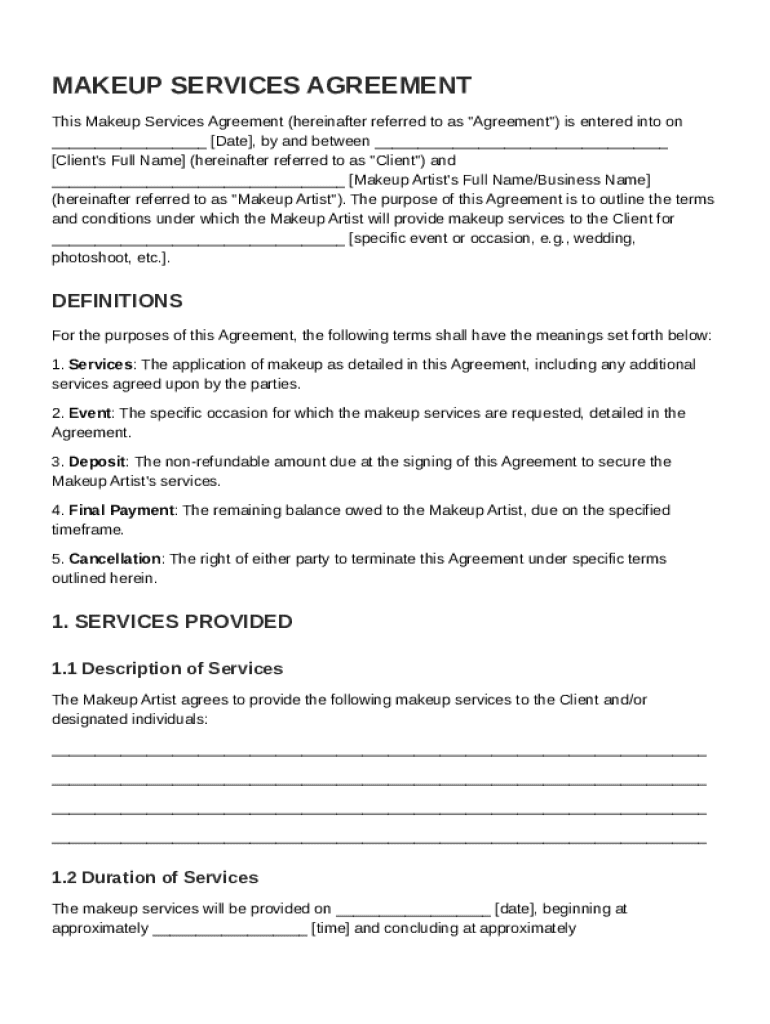







Definition & Meaning
A Makeup Contract Template is a pre-structured document designed to outline the terms and conditions agreed upon between a makeup artist and a client. This template serves as a formal agreement that specifies the details of the makeup services being rendered for a particular event or occasion. The document includes essential components such as the services offered, payment terms, liability clauses, and client obligations. By using a standardized template, both parties can ensure transparency and mutual understanding, helping to prevent potential disputes.
Key Elements of the Makeup Contract Template
The Makeup Contract Template includes several critical elements that define the scope and nature of the agreement. These components are essential for setting clear expectations and responsibilities for both the artist and the client:
- Services Description: A detailed outline of the makeup services provided, including specifics like the type of makeup, duration of services, and any additional services like trial sessions.
- Payment Terms: Clear terms related to payment schedules, amounts due, methods of payment accepted, deposits, and refund policies.
- Cancellation Policy: Guidelines describing the conditions under which either party can cancel the agreement, including any fees associated with cancellations.
- Liability Waiver: A clause that limits the makeup artist's liability concerning allergic reactions or dissatisfaction with services, provided all guidelines were followed.
- Client Responsibilities: Expectations from the client’s side, such as punctuality, provision of necessary facilities, and informing about any allergies.
Why Should You Use a Makeup Contract Template
Using a Makeup Contract Template provides multiple advantages:
- Clarity and Communication: Ensures both parties have a clear understanding of their roles and expectations, which minimizes misunderstandings.
- Legal Protection: Offers a formal structure that can be used to resolve disputes, providing a legally enforceable document in the case of disagreements.
- Professional Image: Enhances the professional reputation of the makeup artist by depicting a structured and formal business approach.
- Efficiency: Saves time on drafting contracts from scratch, allowing the artist to quickly prepare and customize agreements for different clients.
Steps to Complete the Makeup Contract Template
- Fill out Basic Information: Begin by entering the names, contact details, and addresses of both the makeup artist and the client.
- Specify Services: Clearly describe the services to be provided, including any specific styles or preferences requested by the client.
- Detail Financial Arrangements: Include all payment details, including rates, deposit requirements, and specifics about any penalty fees.
- Include Additional Clauses: Add any other terms that have been agreed upon, such as travel arrangements if the event is at a different location.
- Review and Sign: Both parties should thoroughly read the completed document to ensure all details are correct. Once satisfied, both the artist and the client sign and date the contract.
Who Typically Uses the Makeup Contract Template
The primary users of a Makeup Contract Template are:
- Professional Makeup Artists: Both freelance artists and those operating within a salon setting use this template to formalize engagements with clients.
- Clients: Individuals or groups booking makeup services for weddings, photo shoots, theatrical performances, or special events.
- Event Planners: Who use these templates when organizing events on behalf of clients, to ensure all service provider agreements are clearly documented.


Legal Use of the Makeup Contract Template
The Makeup Contract Template acts as a legally binding agreement once signed by both parties. It's important to ensure:
- Compliance with Local Laws: The template should be adapted to comply with local business and consumer protection laws.
- Inclusion of Dispute Resolution Clause: A clause specifying the procedure for resolving disputes, such as arbitration or legal action.
- Authorization: Both parties must be legally authorized to enter into the agreement, ensuring the contract is enforceable.
Important Terms Related to Makeup Contract Template
Understanding key terms related to this template is crucial:
- Trial Session: A pre-event appointment where the makeup artist applies the desired look, allowing clients to see the result before the actual event.
- Deposit: An upfront payment made by the client to secure the services of the makeup artist, often part of the total service cost.
- Retainer Fee: Similar to a deposit, it's an advance payment for booking the makeup artist's services for a specific date.
- Touch-Up Services: Additional services offered after the initial application to maintain the desired look throughout the event.
State-Specific Rules for the Makeup Contract Template
Certain state-specific regulations may influence the makeup contract's terms:
- Licensing Requirements: Some states may require makeup artists to possess a cosmetology license or specific certification.
- Consumer Protections: States may have particular laws requiring explicit details about cancellation terms or refund policies to protect consumers.
- Tax Implications: State sales tax laws may apply to the provision of makeup services, influencing pricing and payment structures.
Examples of Using the Makeup Contract Template
Real-world scenarios where a Makeup Contract Template is valuable:
- Weddings: Where the bride and bridal party require makeup services, the contract specifies all details about timing, services, and costs.
- Photo Shoots: For editorial or commercial photo shoots, the agreement details specific looks required and associated creative fees.
- Theatrical Events: When providing makeup services for a theatrical production, including specifics on makeup style and performance requirements, the contract ensures the artist and the production team are aligned.
Navigating the complexities of documenting makeup service agreements is essential for professionals in the beauty industry, and the depth of a Makeup Contract Template can vary to address different needs and circumstances.




