
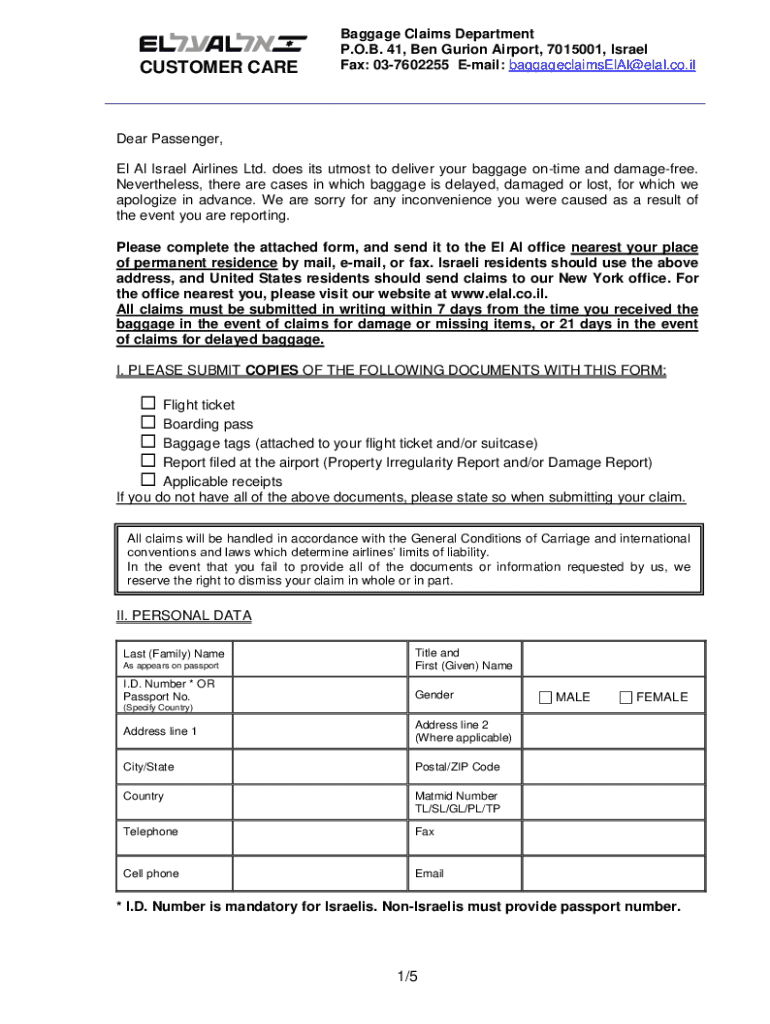







Definition and Meaning of Form Online
A "form online" refers to the digital representation of various documents that individuals and organizations use for collecting information, submitting applications, and carrying out official transactions on the internet. This digital format offers a streamlined and accessible means of engaging with forms that range from simple surveys to complex applications for government services or business processes. An online form can include textual fields, dropdown menus, checkboxes, and signature fields depending on the required data and that guides users to submit accurate information efficiently.
How to Use the Form Online
Utilizing an online form involves interacting with a web-based interface where users can input their information directly. The fundamental steps for using a form online typically include:
- Accessing the Form: Navigate to the website or platform hosting the form. This could be a government portal, a corporate website, or online service providers like DocHub.
- Filling Out the Form: Enter the required information in the corresponding fields. For instance, text fields require typing, while dropdown menus necessitate a selection.
- Reviewing Entries: Carefully cross-check all entered details for accuracy. Many forms allow you to make edits before final submission.
- Submitting the Form: Once verified, proceed to the submission section and follow any on-screen instructions to complete the process. This may include clicking a "Submit" button.
- Confirmation: After submission, users typically receive a confirmation indicating successful filing or instructions for further steps.
How to Obtain the Form Online
To acquire a form online, users must first know the type of form they require. Here’s how you can obtain one effectively:
- Visit Official Websites: For standardized forms such as tax-related or governmental applications, visit the official website relevant to the form's origin, such as IRS.gov for tax forms.
- Use Document Services: Platforms like DocHub offer a library of commonly used forms. Simply search for the form needed.
- Email Requests: In some cases, you may need to request a form from the issuing organization via email and receive a downloadable link in response.
Steps to Complete the Form Online
Completing a form online can be straightforward with the correct approach:
- Understand the Requirements: Before starting, read all instructions provided with the form to gather necessary information or documents.
- Collect Information: Gather personal data or documentation required for completion, such as proof of identity, financial records, or certifications.
- Enter Details Accurately: Begin by inputting all requested information into the fields provided. Utilize form fields like text inputs carefully for accuracy.
- Attach Documents: If the form requires documentation such as identification or proof of income, attach these files as prompted.
- Add Signatures: For forms requiring a signature, use the platform’s electronic signature options to authenticate your application.
- Save or Print a Copy: Always keep a record of the completed form by saving or printing a copy for personal files or future reference.
Why Should You Use a Form Online?
Online forms offer an array of benefits that traditional formats do not:
- Convenience: Accessible anytime, allowing users to complete forms at their leisure without geographical constraints.
- Efficiency: Reduces time taken to fill out, submit, and process forms compared to traditional paper forms.
- Accuracy: Features like error prompts and data validation help ensure information is accurately captured.
- Security: Platforms offer secure transmitted data storage compared to physical documents that might be susceptible to loss or damage.
- Environmentally Friendly: Reduce paper usage by opting for digital transactions.
Who Typically Uses the Form Online?
A diverse group of users engages with online forms for various reasons:
- Individuals: Students applying for educational loans, taxpayers filing returns, or citizens accessing government services.
- Businesses: Companies executing financial reports, legal transactions, or employee on-boarding processes.
- Organizations: Non-profits utilizing forms for donations, surveys, or membership registrations.


Important Terms Related to Form Online
Understanding crucial terminology can enhance your form experience:
- SSL Encryption: A security protocol for protecting data shared online.
- Fillable Fields: Areas within a form that permit user entries, such as text boxes or dropdowns.
- Electronic Signature: A digital method used to sign documents, replacing handwritten signatures.
- Form Validation: Ensures that all required fields are completed correctly before submission.
Legal Use of the Form Online
Online forms must comply with legal standards to ensure validity:
- ESIGN Act Compliance: Fosters the legal recognition of electronic signatures in the U.S., ensuring documents signed digitally are enforceable.
- Privacy Policies: Outlines the data protection measures in place to safeguard user information.
Key Elements of the Form Online
Key components make a form functional and user-friendly:
- Input Fields: From text boxes to radio buttons, these capture user responses.
- Instructional Text: Guidance often accompanies forms to clarify complex sections.
- Submission Buttons: Finalizes the process by officially sending the form to its intended recipient.
By adhering to these guidelines and making use of the resources available online, completing and managing forms becomes both an efficient and practical task.




