




Here's how it works

01. Edit your oregon city police incident reports online
Type text, add images, blackout confidential details, add comments, highlights and more.

02. Sign it in a few clicks
Draw your signature, type it, upload its image, or use your mobile device as a signature pad.

03. Share your form with others
Send oregon city police activity today via email, link, or fax. You can also download it, export it or print it out.
How to use or fill out Police Report Requests - Oregon City Oregon with our platform

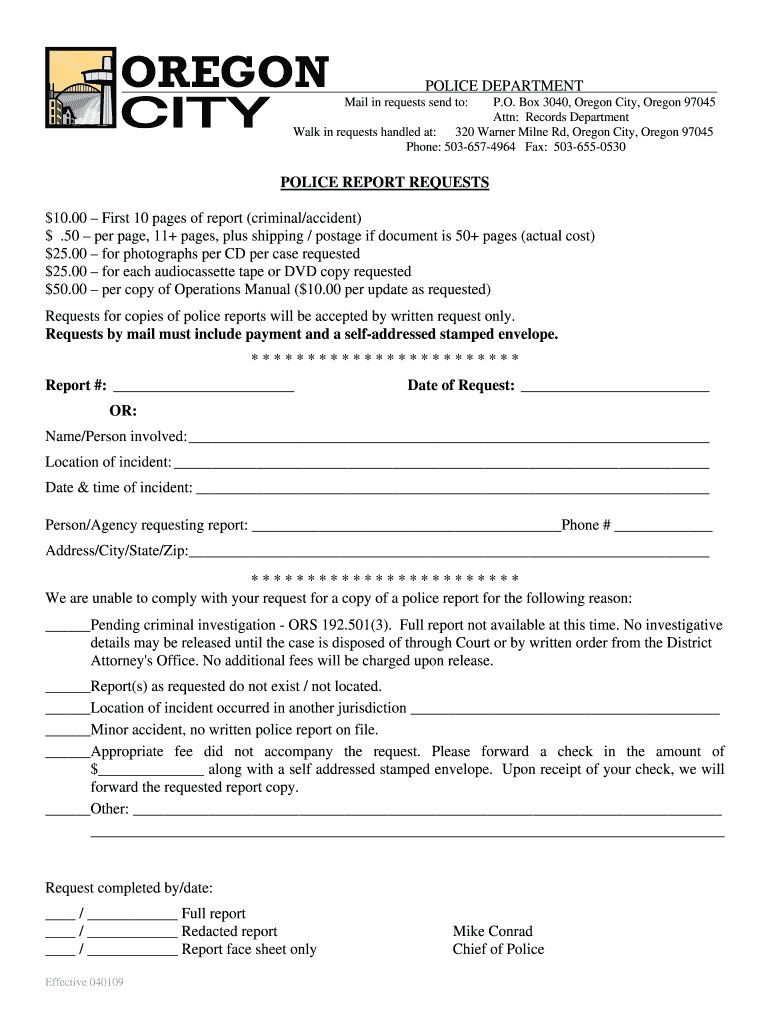
- Click ‘Get Form’ to open the Police Report Request in the editor.
- Begin by entering the report number in the designated field. If you do not have a report number, you can provide details about the incident instead.
- Fill in the 'Date of Request' field with today's date to ensure your request is processed promptly.
- In the section for 'Name/Person involved', enter the full name of the individual related to the report.
- Provide details about the 'Location of incident' and 'Date & time of incident' to help locate the correct report.
- Complete your contact information under 'Person/Agency requesting report', including your phone number and address.
- Review any reasons that may prevent compliance with your request, and check appropriate boxes if applicable.
- Finally, ensure you include payment details as specified, and prepare a self-addressed stamped envelope for mailing your request.
Start using our platform today to streamline your Police Report Request process for free!
Fill out Police Report Requests - Oregon City Oregon online
It's free
It's free
See more Police Report Requests - Oregon City Oregon versions
We've got more versions of the Police Report Requests - Oregon City Oregon form. Select the right Police Report Requests - Oregon City Oregon version from the list and start editing it straight away!
| Versions | Form popularity | Fillable & printable |
|---|---|---|
| 2025 | 4.4 Satisfied (52 Votes) | |
| 2025 | 4.6 Satisfied (51 Votes) | |
| 2024 | 4.2 Satisfied (56 Votes) | |
| 2024 | 4.3 Satisfied (55 Votes) | |
| 2023 | 4.2 Satisfied (56 Votes) | |
| 2023 | 4.7 Satisfied (44 Votes) | |
| 2023 | 4.8 Satisfied (43 Votes) | |
| 2023 | 4.2 Satisfied (47 Votes) | |
| 2022 | 4.6 Satisfied (31 Votes) | |
| 2022 | 4.8 Satisfied (60 Votes) | |
| 2022 | 4.8 Satisfied (147 Votes) | |
| 2022 | 4.8 Satisfied (93 Votes) | |
| 2022 | 4.4 Satisfied (45 Votes) | |
| 2022 | 4.8 Satisfied (202 Votes) | |
| 2022 | 3.8 Satisfied (32 Votes) |
Security and compliance
At DocHub, your data security is our priority. We follow HIPAA, SOC2, GDPR, and other standards, so you can work on your documents with confidence.
Learn more


