Definition & Meaning
Forms from the FSU Controller's Office at Florida State University are vital documents used to facilitate various financial and administrative processes within the university. These forms serve multiple purposes, such as managing payroll, processing travel reimbursements, or handling donation requests for university events. The forms are essential for maintaining accurate financial records and ensuring compliance with university policies and external regulations.
Examples of Forms
- Travel Reimbursement Forms: Used for claiming expenses incurred during university-related travel.
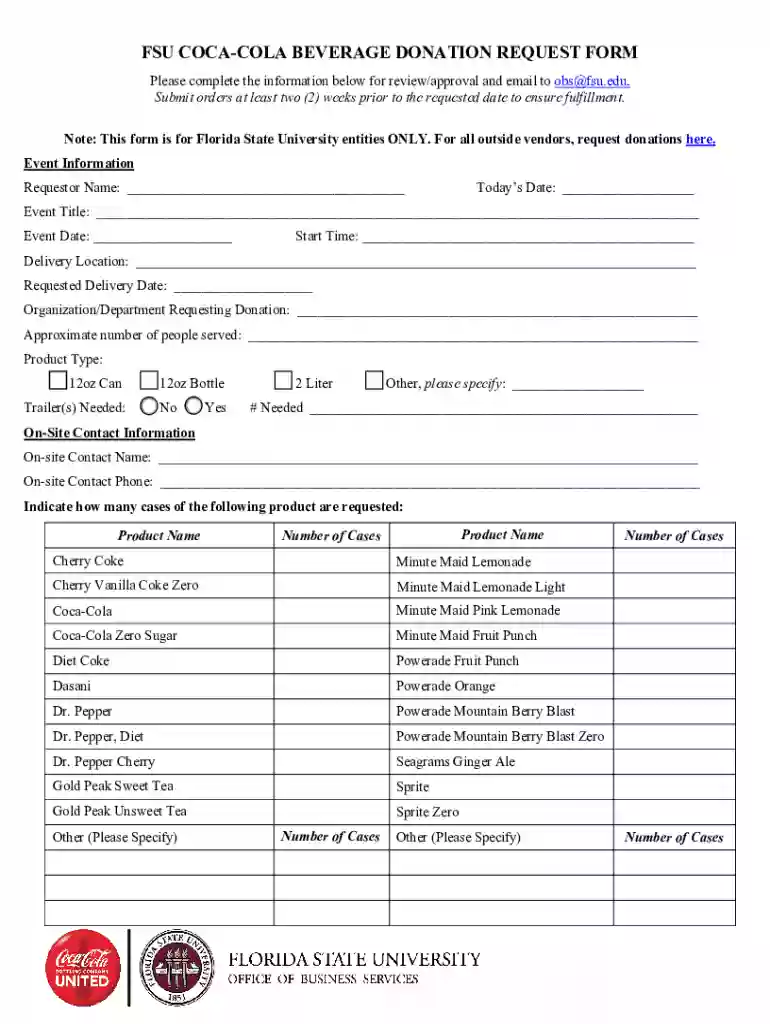
- Donation Request Forms: Necessary for requesting donations, such as Coca-Cola beverages for FSU events.
- Payroll Forms: Employed for payroll processing and changes.
How to Use the Forms - FSUController's Office - Florida State University
To use these forms effectively, follow these structured steps:
- Identify the Purpose: Determine the specific need for which the form is required, such as a travel reimbursement or donation request.
- Select the Correct Form: Access the appropriate form related to your requirement from the FSU Controller's Office.
- Complete the Form: Fill in all necessary fields meticulously, ensuring accuracy in financial data or event details.
- Review for Accuracy: Double-check all entries for correctness to prevent processing delays or rejections.
- Submit the Form: Follow the submission guidelines—either online, by mail, or in-person—to ensure proper processing.
Steps to Complete the Forms - FSUController's Office - Florida State University
Completing these forms requires attention to detail and adherence to specific instructions. Here are the typical steps involved:
- Gather Necessary Information: Collect all required documents and information, such as receipts or event details.
- Fill Out Personal and Financial Details: Include personal information, such as name and ID, and accurate financial data if applicable.
- Attach Supporting Documents: Ensure that all necessary documentation is attached, like invoices or approval letters.
- Obtain Required Signatures: Gather signatures from relevant parties to validate the form.
- Submit Before Deadlines: Ensure submission is completed within the required timeframe for timely approval.
Supporting Documents
- Receipts for expenses
- Event approval documents
- Authorization letters for additional signatures
Key Elements of the Forms
Each form contains critical sections that must be filled accurately to ensure successful processing:
- Applicant Information: Includes personal and contact details.
- Event or Financial Details: Provides a breakdown of the specific purpose, costs involved, and necessary approvals.
- Signature Fields: Required for verification and authorization.
Important Sections
- Purpose of Form: Clearly states the objective, such as requesting donation items.
- List of Products or Services Needed: Specific details on what is being requested, like the type and quantity of beverages.
Important Terms Related to Forms - FSUController's Office - Florida State University
Understanding the terminology is crucial for accurately completing these forms:
- Applicant: The individual initiating the request or process.
- Approvals: Necessary endorsements required for form sanctioning.
- Reimbursement: Compensation for expenses incurred, typically related to travel or university-related activities.
- Submission Deadline: The final date by which the form should be submitted for processing.
Glossary
- Authorization: Permission required from governing bodies within the university.
- Expense Report: A detailed account of costs incurred for university-related activities.
Form Submission Methods
The forms from the FSU Controller's Office can be submitted using multiple methods to accommodate user preferences and ensure efficient processing:
- Online Submission: Upload completed forms through the university’s online portal for direct processing.
- Mail: Send physical copies of the form to the specified university address for processing.
- In-Person: Hand-deliver the form to the Controller’s Office for immediate review and feedback.
Typical Users
- Finance Staff: Ensure compliance with financial procedures.
- Event Coordinators: Manage logistics for university-hosted events.
Legal Use of the Forms - FSUController's Office - Florida State University
Compliance with legal standards is a key consideration when using these forms:
- Confidentiality: Personal and financial data must be protected according to university and federal privacy regulations.
- Authorization: Only authorized personnel should complete or validate forms to maintain integrity and prevent unauthorized access or decisions.
- Documentation: All documents submitted must be accurate and truthful to avoid legal repercussions or disciplinary actions.
Legal Considerations
- Privacy Laws: Ensure adherence to relevant data protection laws.
- Regulatory Compliance: Maintain compliance with university and federal guidelines for financial transactions and records management.