







Definition & Meaning
"Form online" refers to the digital version of traditional forms, allowing users to fill out, submit, and manage documents electronically. This method replaces paper-based forms, streamlining processes for both individuals and businesses. Online forms are accessible from any internet-enabled device, ensuring flexibility and convenience.
The term covers various forms, including tax documents, legal agreements, and application forms. They often include features like interactive fields, electronic signatures, and automated submission processes. Being online, they offer enhancements over their paper counterparts, such as instant delivery and lower error rates due to validation checks.
Steps to Complete the Form Online
-
Access the Form:
- Visit the website where the form is hosted, such as a government portal or business service provider like DocHub.
- Use search functionality to locate the specific form or navigate through categories.
-
Fill Out the Form:
- Enter required information in assigned fields. Forms may include text boxes, radio buttons, and dropdown menus for necessary inputs.
- Ensure accuracy, as online forms often have built-in validation to minimize errors.
-
Review and Edit:
- Double-check your entries for any mistakes or omissions.
- Make use of editing tools provided by platforms like DocHub to annotate or adjust entries easily.
-
Sign the Form Electronically:
- Utilize digital signature options such as drawing with a mouse, uploading a scanned signature, or selecting from predefined styles.
-
Submit the Form:
- Complete the submission process by clicking on the relevant button, which will electronically send the form to the designated recipient.
- Most platforms provide confirmation and tracking options post-submission.
How to Use the Form Online
To use an online form effectively:
- Utilize Accessibility Options: Take advantage of features enabling multiple device access. This flexibility allows you to start on a computer and continue on a mobile device.
- Leverage Built-in Tools: Use auto-fill and save features to streamline data entry and reduce repetitive tasks.
- Maintain Security: Use secure connections and ensure the website uses encryption to protect sensitive information.
- Follow Platform-Specific Instructions: Pay attention to any unique features or requirements specific to the form provider, like DocHub's annotations and signature management options.
Why You Should Form Online
Filling out forms online is increasingly popular due to several advantages:
- Convenience: Access online forms anytime, anywhere, without needing to print or mail physical copies.
- Efficiency: Automates data collection and reduces manual entry, saving time and minimizing errors.
- Instant Submission and Receipt: Online forms can be submitted instantly, ensuring faster processing compared to mail.
- Environmentally Friendly: Reduces paper use, contributing to sustainability efforts.
Important Terms Related to Form Online
- Electronic Signature: A digital form of a handwritten signature, legally binding and recognized across various platforms.
- Form Fields: The interactive parts of an online form where users input information.
- Validation: Automated checks that ensure data entered in form fields meets predefined criteria, minimizing errors.
- SSL Encryption: Security protocol that protects data by encrypting it during transfer.
Legal Use of the Form Online
Online forms, including those used for contractual agreements and tax filings, are legally binding. They comply with regulations such as the ESIGN Act in the U.S., which validates electronic signatures and records. It's crucial to review the specific legal requirements and conditions associated with the form, ensuring completeness and accuracy to avoid disputes.
Forms intended for legal use often require additional considerations:
- Compliance with Relevant Legislation: Ensure your form aligns with applicable legal standards.
- Complete Authentication: Secure user credentials and authentication for accessing and submitting forms.
Key Elements of the Form Online
Every online form typically includes:
- User Interface: An intuitive platform to guide users through form completion.
- Input Fields: Areas for data entry, which may include text boxes, checkboxes, and dropdown menus.
- Validation Checks: Automation that ensures information accuracy before submission.
- Submission Confirmation: Acknowledgment once the form is submitted successfully.
Examples of Using the Form Online
Consider these scenarios for using online forms:
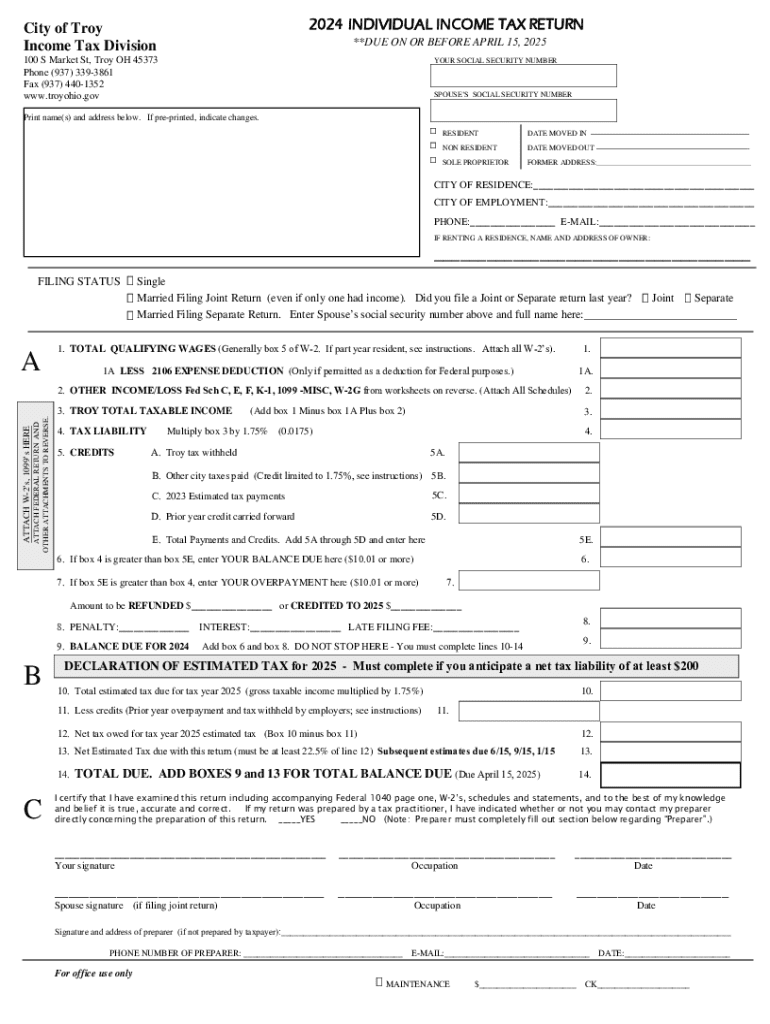
- Tax Filing: Platforms like DocHub allow individuals and businesses to complete and submit tax forms electronically, streamlining the filing process.
- Job Applications: Many companies offer online forms for applicants to submit their resumes and cover letters digitally.
- Customer Feedback and Surveys: Businesses utilize online forms to gather customer input efficiently, with responses processed automatically.
Filing Deadlines / Important Dates
For forms with specific submission deadlines, such as tax returns, it is crucial to be aware of the relevant dates to avoid penalties:
- Tax Forms: Often due by April 15 of each year. Extensions may be available, but require formal requests through additional online forms.
- Government Applications: Deadlines vary based on form type and issuing agency. Always confirm deadlines for compliance.
Staying informed of key dates ensures timely submissions and compliance with relevant regulations.




