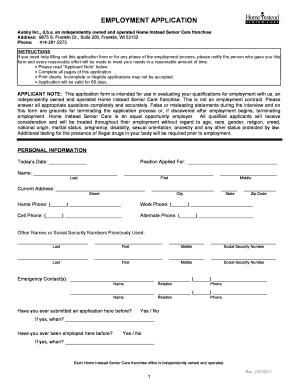
Definition and Meaning of Form Online
Online forms serve as digital versions of paper forms, used to collect, edit, and manage information directly on a digital platform. They are designed for various purposes, such as tax filings, registration, applications, surveys, and data collection. The transition from paper to online forms is driven by the need for efficiency, ease of access, and accuracy in data handling. This shift simplifies the process of sharing and gathering information, reducing the need for physical paperwork and enhancing overall workflow efficiency.
Advantages of Using Online Forms
- Accessibility: Users can fill out forms from any location with internet access.
- Efficiency: Speeds up data gathering and processing time.
- Error Reduction: Features such as automatic validation minimize the chance of errors.
- Cost-effective: Reduces paper and printing costs significantly.
How to Use the Form Online
Using online forms efficiently involves a few key steps to ensure all the necessary information is captured accurately. Start by familiarizing yourself with the digital platform or software offering the form. It's crucial to have a basic understanding of the tools and features available within the platform to utilize it effectively.
Typical Procedure
- Access the Platform: Log in to the online platform or form provider’s website.
- Choose the Form: Select the form category relevant to your needs, such as tax, application, or survey.
- Read Instructions: Carefully go through all provided instructions to avoid any mistakes.
- Fill Out the Form: Enter the necessary information in the designated fields.
- Review and Submit: Double-check all inputs for accuracy before submitting the form.
Common Tools and Features
- Auto-fill Options: Save time by using previously stored data for common fields.
- Mandatory Fields Indicator: Highlight fields that need to be filled to allow form submission.
- Submit Confirmation: Receive a notification or email confirming successful submission.
Steps to Complete the Form Online
Completing an online form requires attention to detail and adherence to provided guidelines. Begin by gathering all required information and documents before starting the process. This preparation will streamline your experience, ensuring a smooth completion without unnecessary interruptions.
Detailed Step-by-Step Process
- Preparation: Collect personal data and necessary documents, such as identification numbers, financial details, or other supporting information.
- Log In: Access your account on the respective platform, ensuring secure login credentials.
- Navigation: Use the search or navigation tool to locate the exact form you need.
- Data Entry: Carefully enter data into each field, using guides or hints provided on the form.
- Review Process: Check for errors or omissions, utilizing the platform's error-checking tools.
- Submit the Form: After thorough review, submit the form and ensure you receive a submission confirmation.
Key Elements of the Form Online
Key elements of online forms are designed to facilitate efficient data input and ensure that all necessary information is captured. This includes mandatory fields, optional fields, and validation checks to guarantee data integrity.
Essential Components
- Title and Description: Clearly indicate the form's purpose and its intended use.
- Field Labels and Input Types: Provide clear labels for fields and ensure they accept the appropriate data inputs, such as text, numbers, or dates.
- Validation Checks: Real-time validation to prevent input errors and guide users.
- Navigation Options: Allow users to easily move between form sections or pages.
Example Fields
- Personal Details: Full name, address, date of birth.
- Contact Information: Email address, phone number.
- Specific Inputs: For tax forms, inputs may include income details, deductions, and social security numbers.
Legal Use of the Form Online
The legality of online forms depends on their adherence to local and federal regulations. For instance, tax forms must comply with the IRS guidelines to ensure legal validation, while application forms may need to meet privacy laws such as GDPR or CCPA in the context of data protection.
Compliance and Regulations
- Privacy Laws: Ensure that forms comply with relevant data protection laws and user rights.
- Regulatory Guidelines: Adhere to industry-specific standards, such as HIPAA for health-related forms.
- Audit Trails: Maintain records of form submissions and modifications for legal integrity.
Importance of Legal Forms
- Contractual Agreements: These forms serve as binding contracts between parties, requiring accurate and honest data input.
- Regulatory Notices: Some forms fulfill legal obligations, such as disclosures or statutory filings.
Examples of Users
- Individuals: For employment applications, tax returns, or medical registrations.
- Businesses: For customer surveys, partner agreements, and internal audits.
- Educational Institutions: For student enrollments, parent surveys, or faculty evaluations.
- Government Agencies: For census data collection, public service applications, or regulatory compliance.
State-Specific Rules for the Form Online
Different states may impose unique rules when it comes to online forms, especially those related to state-specific taxes, licensing, or applications. It's crucial to understand these variations to ensure compliance with the state's legal and procedural requirements.
State-Specific Considerations
- Tax Requirements: Some states have distinct forms for state taxes that differ from federal requirements.
- Application Processes: State-specific forms may be used for permits, licenses, or registrations.
- Filing Deadlines: Awareness of local deadlines is essential to avoid penalties.
Case Study: Massachusetts Nonresident Composite Return
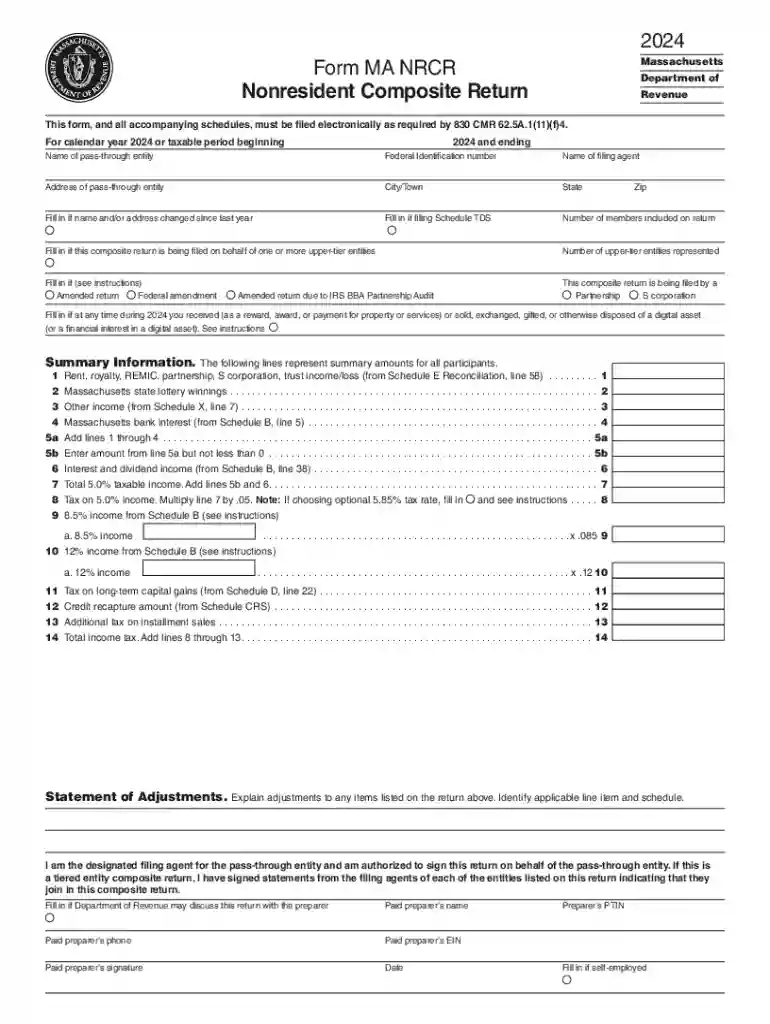
- Massachusetts has specific forms, such as Form MA NRCR, for partnerships and S corporations filing on behalf of nonresident members. It includes unique tax rates and applicable rules for residents and nonresidents alike.
Examples of Using the Form Online
Real-world examples illustrate the versatility and benefits of online forms across various domains, whether it's a simple survey or a complex tax form filing.
Practical Applications
- Survey Forms: Used by businesses to collect customer feedback and improve product offerings.
- Job Applications: Streamlined portals allow applicants to quickly submit their resumes and credentials to potential employers.
- Tax Filings: Individuals can file their taxes electronically, using online forms that facilitate speedy refunds and filings.
- Event Registration: Schools and organizations use forms to manage participant information for events seamlessly.
By utilizing online forms effectively, users can optimize their workflows, meet legal obligations, and enhance data accuracy across their operations.