




01. Edit your certificate of publication online
Type text, add images, blackout confidential details, add comments, highlights and more.

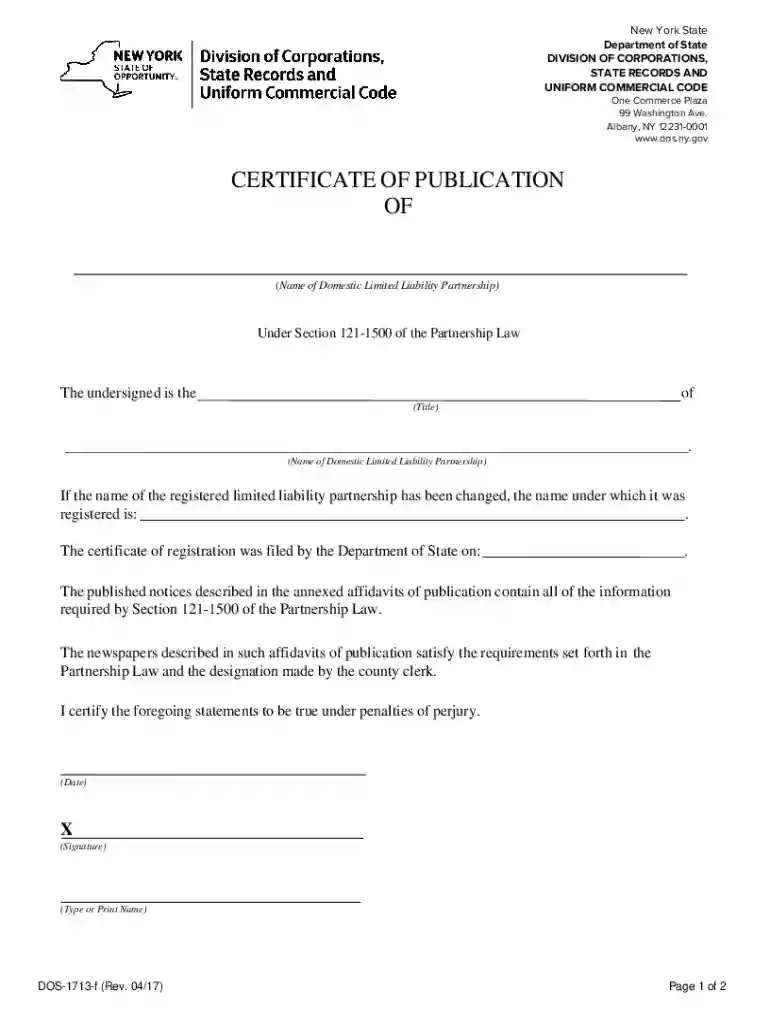
Type text, add images, blackout confidential details, add comments, highlights and more.

Draw your signature, type it, upload its image, or use your mobile device as a signature pad.

Send certificate of publication sample via email, link, or fax. You can also download it, export it or print it out.
A "form online" refers to a document that has been digitized for electronic completion and submission through an internet-enabled platform. This streamlined approach allows users to access, fill out, and submit various types of documents directly from their devices, eliminating the need for physical paperwork. Online forms can range from simple surveys to complex legal forms, including tax documents, applications, and legal contracts, providing immense convenience and efficiency for individuals and organizations.
Using an online form begins with accessing the document on a web-based platform like DocHub. Once there, you can interact with the form fields specifically designed for data input. Features often include text boxes for entering information, dropdown menus for selecting options, and signature fields for electronic signing. Users can easily navigate through the form by following the prompts, ensuring that all necessary sections are completed before submission. This process is significantly more efficient than traditional methods, as it allows for immediate saving, sharing, or submitting of the completed form without any physical handling.
The primary users of online forms are individuals and organizations aiming to simplify and expedite their document workflows. This includes businesses needing employee and contractor forms completed electronically, students filling out application or registration forms, and government agencies seeking to streamline data collection processes. Additionally, professionals in legal, academic, and healthcare sectors frequently utilize online forms to efficiently manage sensitive information and ensure compliance with industry standards and regulations.


Key elements of an online form include its ability to incorporate diverse data entry options such as text input fields, signature fields, and interactive elements like checkboxes and dropdowns. The design of online forms focuses on user accessibility, enabling users to save entries and return to complete their forms later. Furthermore, the digital design supports instant validation, flagging errors such as missing fields or incorrect formats, enhancing accuracy and completeness.
Online forms carry the same legal weight as their paper counterparts when completed within platforms that comply with legal standards, like the ESIGN Act in the U.S. This means that digital forms can be used for binding agreements, official submissions, and validated data collection. It's important for users to ensure that the platform they are using provides proper security measures, including encryption and access authentication, to safeguard the integrity and confidentiality of electronically submitted forms.
While online forms offer a universal approach to data submission, it's crucial for users to be aware of any state-specific regulations. For instance, certain states may have unique requirements for forms used in legal filings, tax submissions, or business registrations. Platforms like DocHub may offer customization options to tailor forms to align with such local legalities, ensuring compliance with all relevant state laws and standards.
Examples of online form usage include completing IRS tax forms, submitting job applications, enrolling in educational courses, and entering into service contracts. For instance, a small business might use online forms to streamline employee onboarding, where new hires complete their W-4 and I-9 forms digitally. Similarly, a student applying for college can submit their application forms and related documents without the need for physical copies, ensuring a faster and more efficient process.
Depending on the type of form, required documents might include identification verification materials such as a driver's license or Social Security card for tax forms. Business-related forms might require documentation like previous tax returns or federal employer identification numbers. Platforms typically provide guidance on the necessary documents needed to accompany specific forms, ensuring users are prepared for seamless submissions.
Eligibility to use online forms often involves being an authorized party to submit the document, such as a business owner for corporate filings or a taxpayer for IRS submissions. Additionally, users must have the necessary technology access, including a reliable internet connection and a compatible digital device capable of running the necessary web applications. Depending on the form, specific eligibility criteria may apply, which are typically outlined within the form's instructions or the platform's guidelines.

We've got more versions of the certificate of publication form. Select the right certificate of publication version from the list and start editing it straight away!
At DocHub, your data security is our priority. We follow HIPAA, SOC2, GDPR, and other standards, so you can work on your documents with confidence.
These FAQs generally apply to transactions involving digital assets completed before Jan. 1, 2025. virtual currency is treated as property for federal income
$50 filing fee for Certificate of Publication. All fees must be paid by cash, check, money order, MasterCard, Visa or American Express. To pay for a fee usingRead more


