




01. Edit your form online
Type text, add images, blackout confidential details, add comments, highlights and more.

Type text, add images, blackout confidential details, add comments, highlights and more.

Draw your signature, type it, upload its image, or use your mobile device as a signature pad.

Send it via email, link, or fax. You can also download it, export it or print it out.
The concept of a "form online" involves the digitization of paper-based forms, enabling users to fill them out over the internet using electronic devices. This process eliminates the need for physical paperwork and facilitates seamless data collection and processing in diverse sectors such as education, healthcare, and business. By utilizing digital forms, users can submit information promptly without the restrictions of location or time, ensuring efficient workflow management and reduced administrative burden.
Using an online form requires a few straightforward steps. First, access the form through a service that supports online form completion, such as DocHub. Make sure to use a compatible browser on your desktop or mobile device. Next, navigate to the section that needs to be completed. Input the requisite information by clicking on the fields, typing your responses, and selecting options from dropdown menus if available. After entering all necessary data, review your entries for accuracy. Upon completion, you can usually save your work, share it with others, or submit it immediately, depending on the form's purpose and platform features.
There are several methods to obtain forms digitally. Forms can be accessed through dedicated websites like DocHub that offer search functionalities to locate specific forms. Alternatively, organizations, businesses, or institutions often provide direct download links or email attachments for their required forms. For those using cloud services such as Google Drive or Dropbox, forms can be downloaded directly from these platforms into DocHub for immediate use. It is critical to ensure you have the required permissions to access and use the forms from these sources.
Filling forms electronically offers multiple advantages, including efficiency in terms of time and resources, enhanced accuracy through error-checking automation, and greater accessibility for individuals across different geographical locations. This process also supports environmental sustainability by reducing paper consumption. Online forms allow instantaneous transmission of information and are often integrated with other digital tools, enabling real-time data analysis and improved decision-making.
Several vital components are critical to online forms. These include:
Various software platforms provide compatibility with online forms to streamline integration with pre-existing workflows. For instance, tax-related forms can be directly imported into TurboTax for easy processing, while business software like QuickBooks might support importing expense forms. Compatibility with these applications ensures that once forms are completed online, the data can be utilized effectively without redundant input, saving time and increasing productivity.
Forms completed online typically offer multiple submission options. The most straightforward is electronic submission, directly through the platform. However, certain circumstances may necessitate printing the form for physical delivery via mail or in-person at a designated location. Choosing the correct submission method depends on form requirements, organizational policies, and any urgent timelines. Each submission method has its advantages; online submissions are fastest, mailing can be more secure for sensitive information, and in-person submissions often offer a way to confirm receipt immediately.
The digital version of a form is designed for electronic completion, often including interactive elements unavailable in paper forms. Digital forms provide fields that can include complex formatting options and automatically validate input data, reducing errors common in manual entries. They often include collaborative features that allow for real-time updates. Conversely, paper forms require manual input, which can lead to more errors and inefficient processing, but they may sometimes be necessary for instances that require physical signatures or fulfill specific legal or procedural requirements.
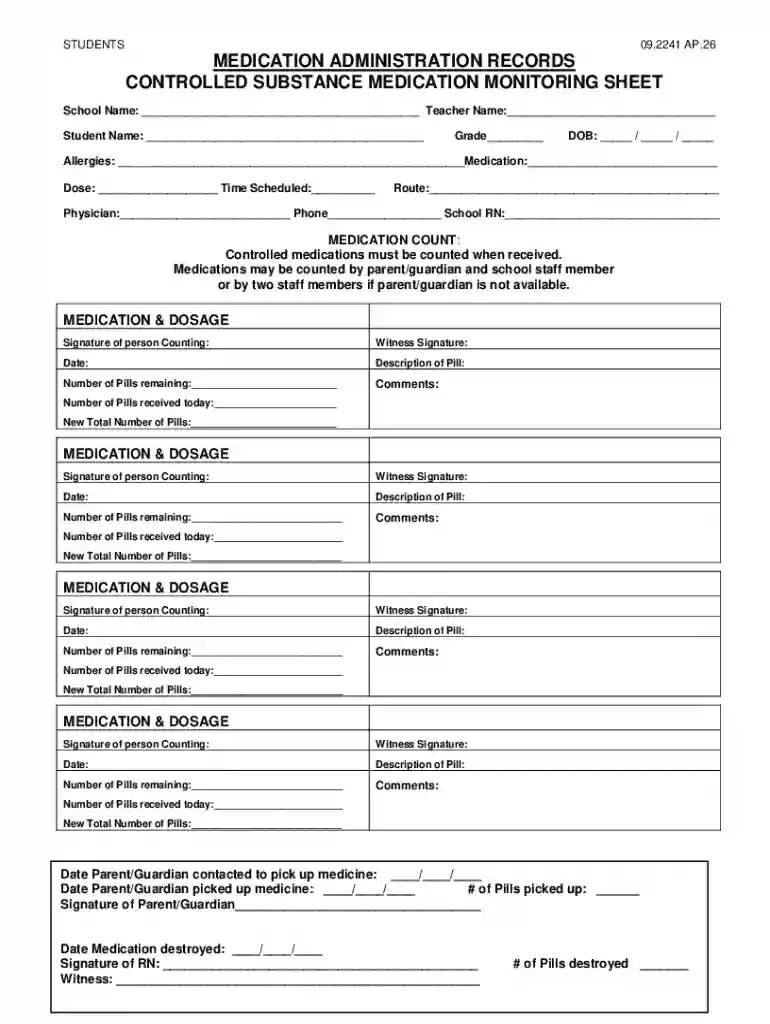
We've got more versions of the School Medication Administration Record form. Select the right School Medication Administration Record version from the list and start editing it straight away!
At DocHub, your data security is our priority. We follow HIPAA, SOC2, GDPR, and other standards, so you can work on your documents with confidence.


