




Here's how it works

01. Edit your sc 105 form online
Type text, add images, blackout confidential details, add comments, highlights and more.

02. Sign it in a few clicks
Draw your signature, type it, upload its image, or use your mobile device as a signature pad.

03. Share your form with others
Send sc105 form via email, link, or fax. You can also download it, export it or print it out.
How to use or fill out SC-105 with our platform

- Click ‘Get Form’ to open SC-105 in the editor.
- Begin by filling out the court name and street address at the top of page 1. Ensure accuracy as this is crucial for your request.
- Enter your case number and case name below the court information. This helps in identifying your specific case.
- In section 1, provide your name and address. Indicate whether you are a plaintiff or defendant by checking the appropriate box.
- List all other parties involved in your case in section 2, including their names and addresses. If you need more space, utilize Form MC-031.
- In section 3, specify the order you are requesting from the court. Be clear and concise.
- Explain why you are requesting this order in section 4, providing relevant facts about your case.
- Finally, sign and date the form at the bottom of page 1 to certify that all information is true and correct before submitting it.
Start using our platform today to easily fill out SC-105 for free!
Fill out sc 105 online
It's free
It's free
See more sc 105 versions
We've got more versions of the sc 105 form. Select the right sc 105 version from the list and start editing it straight away!
| Versions | Form popularity | Fillable & printable |
|---|---|---|
| 2007 | 4.9 Satisfied (42 Votes) |
Security and compliance
At DocHub, your data security is our priority. We follow HIPAA, SOC2, GDPR, and other standards, so you can work on your documents with confidence.
Learn more


Related forms

FINE ARTS - The Big Fresno Fair
The document is an entry form for the Fine Arts department at The Big Fresno Fair, detailing the submission process, rul ...
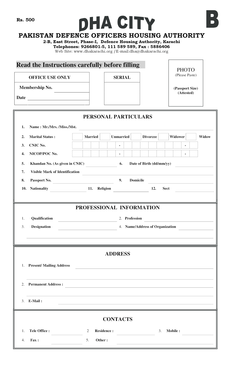
Pakistan defence officers housing authority
The document outlines the membership application process for the Pakistan Defence Officers Housing Authority (DHA) in Ka ...

Printable dnd character sheet
The document is a Dungeons and Dragons 3.5 Character Record Sheet, designed for players to record and manage their chara ...
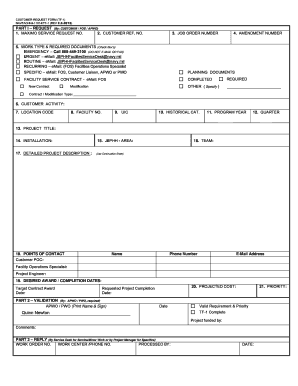
Navfac form tf 1 customer request from navfachi 9 11014 tf 1 rev4 09
The document is a CUSTOMER REQUEST FORM (TF-1) used for submitting service requests related to facility operations. It i ...
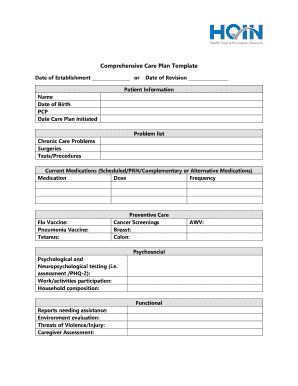
Printable chronic care management documentation template
The document is a Comprehensive Care Plan Template designed to organize and track patient information, chronic care prob ...

In forma pauperis affidavit
The document is an 'In Forma Pauperis Affidavit' used in the Louisiana Judicial District Court, allowing individuals to ...