




Here's how it works

01. Edit your i 751 form online
Type text, add images, blackout confidential details, add comments, highlights and more.

02. Sign it in a few clicks
Draw your signature, type it, upload its image, or use your mobile device as a signature pad.

03. Share your form with others
Send i 751 via email, link, or fax. You can also download it, export it or print it out.
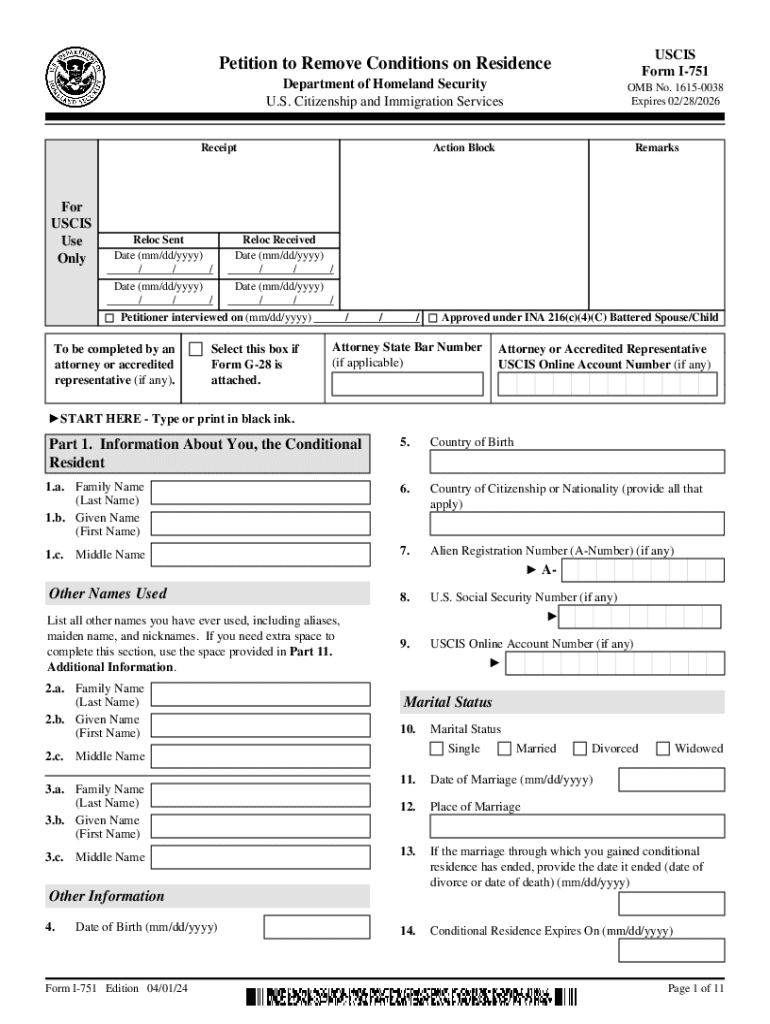
How to use or fill out Form I-751 - Petition to Remove Conditions on Residence with DocHub

- Click ‘Get Form’ to open it in the editor.
- Begin with Part 1, where you will enter your personal information. Fill in your family name, given name, and middle name as they appear on official documents.
- Continue by providing your country of birth and citizenship details. Ensure that all names used are listed accurately in the designated fields.
- In Part 2, complete the biographic information section. Select your ethnicity and race, and provide your physical address if different from your mailing address.
- Move to Part 3 to indicate the basis for your petition. Choose whether you are filing jointly with a spouse or individually due to specific circumstances.
- Fill out Parts 4 and 5 regarding information about your spouse or parent’s spouse and any children you have. Be thorough in providing accurate details.
- Complete the remaining sections including accommodations for disabilities, contact information, and signatures as required.
Start using our platform today to fill out Form I-751 easily and for free!
Fill out Form I-751 - Petition to Remove Conditions on Residence online
It's free
It's free
See more Form I-751 - Petition to Remove Conditions on Residence versions
We've got more versions of the Form I-751 - Petition to Remove Conditions on Residence form. Select the right Form I-751 - Petition to Remove Conditions on Residence version from the list and start editing it straight away!
| Versions | Form popularity | Fillable & printable |
|---|---|---|
| 2024 | 4.1 Satisfied (48 Votes) | |
| 2024 | 4.3 Satisfied (22 Votes) | |
| 2019 | 4.8 Satisfied (192 Votes) | |
| 2017 | 4.1 Satisfied (102 Votes) | |
| 2016 | 4.4 Satisfied (207 Votes) | |
| 2015 | 4.3 Satisfied (77 Votes) | |
| 2013 | 4.2 Satisfied (68 Votes) | |
| 2011 | 4.3 Satisfied (59 Votes) | |
| 2009 | 4.2 Satisfied (26 Votes) | |
| 2005 | 4 Satisfied (22 Votes) |
Security and compliance
At DocHub, your data security is our priority. We follow HIPAA, SOC2, GDPR, and other standards, so you can work on your documents with confidence.
Learn more


