




Here's how it works



How to use or fill out Kansas City Planning and Development Department (MO) with DocHub

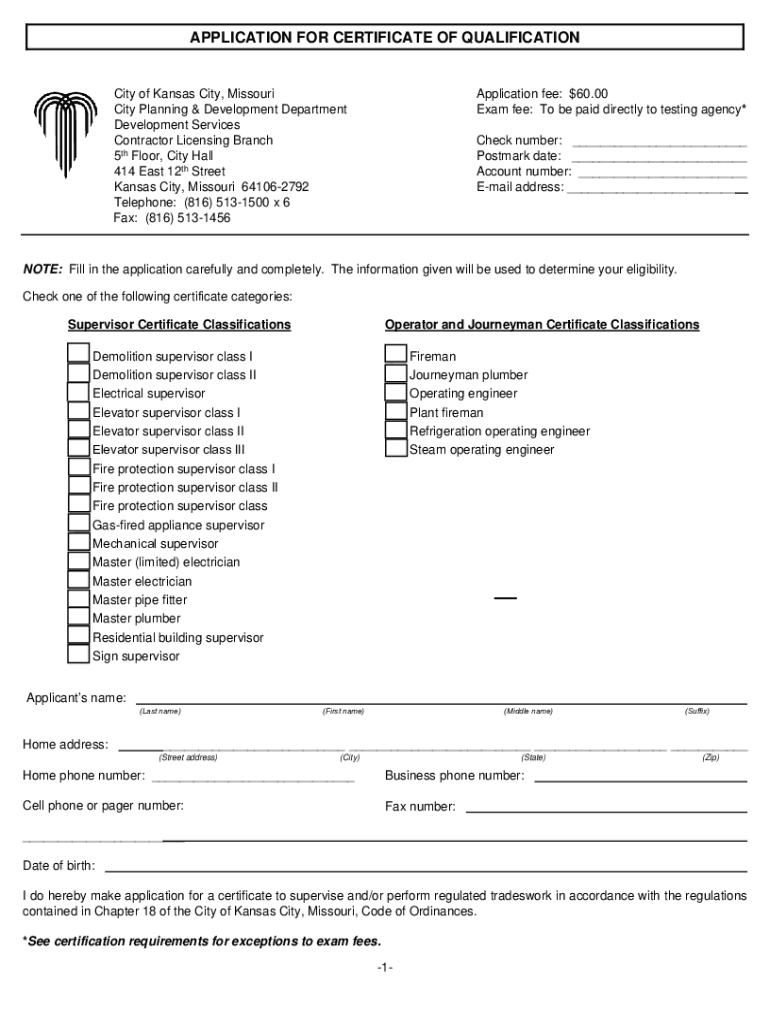
- Click ‘Get Form’ to open the application for the Certificate of Qualification in our editor.
- Begin by filling in your personal information, including your name, home address, and contact numbers. Ensure accuracy as this information is crucial for eligibility.
- Select the appropriate certificate category by checking one of the options provided under Supervisor or Operator and Journeyman classifications.
- Detail your work experience relevant to your trade. Start with your most recent employment and include company names, supervisors, and a brief description of your responsibilities.
- Complete the education section by indicating the highest grade completed and providing details about any schools attended, including trade schools or colleges.
- List four references who can vouch for your professional abilities. Make sure they are not related to you or have provided reference letters on your behalf.
- Finally, review all entries for completeness and accuracy before electronically signing the document at the end of the form.
Start using our platform today to fill out your application quickly and efficiently!
It's free
See more Kansas City Planning and Development Department (MO) versions
Got questions?
Can I type my electronic signature on my development services?
Yes, a typed name is accepted as a valid electronic signature when you add it to your document using a compliant solution like DocHub. Simply add your development services to our editor, click Sign in the top tool pane → Create your signature → Type your name in the appropriate tab, and select how it will look on your document.
What browser do I need to edit Kansas City Planning and Development Department (MO) online?
If you want to edit your Kansas City Planning and Development Department (MO) online easily, it does not matter what internet browser you use. DocHub’s straightforward editing tools are available using any internet browser. Simply open the appropriate tab in the editor, add your file, and fill it out without stress.
Security and compliance
At DocHub, your data security is our priority. We follow HIPAA, SOC2, GDPR, and other standards, so you can work on your documents with confidence.
Learn more


