




Here's how it works

01. Edit your form online
Type text, add images, blackout confidential details, add comments, highlights and more.

02. Sign it in a few clicks
Draw your signature, type it, upload its image, or use your mobile device as a signature pad.

03. Share your form with others
Send it via email, link, or fax. You can also download it, export it or print it out.
How to use or fill out Student Research Stipend with our platform

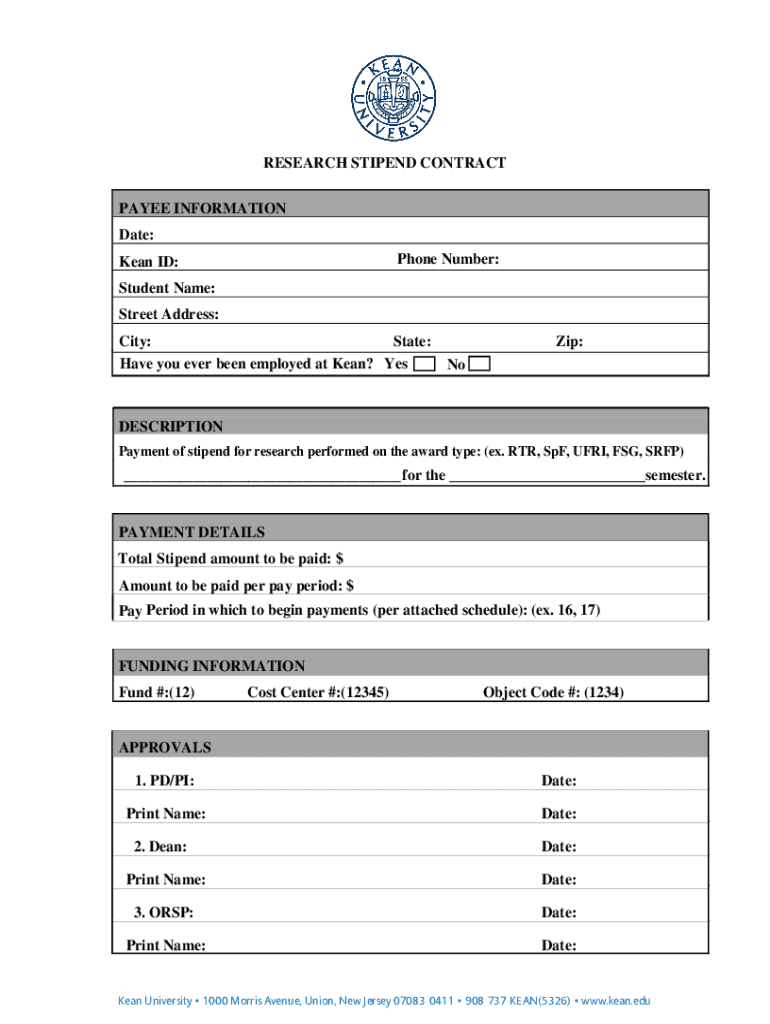
- Click ‘Get Form’ to open the Student Research Stipend in the editor.
- Begin by entering the date and your phone number in the Payee Information section. Make sure to include your Kean ID, full name, and street address, along with city, state, and zip code.
- Indicate whether you have ever been employed at Kean by selecting 'Yes' or 'No'.
- In the Description section, specify the payment of stipend for research performed by filling in the award type and semester.
- Next, provide the total stipend amount and the amount to be paid per pay period in the Payment Details section. Also, indicate when payments should begin based on the attached schedule.
- Fill out the Funding Information section with your Fund #, Cost Center #, and Object Code #.
- Finally, ensure that all necessary approvals are completed by having PD/PI, Dean, and ORSP sign and date where indicated.
Start using our platform today to easily complete your Student Research Stipend form online for free!
Fill out Student Research Stipend online
It's free
It's free
See more Student Research Stipend versions
We've got more versions of the Student Research Stipend form. Select the right Student Research Stipend version from the list and start editing it straight away!
Security and compliance
At DocHub, your data security is our priority. We follow HIPAA, SOC2, GDPR, and other standards, so you can work on your documents with confidence.
Learn more


