






Comprehensive Overview of the PPD Form PDF
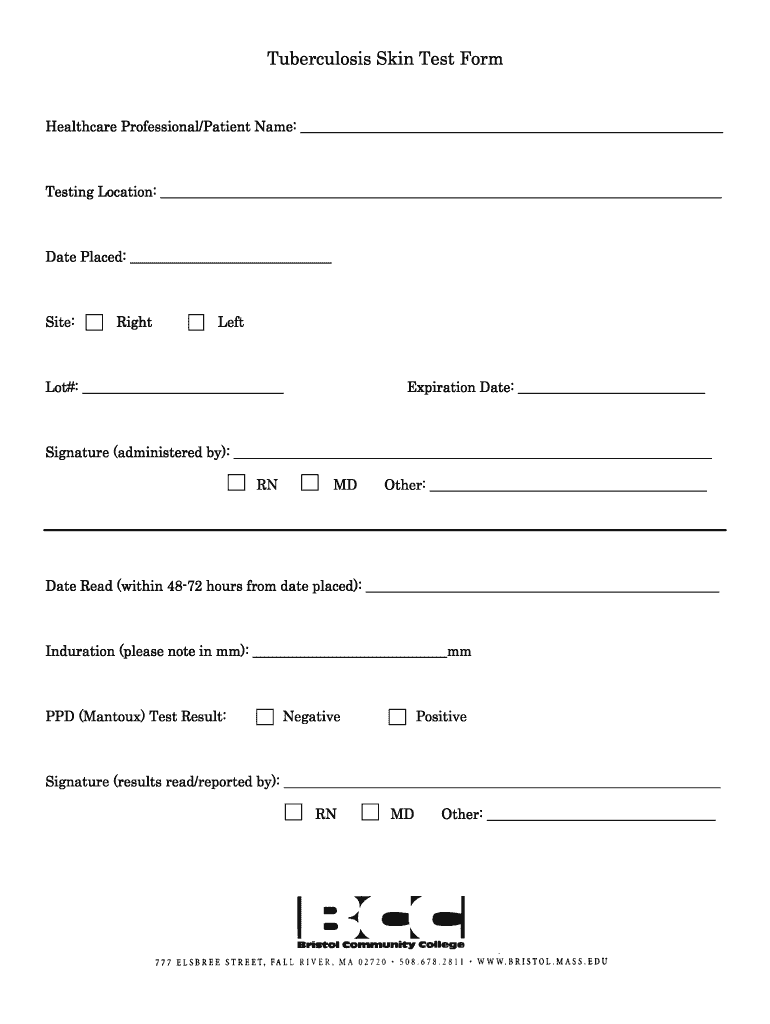
The PPD form, often referred to in contexts involving tuberculosis (TB) testing, is a crucial document used by healthcare professionals to record essential information about a patient's TB skin test. This form is vital for ensuring that public health protocols are adhered to, particularly in environments such as hospitals, schools, and workplaces where TB screening may be mandatory.
Purpose and Importance of the PPD Form
The PPD form PDF serves multiple functions:
- Documentation: It captures key data such as patient identification, testing location, and results of the TB skin test.
- Compliance: Many employers and institutions require a completed PPD form to meet health and safety regulations.
- Data Tracking: The form helps in monitoring TB exposure and testing history for individuals, which is important in preventing outbreaks.
Essential Components of the PPD Form
The structure of the PPD form PDF includes several important sections:
- Patient Information: Includes fields for patient name, date of birth, and contact information.
- Test Administration Details: Sections for detailing the administering healthcare provider, the date of administration, and the test reading date.
- Results Entry: A designated area where the healthcare professional records the induration measurement and assessment of the test result (positive, negative, or inconclusive).
- Signatures: Spaces for both the administering healthcare provider and the patient (if required), validating the document.
Steps for Completing the PPD Form
Completing the PPD form involves a systematic approach:
- Fill Out Patient Information: Ensure all personal details are accurate and complete.
- Record Test Details:
- Indicate the date on which the test was administered.
- Document the name and title of the healthcare provider administering the test.
- Induration Measurement: After 48 to 72 hours, measure the size of the induration in millimeters and assess the result based on established guidelines.
- Final Verification: Have the healthcare provider sign and date the form, confirming the accuracy of the recorded information.
Key Considerations for Using the PPD Form PDF
When utilizing the PPD form, several factors should be taken into account:
- Legal Acceptance: The PPD form must comply with local and federal healthcare regulations to be considered valid.
- Secure Handling: Due to the sensitive nature of health information, ensure the completed form is securely stored and only accessible to authorized personnel.
- Template Variations: Although formats may vary slightly, they typically include the same essential sections required for effective documentation.
Who Utilizes the PPD Form?
The PPD form PDF is primarily used by:
- Healthcare providers conducting TB tests in clinics, hospitals, and private practices.
- Employers in sectors requiring health screenings, such as healthcare, education, and childcare services.
- Public health officials who monitor TB exposure in communities.
Variants of the PPD Form
There are several alternative forms related to TB screening processes:
- Two-Step PPD Form: Often used for individuals who are being screened for the first time or when a prior test result is inconclusive.
- Printable TB Test Form: A simplified version for quick access and completion, often used in employment settings.
Legal Considerations Surrounding the PPD Form
Understanding the legal context of the PPD form is essential:
- Adherence to the ESIGN Act: Electronic signatures placed on digital versions of the PPD form are legally binding, ensuring compliance with required health documentation.
- Privacy Regulations: Compliance with HIPAA and other privacy laws is critical when handling patient information on the PPD form.
Real-World Applications of the PPD Form PDF
In practice, the PPD form PDF is used in various scenarios:
- Healthcare Employment: Many hospitals require staff to submit a completed PPD form as part of the onboarding process.
- School Admissions: Students may need to present a PPD form indicating their TB testing status.
- International Travel: Certain countries necessitate proof of a negative TB test to grant entry, often requiring the PPD form as evidence.
By adhering to the necessary steps and understanding its comprehensive components, users maintain accuracy and compliance, ultimately contributing to public health safety.