




Here's how it works

01. Edit your dc application form online
Type text, add images, blackout confidential details, add comments, highlights and more.

02. Sign it in a few clicks
Draw your signature, type it, upload its image, or use your mobile device as a signature pad.

03. Share your form with others
Send government application form via email, link, or fax. You can also download it, export it or print it out.
How to use or fill out the DC Employment Application Form with DocHub

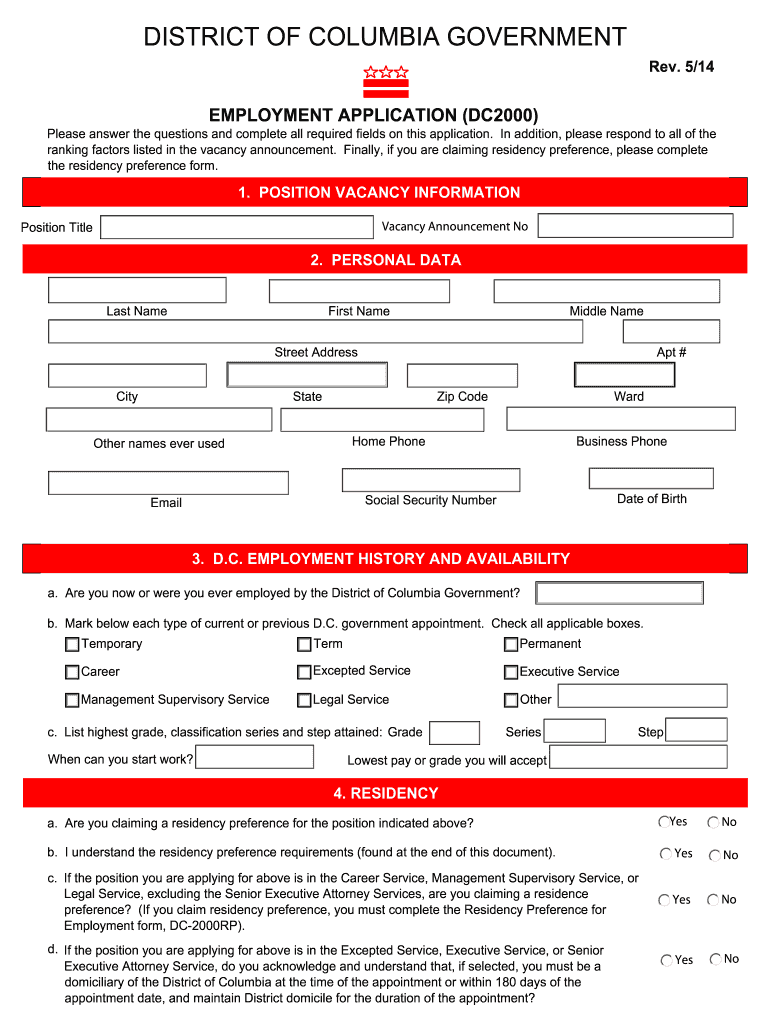
- Click ‘Get Form’ to open the DC Employment Application in our editor.
- Begin with the 'Position Vacancy Information' section. Fill in the Vacancy Announcement Number and Position Title as required.
- Move to 'Personal Data'. Enter your Last Name, First Name, Middle Name, and contact details including your address, phone numbers, and email.
- In the 'D.C. Employment History and Availability' section, indicate if you have ever been employed by the District of Columbia Government and check applicable appointment types.
- Complete the 'Residency' section by answering questions about residency preference and understanding requirements.
- Fill out the 'Military Service and Veterans Preference' section if applicable, providing details of your service.
- Proceed to 'Education', listing your high school and any colleges attended along with degrees obtained.
- Detail relevant training and language capabilities in their respective sections.
- List your work experience under 'Work Experience', detailing each position held, responsibilities, and reasons for leaving.
- Finally, complete the 'Background Information' and sign the application in the last section before submitting it through our platform.
Start filling out your DC Employment Application today for free using our platform!
Fill out dc employment application form online
It's free
It's free
See more dc employment application form versions
We've got more versions of the dc employment application form form. Select the right dc employment application form version from the list and start editing it straight away!
Got questions?
We have answers to the most popular questions from our customers. If you can't find an answer to your question, please contact us.
Contact us
How to fill an application for a job?
7 steps to quickly and effectively fill a job opening Leverage Internal Resources to Identify Candidates. Delegate Responsibilities. Calendar Your Hiring Process. Streamline the Interview Process. Sell the Company During the Interview. Be Decisive. Understand the Talent Market.
How do I write a simple application form?
Your application form must follow an organized structure. My suggestion is for you to divide it into parts by topic. For example, have a section for personal information (name, email address, the preferred method for contact, etc.), another for education (degrees and certificates), and one more for work background.
What is a hiring form?
A job application form is a document used by employers to gather information from job candidates applying for a specific position. It includes personal information, work history, education, skills, and qualifications, as well as specific prompts to evaluate their suitability for the job.
How to fill out an employment application form?
How to fill out a job application Read the application before filling it out. Take your time. Answer completely and truthfully. Include your resume . Fill out job information chronologically. Put in the extra effort. Research your salary.
What are three donts when filling out a job application?
DONTs: Submit incomplete applications: Yes, youre stressed, and pressed for time maybe. Submit unprofessional applications: Your application should be professional and error-free. Be too pushy: Like I said before, following up after submitting your application is a good idea, but dont go overboard.
Security and compliance
At DocHub, your data security is our priority. We follow HIPAA, SOC2, GDPR, and other standards, so you can work on your documents with confidence.
Learn more


People also ask
How to write a job application with examples?
Application letter sample - Sales Manager {Recipients Name}, This is with reference to your job requirement on {portal name} for the role of Sales Manager. I truly believe that my qualifications and experience make me a perfect candidate for the job. I completed my MBA in Sales and Marketing from {Institute Name}.