




Here's how it works



How to use or fill out 2021 CAMPS & CLINICS SPORTS MEDICINE INFORMATION SHEET with our platform

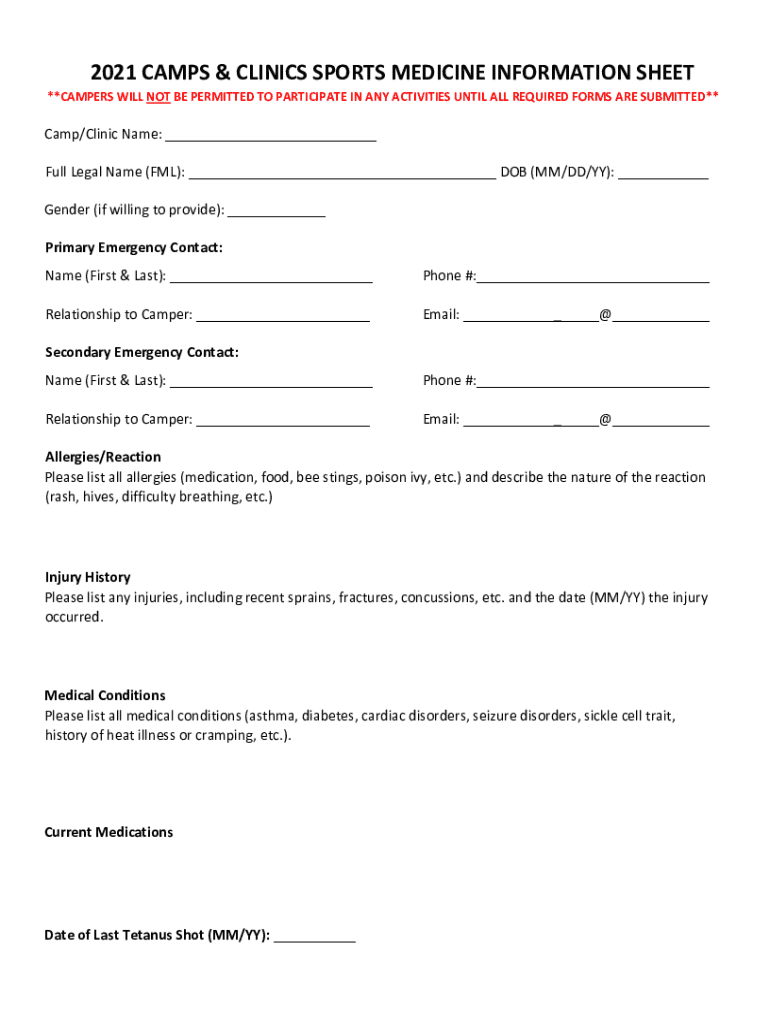
- Click ‘Get Form’ to open the 2021 CAMPS & CLINICS SPORTS MEDICINE INFORMATION SHEET in the editor.
- Begin by entering the Camp/Clinic Name at the top of the form. This identifies where your camper will be participating.
- Fill in the Full Legal Name (FML) and Date of Birth (DOB) fields accurately, ensuring that all information is correct for emergency purposes.
- Provide gender information if comfortable, followed by details for both primary and secondary emergency contacts, including names, phone numbers, relationships, and emails.
- List any allergies along with their reactions in the designated section. Be thorough to ensure safety during activities.
- Document any injury history by listing injuries and their dates. This helps medical staff understand past issues.
- In the Medical Conditions section, include all relevant health conditions that may affect participation.
- Complete the Current Medications field and provide the date of the last tetanus shot.
- Fill out insurance information carefully, including policy numbers and effective dates. Attach a copy of your insurance card if necessary.
- Finally, complete details for the policy holder and check any applicable boxes regarding Medicaid or lack of insurance before submitting your form.
Start filling out your form today using our platform for free!
It's free
See more 2021 CAMPS & CLINICS SPORTS MEDICINE INFORMATION SHEET versions
Got questions?
How do I create an electronic signature on my 2021 CAMPS & CLINICS SPORTS MEDICINE INFORMATION SHEET from Google Chrome?
Managing your forms with DocHub this way is extremely easy once you have downloaded its extension for Google Chrome. Go to the Chrome Web Store and set up DocHub - Sign PDF from Gmail to get it. Give our tool access to your Google account, and then open an email containing 2021 CAMPS & CLINICS SPORTS MEDICINE INFORMATION SHEET as an attachment and point to the file with your cursor - the DocHub extension key will automatically appear there. Click on it to open your document in our editor. Make any necessary modifications, fill out the blanks, and click Sign to create your legally-binding electronic signature.
How do you edit 2021 CAMPS & CLINICS SPORTS MEDICINE INFORMATION SHEET online?
With DocHub, there are several convenient ways to edit your 2021 CAMPS & CLINICS SPORTS MEDICINE INFORMATION SHEET online. You can drag and drop the form and modify it directly at the DocHub website or use our browser extension to fill out your form right away. On top of that, you can modify your PDF on your smartphone, as DocHub is compatible with all the accessible mobile platforms.
Security and compliance
At DocHub, your data security is our priority. We follow HIPAA, SOC2, GDPR, and other standards, so you can work on your documents with confidence.
Learn more


