




Here's how it works



How to use or fill out 460 who with our platform

- Click ‘Get Form’ to open the 460 who document in the editor.
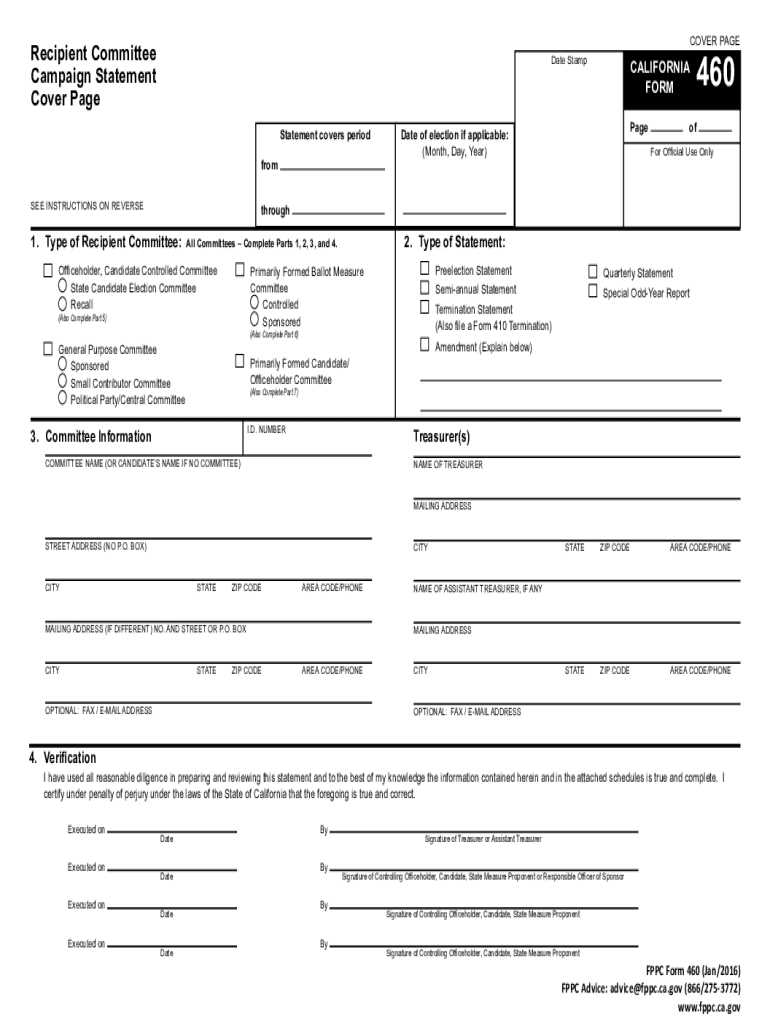
- Begin by filling out the cover page. Indicate the type of recipient committee and select the appropriate statement type, such as Preelection Statement or Semi-annual Statement.
- In Part 3, provide your committee information including the name of the treasurer and mailing address. Ensure all details are accurate for compliance.
- Proceed to complete Schedule A for monetary contributions received. List each contributor's details, including their occupation if they are individuals.
- Fill out Schedule E for payments made during the reporting period. Include descriptions and amounts paid to ensure transparency.
- Review all sections for accuracy before submitting. Use our platform’s tools to check for any missing information or errors.
Start using our platform today to simplify your form completion process!
It's free
See more 460 who versions
Got questions?
What do I need to sign my 460 who electronically?
Electronic document approval demands a software solution that works in compliance with data security and eSignature standards. DocHub is a perfect tool for that, as it fulfills all the aforementioned requirements. Whatever method you prefer to sign your 460 who in DocHub, your eSignature will be legally binding and court-admissible.
How to complete 460 who on the internet for free in 2024?
Using a swift editing system like DocHub, you do not require anything but a web browser and internet connection to modify your 460 who on the internet quickly. Add your file or find the appropriate form in DocHub’s catalog, open our editor with a single click, and complete it electronically. To revise your forms at any time, sign up a free profile with DocHub.
Security and compliance
At DocHub, your data security is our priority. We follow HIPAA, SOC2, GDPR, and other standards, so you can work on your documents with confidence.
Learn more


