Saps application form 2026

Get Form
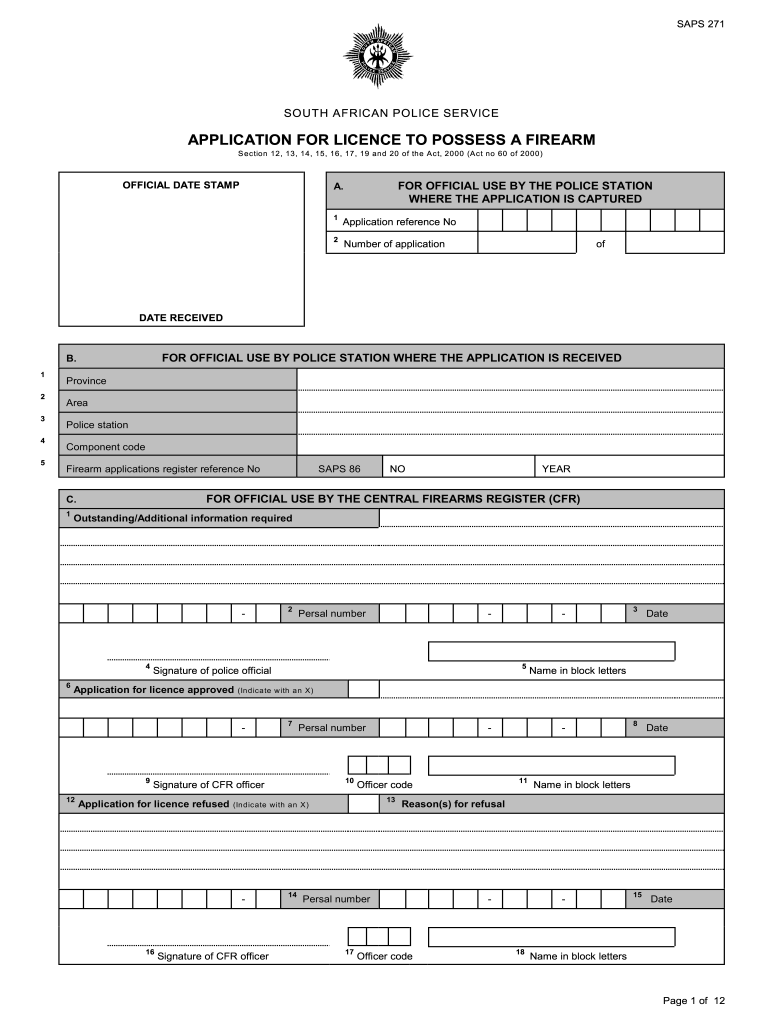
saps application form closing date Preview on Page 1

Here's how it works

01. Edit your saps application form closing date online
Type text, add images, blackout confidential details, add comments, highlights and more.
02. Sign it in a few clicks
Draw your signature, type it, upload its image, or use your mobile device as a signature pad.
03. Share your form with others
Send saps forms apply online via email, link, or fax. You can also download it, export it or print it out.

How to use or fill out SAPS application form with our platform

Form edit decoration
9.5
Ease of Setup
DocHub User Ratings on G2
9.0
Ease of Use
DocHub User Ratings on G2
  1. Click ‘Get Form’ to open the SAPS application form in the editor.
  2. Begin by filling in your personal details in Section A, including the application reference number and date received. Ensure all information is accurate.
  3. In Section B, provide details about the province, area, and police station where your application is being submitted. This helps streamline processing.
  4. Move to Section D to select the type of firearm license you are applying for. Indicate your choice clearly by marking an 'X' next to the appropriate option.
  5. In Section E, describe the firearm you wish to possess. Fill in details such as make, model, and serial numbers accurately.
  6. Complete Section F with particulars of the current owner of the firearm. If applicable, include additional holders in this section.
  7. Finally, review all sections for completeness and accuracy before submitting your application through our platform.

Start using our platform today for free to simplify your SAPS application process!

be ready to get more

Complete this form in 5 minutes or less

Get form

Got questions?

We have answers to the most popular questions from our customers. If you can't find an answer to your question, please contact us.
Contact us

With DocHub, it’s quite simple. The service offers users an add-on called DocHub for Gmail, which you can find in the Google Workspace Marketplace without being charged. Set it up and grant it access to your Google account. Open your email with your saps application form attached and click on the add-on button in the right-side panel. Sign in to your DocHub account, and upload the file to our editor, where you can fill it out and sign.

You can complete and sign your saps form on the internet, even on a tight deadline. All you need to access high quality editing tools on any device is a DocHub account, which you can register in a couple of moments. When you sign up, upload your file or find what you are looking for in our catalog, complete it using the editing tools you need, and put your electronic signature on it at the end.

Security and compliance

At DocHub, your data security is our priority. We follow HIPAA, SOC2, GDPR, and other standards, so you can work on your documents with confidence.

Learn more
ccpa2
pci-dss
gdpr-compliance
hipaa
soc-compliance
be ready to get more

Complete this form in 5 minutes or less

Get form