




Here's how it works



How to use or fill out Form to Enrol in a Victorian Government School with DocHub

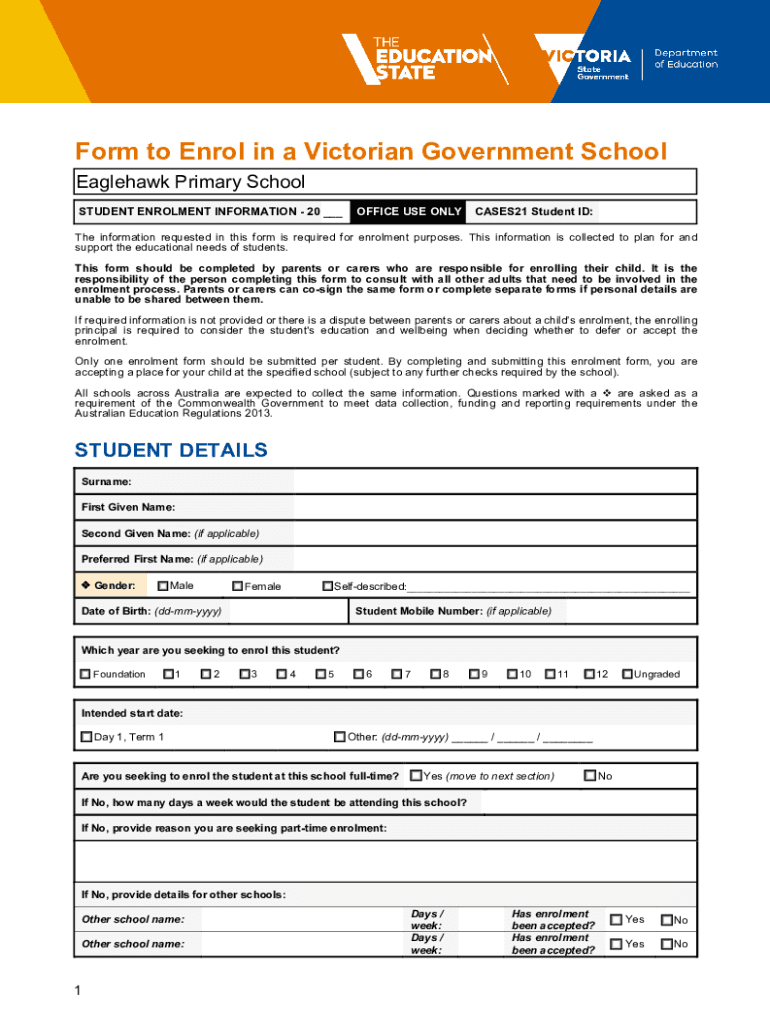
- Click ‘Get Form’ to open the Form to Enrol in a Victorian Government School in our editor.
- Begin by filling out the 'STUDENT DETAILS' section. Enter the student's surname, first given name, and any additional names if applicable. Ensure you select the correct gender and provide the date of birth.
- In the 'Student's Permanent Residence' section, input the address where the student primarily resides. Indicate how often they live at this address.
- Complete the 'Student Living Arrangements' section by selecting the appropriate option that describes where the student lives.
- Proceed to fill out 'Siblings' information if applicable, followed by 'Student Demographics', ensuring all required fields are completed accurately.
- Continue through sections regarding medical details and safety considerations, providing necessary information for your child's wellbeing.
- Finally, review all entered information for accuracy before signing electronically using our platform’s signature feature.
Start your enrolment process today using our platform for free!
It's free
See more Form to Enrol in a Victorian Government School versions
| Versions | Form popularity | Fillable & printable |
|---|---|---|
| 2024 | 4.9 Satisfied (48 Votes) | |
| 2023 | 4.4 Satisfied (50 Votes) | |
| 2023 | 4.2 Satisfied (50 Votes) | |
| 2022 | 4.2 Satisfied (30 Votes) | |
| 2022 | 4.7 Satisfied (47 Votes) | |
| 2022 | 4.1 Satisfied (47 Votes) | |
| 2022 | 4.6 Satisfied (59 Votes) | |
| 2021 | 4.8 Satisfied (96 Votes) | |
| 2021 | 4.8 Satisfied (109 Votes) | |
| 2021 | 4.8 Satisfied (152 Votes) | |
| 2020 | 5 Satisfied (23 Votes) | |
| 2020 | 4.7 Satisfied (44 Votes) | |
| 2020 | 4.4 Satisfied (47 Votes) | |
| 2019 | 4.9 Satisfied (43 Votes) | |
| 2019 | 4.8 Satisfied (67 Votes) |
Got questions?
Can I use DocHub to generate legal electronic signatures on my victorian government school?
Yes, you can utilize DocHub for signing any business and private paperwork, including your victorian government school. All eSignatures you generate with our tool are legally binding and court-admissible, as DocHub complies with standards required by ESIGN and UETA. Save your completed document with a detailed Audit Trail if needed.
How do you fill out government school form online?
You may get and edit your government school form online with the help of DocHub. Its straightforward yet feature-rich design allows you to start effective work immediately after you sign up your account. Create your profile and add your file, and then our interface will guide you via our stress-free form completion experience.
What is a school enrolment form?
How to register a school in Victoria?
How many government schools are there in Victoria?
Security and compliance
At DocHub, your data security is our priority. We follow HIPAA, SOC2, GDPR, and other standards, so you can work on your documents with confidence.
Learn more


