Type text, add images, blackout confidential details, add comments, highlights and more.
02. Sign it in a few clicks
Draw your signature, type it, upload its image, or use your mobile device as a signature pad.
03. Share your form with others
Send it via email, link, or fax. You can also download it, export it or print it out.
How to use or fill out i 192 with DocHub
Ease of Setup
DocHub User Ratings on G2
Ease of Use
DocHub User Ratings on G2
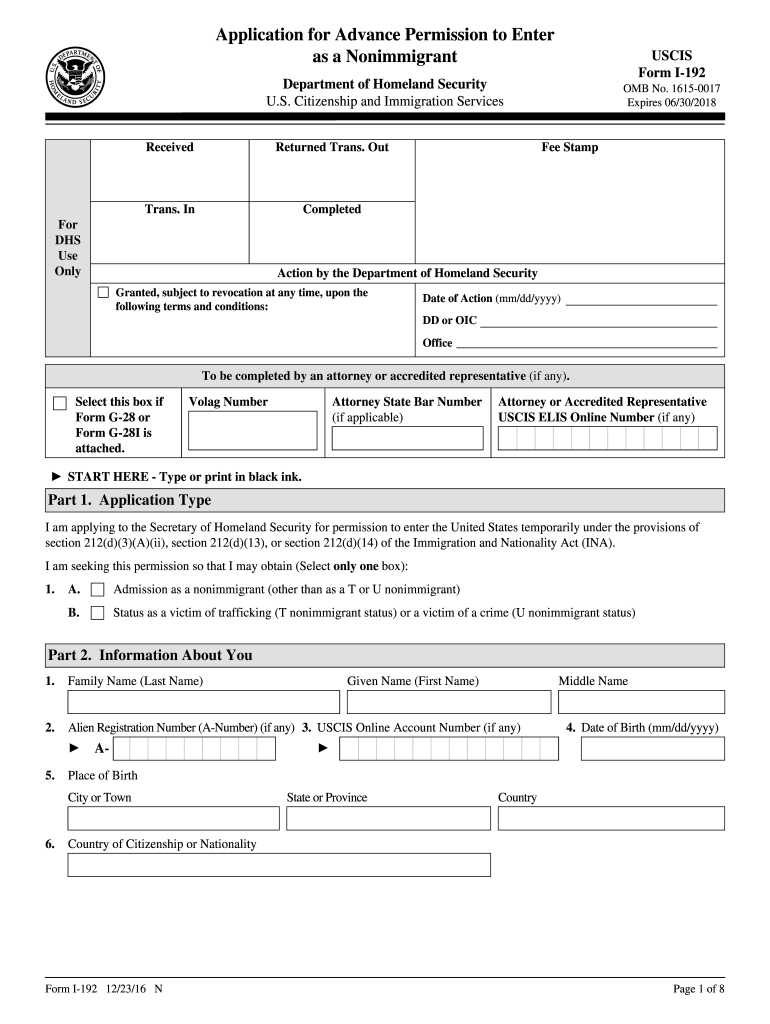
Click ‘Get Form’ to open the i 192 application in our editor.
Begin with Part 1, selecting the appropriate application type. Choose between admission as a nonimmigrant or status as a victim of trafficking or crime.
In Part 2, provide your personal information including your family name, date of birth, and place of birth. Ensure accuracy for your Alien Registration Number and USCIS Online Account Number if applicable.
Continue filling out your physical address and previous residences over the last five years. Use the additional space in Part 7 if needed.
Complete the travel information section by specifying your desired port-of-entry, travel method, and purpose of stay.
In Part 4, read through the applicant's statement carefully and select the appropriate options regarding interpreter assistance and preparer details.
Finally, review all sections for completeness before signing and dating your application at the end of Part 4.
Start using our platform today to fill out your i 192 form online for free!
8 CFR 214.14 - Alien victims of certain qualifying criminal
(ii) If the qualifying family member is inadmissible, Form I-192, Application for Advance Permission to Enter as a Non-Immigrant, in accordance with 8 CFRRead more
I-192 | Application for Advance Permission to Enter as a
Jan 20, 2026 I-192, Application for Advance Permission to Enter as a Nonimmigrant. Use this form if you want to apply for advance permission to temporarilyRead more
Cookie consent notice
This site uses cookies to enhance site navigation and personalize your experience.
By using this site you agree to our use of cookies as described in our Privacy Notice.
You can modify your selections by visiting our Cookie and Advertising Notice.