




Here's how it works

01. Edit your gm mobility rebate form online
Type text, add images, blackout confidential details, add comments, highlights and more.

02. Sign it in a few clicks
Draw your signature, type it, upload its image, or use your mobile device as a signature pad.

03. Share your form with others
Send gm mobility via email, link, or fax. You can also download it, export it or print it out.
How to use or fill out gm mobility with our platform

- Click ‘Get Form’ to open the GM Mobility Reimbursement Application in the editor.
- Begin by obtaining your adaptive equipment purchase receipt. Ensure it is itemized and includes all necessary details.
- Fill in the Vehicle Purchaser Information section using blue ink. Complete all fields, including your name, address, and vehicle details such as VIN, make, model, and year.
- Provide a description of the adaptive equipment installed on your vehicle along with the total cost of adaptation and reimbursement amount requested.
- Review and sign the application. Ensure that both vehicle owners sign and date the form.
- Take your completed application to a GM dealer for validation. Have them inspect your adapted vehicle and sign the application.
- Mail your application along with all required attachments to the specified address. Double-check that everything is complete to avoid delays.
Start filling out your GM Mobility Reimbursement Application today for a seamless experience!
Fill out gm mobility online
It's free
It's free
Security and compliance
At DocHub, your data security is our priority. We follow HIPAA, SOC2, GDPR, and other standards, so you can work on your documents with confidence.
Learn more


Related forms

Affidavit Of Parental Consent For Travel With One Parent Form
The document is an Affidavit of Parental Consent, allowing a non-traveling parent to authorize another individual to act ...
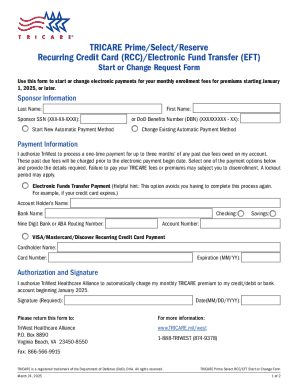
Tricare Prime select reserve Recurring Credit Card (rcc) electronic Fund Transfer (eft) Start or Cha
Tricare Prime select reserve Recurring Credit Card (rcc) electronic Fund Transfer (eft) Start or Cha
The document is a TRICARE Prime Select RCC/EFT Start or Change Form, intended for users to initiate or modify electronic ...
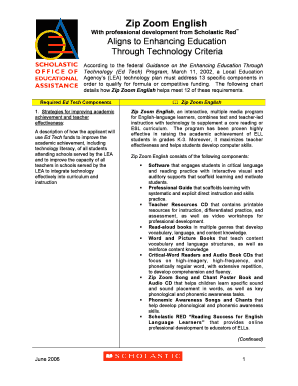
Ed Tech Alignment ck062906 doc
The document outlines the Zip Zoom English program, an interactive multimedia tool designed to enhance the academic achi ...

Word Template for YIW doc
The document 'Budgeting Without Tears' discusses the importance of budgeting as a means of financial empowerment and con ...
THE CERRITOS CENTER FOR THE PERFORMING ARTS (CCPA) thanks the following CCPA Associates who
THE CERRITOS CENTER FOR THE PERFORMING ARTS (CCPA) thanks the following CCPA Associates who
The document lists the sponsors and contributors for the 2008-2009 season of the Cerritos Center for the Performing Arts ...
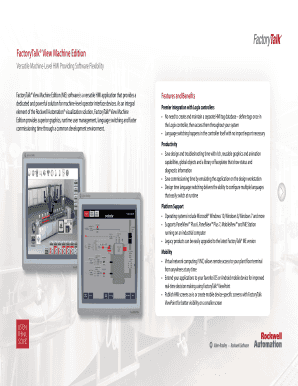
FactoryTalk View Machine Edition
FactoryTalk® View Machine Edition (ME) is a versatile HMI software designed for machine-level operator interfaces, offer ...
2013 SEASON SPONSORS The City of Cerritos gratefully thanks our 2012
The document lists the sponsors for the 2012-2013 season of the Cerritos Center for the Performing Arts, expressing grat ...

Carroll and Blackman, Inc Consulting Engineers and Surveyors www
The document outlines the requirements and processes related to MS4 (Municipal Separate Storm Sewer System) permits, foc ...