




Here's how it works



How to use or fill out minnesota c58p hockey online with our platform

- Click ‘Get Form’ to open the Minnesota C58P Hockey form in the editor.
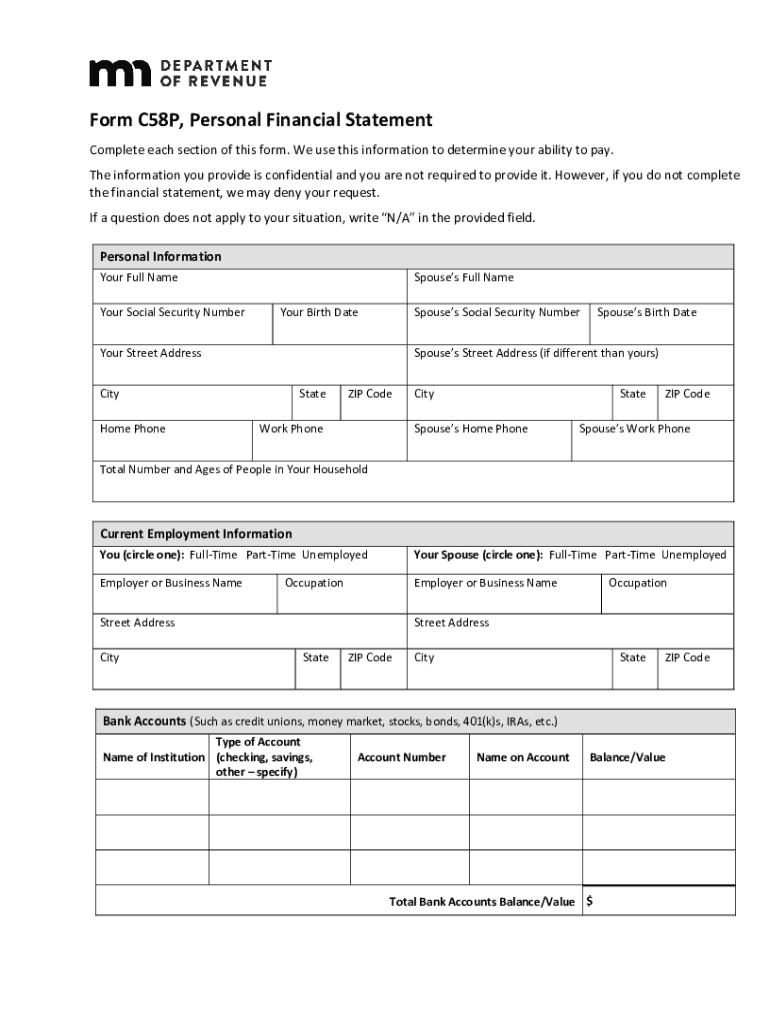
- Begin by entering your personal information, including your full name, Social Security Number, and contact details. Ensure accuracy as this information is crucial for processing.
- Next, provide current employment information for both you and your spouse. Circle the appropriate employment status and fill in employer details accurately.
- Move on to bank accounts. List all relevant accounts, specifying the type and balance for each. This section helps assess your financial standing.
- Fill out the living expenses section meticulously. Include all monthly obligations such as rent, utilities, and insurance to give a complete picture of your financial commitments.
- Complete the income section by detailing all sources of income for you and any other adults in your household. Attach recent pay stubs if required.
- Finally, review all entries for accuracy before signing and dating the authorization section at the end of the form.
Start filling out your Minnesota C58P Hockey form online today for free using our platform!
It's free
See more minnesota c58p hockey online versions
Got questions?
Can I type my eSignature on my minnesota c58p hockey online?
Yes, a typed name is accepted as a valid electronic signature when you create it on your document utilizing a compliant solution like DocHub. Simply import your minnesota c58p hockey online to our editor, click Sign in the top tool pane → Create your signature → Type your name in the appropriate tab, and select how it will appear on your document.
What internet browser do I need to edit minnesota c58p hockey online online?
If you need to edit your minnesota c58p hockey online online quickly, it does not matter what web browser you use. DocHub’s straightforward editing instruments are available using any internet browser. Simply open the appropriate tab in the editor, add your file, and fill it out without stress.
Security and compliance
At DocHub, your data security is our priority. We follow HIPAA, SOC2, GDPR, and other standards, so you can work on your documents with confidence.
Learn more


